
Troubleshooting Insufficient Privileges for Snowflake Roles
Issue Summary
Customers may encounter errors when running queries through the platform on Snowflake. A common root cause is insufficient privileges granted to the default role assigned to the Snowflake user. This default role may not have access to the necessary schemas or objects.
Resolution Steps
Step 1: Verify Role Permissions on Snowflake
Check whether the role you're using has access to the target schema or required operations.
Action: Run the same queries directly in Snowflake using the role you suspect might be causing the issue.
Step 2: Check Default Role Assigned to the User
Use the following SQL command to check the default role configured for the Snowflake user:
Look for the value in the DEFAULT_ROLE column in the result.
Step 3: Test with Default Role in Snowflake
To confirm if the default role lacks necessary access:
If the queries fail, the default role does not have the required permissions.
Step 4: Configure a Custom Role on Infoworks
If the default role is not sufficient, you can explicitly pass a different role in the platform configuration:
Go to your Snowflake Data Environment settings in the platform.
Expand the Additional Parameters section.
Add the following key-value pair:
Key:
sfRoleValue: (e.g.,
DATA_ENGINEER,ETL_ROLE)
Ensure the parameter is marked Active.
This overrides the default role and ensures that the platform uses a role with appropriate privileges when connecting to Snowflake.
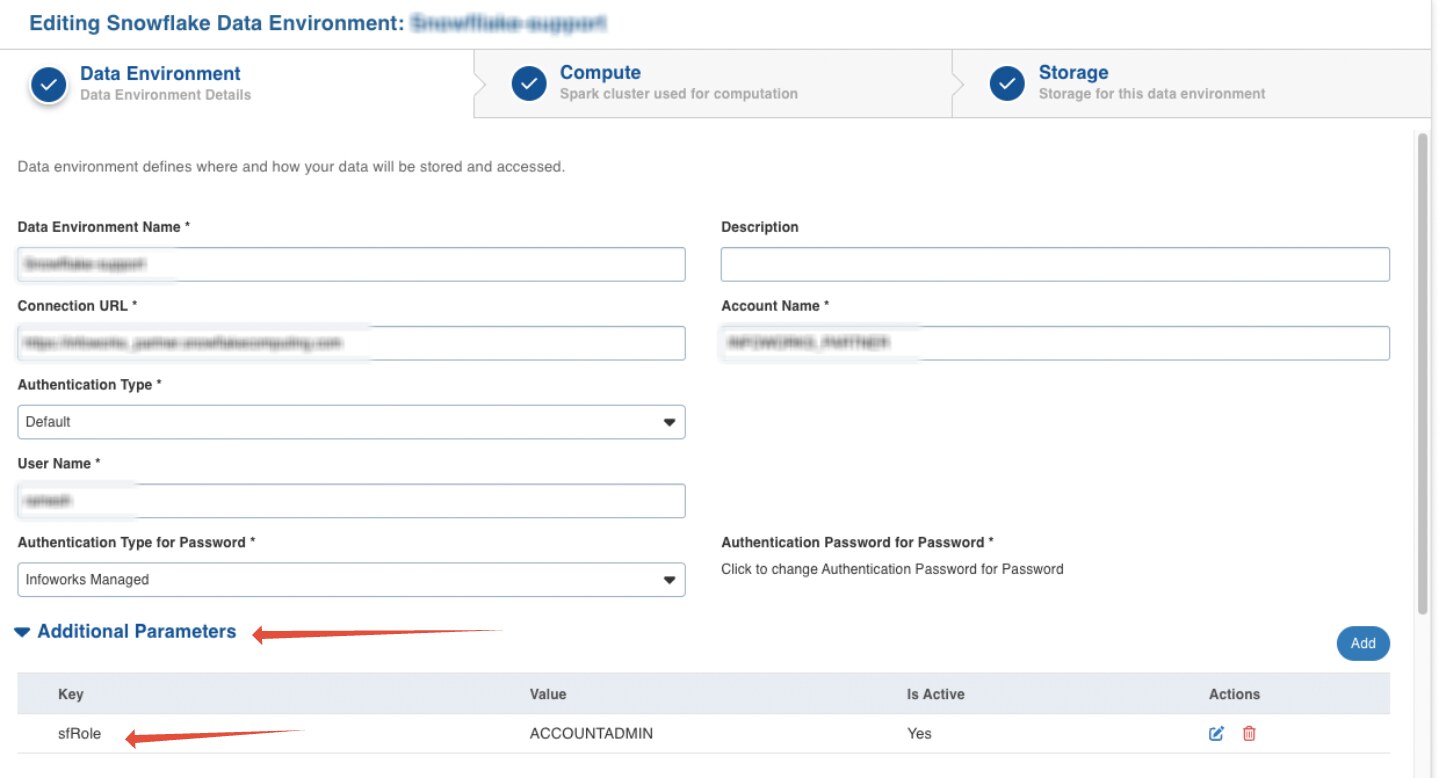
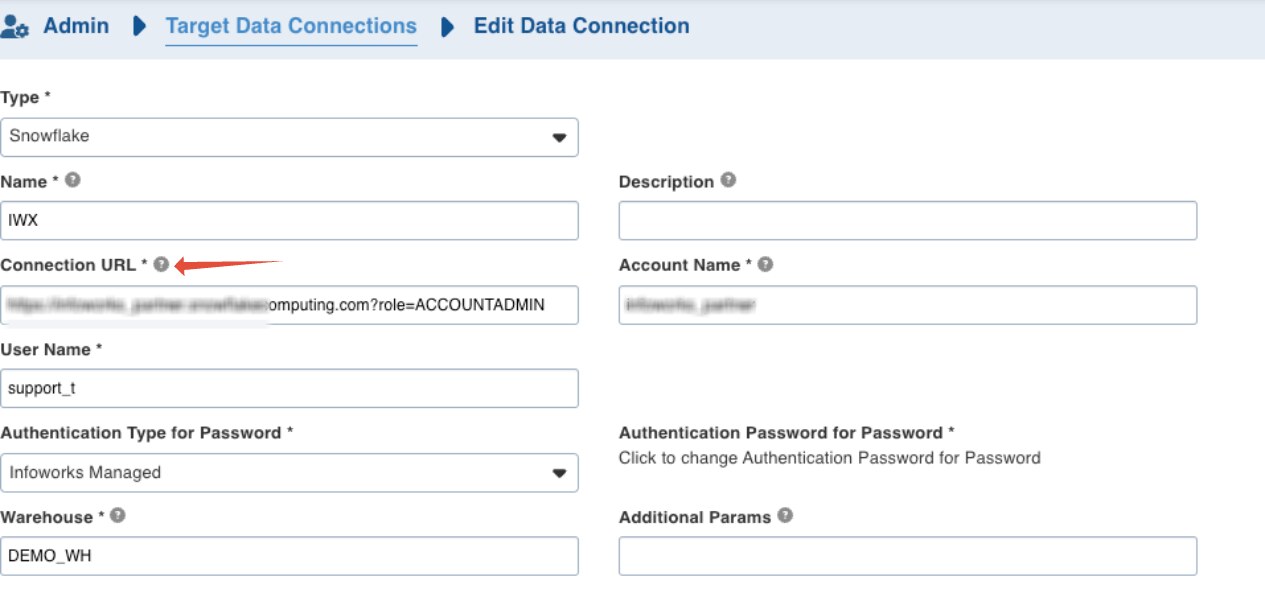
Configuring custom role for Snowflake Target Data Connection in****Databricks Environment
The connection URL needs to updated with "?role="
Example: https://att.snowflakecomputing.com?role=ACCOUNTADMIN
Author: Anirudh Chekuri