
How to use custom user defined functions in pipelines?
Problem Description:
I would like to use a custom UDF in Infoworks Pipelines
Solution:
You could use custom user-defined functions after registering the function with the Hive metastore for GCP Dataproc and AWS EMR. For Databricks distribution, you will have to register the function by following the steps from <https://docs.databricks.com/spark/latest/spark-sql/language-manual/sql-ref-syntax-ddl-create-function.html>
Steps for GCP Dataproc:
Upload the custom UDF jar file to the IWX Staging bucket and copy its corresponding gsutil URI.
ex: ( gs://staging_bucket_supp/ExampleUDF-1.0-SNAPSHOT.jar ).
To ensure this jar file is accessible by data proc clusters, you can upload it to the staging bucket.
Login into the master node of the persistent cluster and run the following commands to create a permanent function in Hive:
Using Custom UDF:
Navigate to the pipeline page and select the required pipeline.
Click on any node with a Derivations page.
In the Derivations page, click on Add Derivation.
In the Expression text box, use the Alias of the custom UDF along with any parameters.
Click Save.
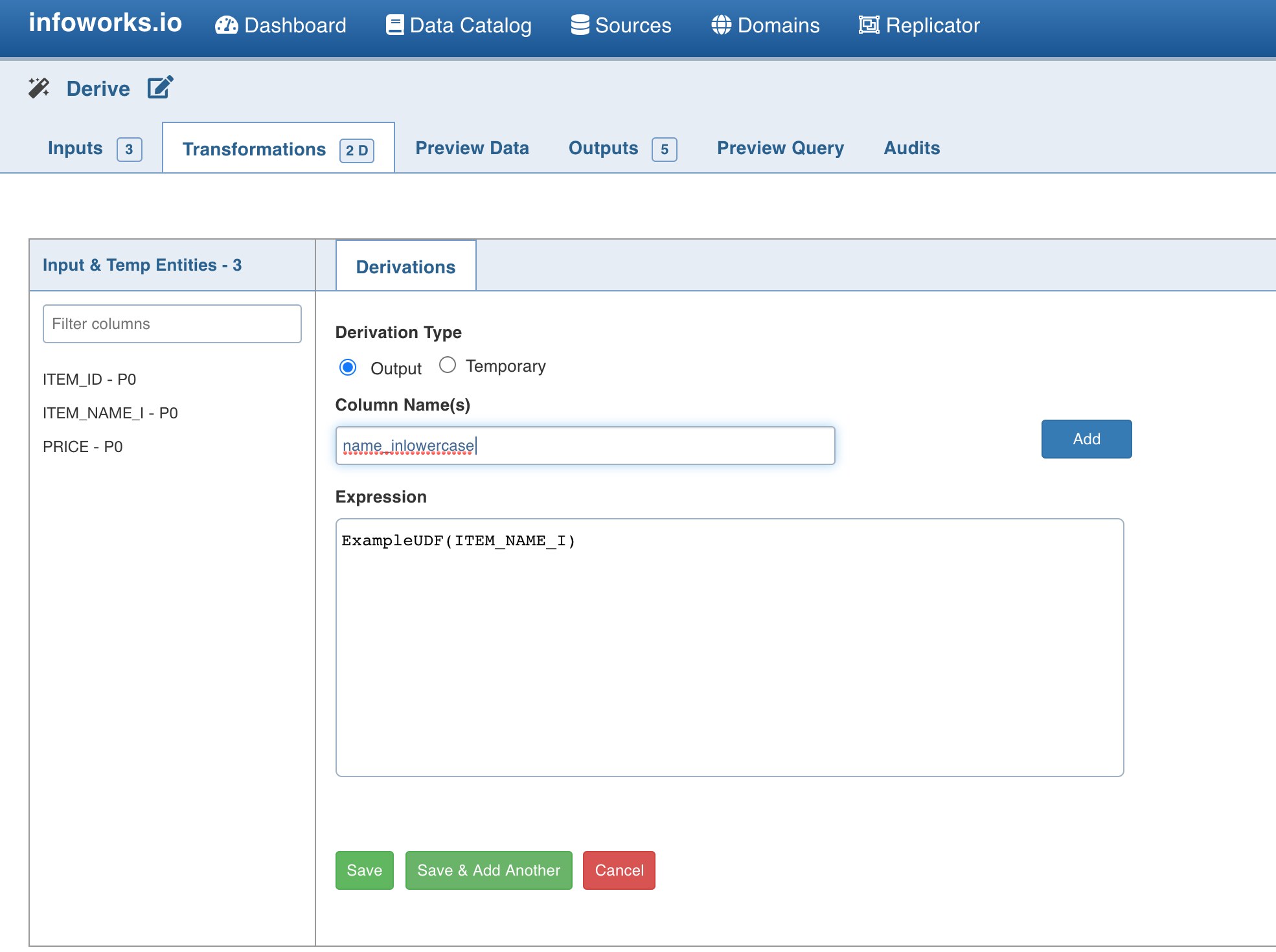
Reference docs:
To create a sample Java UDF with hive: <https://docs.microsoft.com/en-us/azure/hdinsight/hadoop/apache-hadoop-hive-java-udf>
Applicable Infoworks versions:
IWX v5.x