
Ingestion job TIMEDOUT after running for long time
Databricks jobs, for ingestion, submitted by infoworks DF can get timed out if it runs more than a configurable limit. The messages in job log which indicate the timeout are the following
In this scenario, one can increase the parallelism and try to run the jobs below the timeout or increase the timeout value itself or even a mix of both.
Instructions to optimise job performance
Step 1: Select Split By Column
Step 2: Increase the number of max connections to number of distinct splits
Step 3: Increase number of max allowed workers in the cluster template.
Step 1: Select Split By Column
You can use the split by key as show here
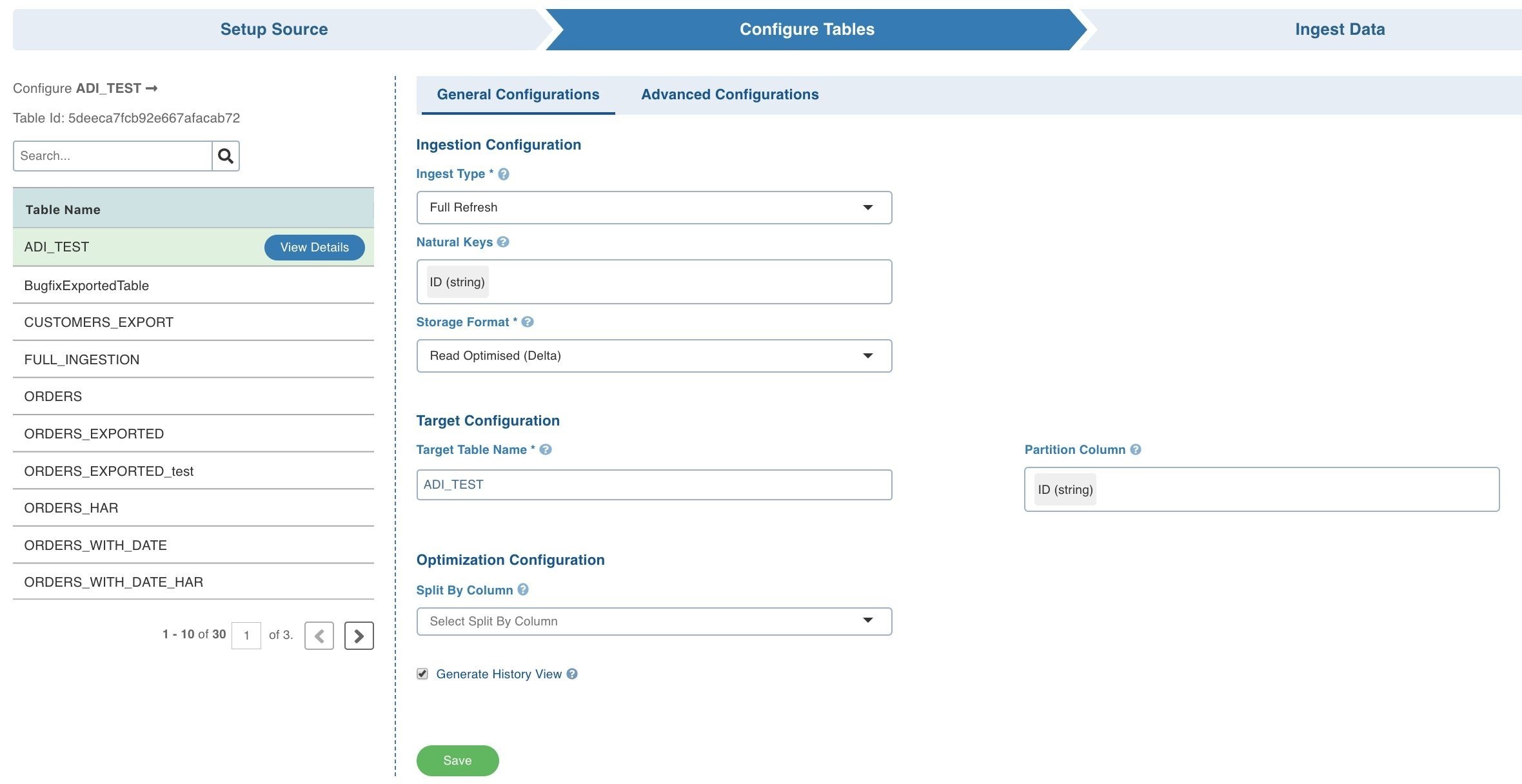
This will allow you to crawl the table in parallel using multiple connections. Please refer to Optimisation Configuration in <https://docs.infoworks.io/data-ingestion/ingestion-process#configuring-tables> for more details. Split by will be effective if you choose a column which distributes the data evenly.
Step 2: Increase the number of max connections to number of distinct splits
Increase the max connections to the source in the below setting
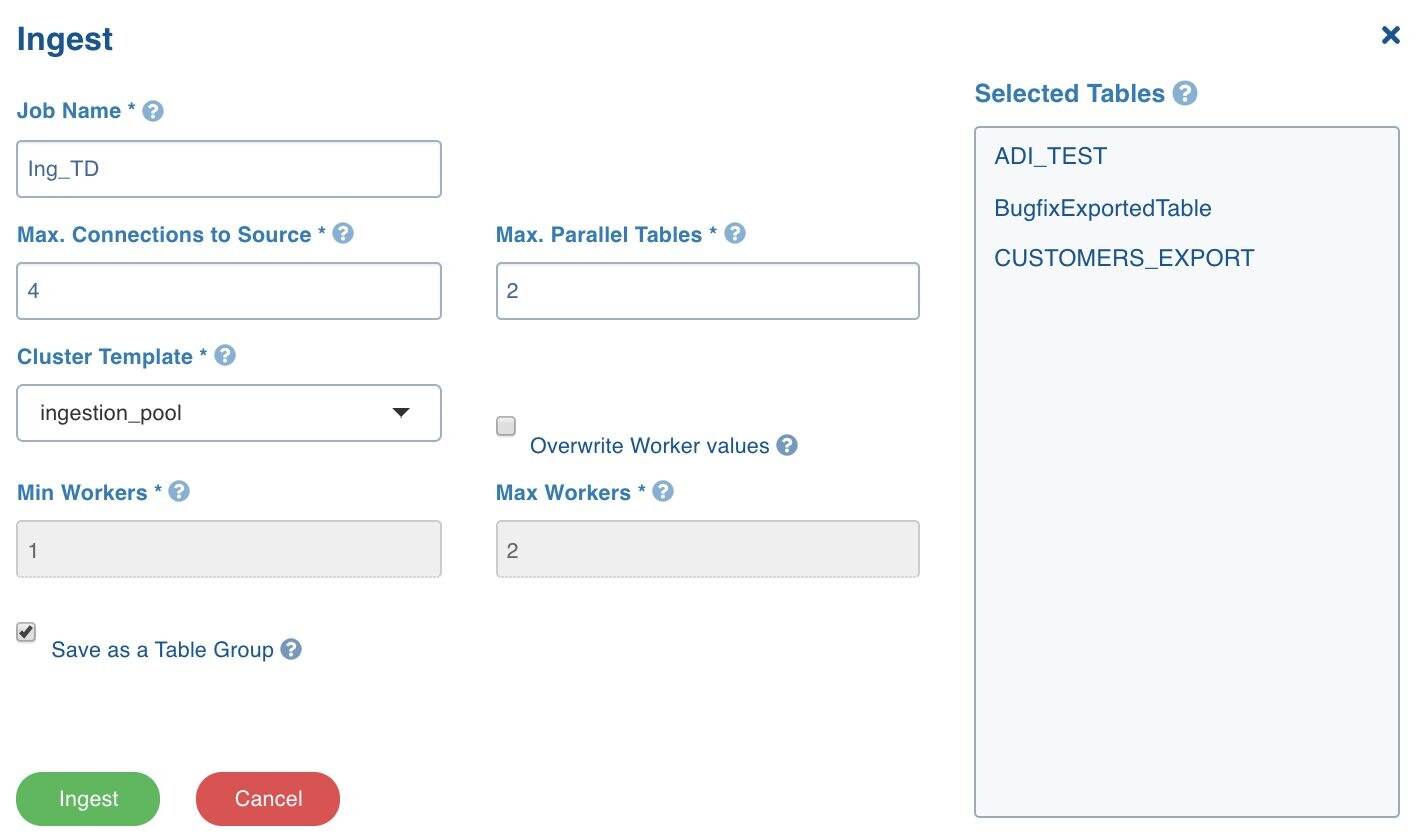
For example, if the split by column splits the tables into 24 splits, you can give the max connections as 24 so that each connection can bring the data from each split.
Step 3: Increase number of max allowed workers in the cluster template.
Increase number of workers to the cluster template you are using for ingestion.
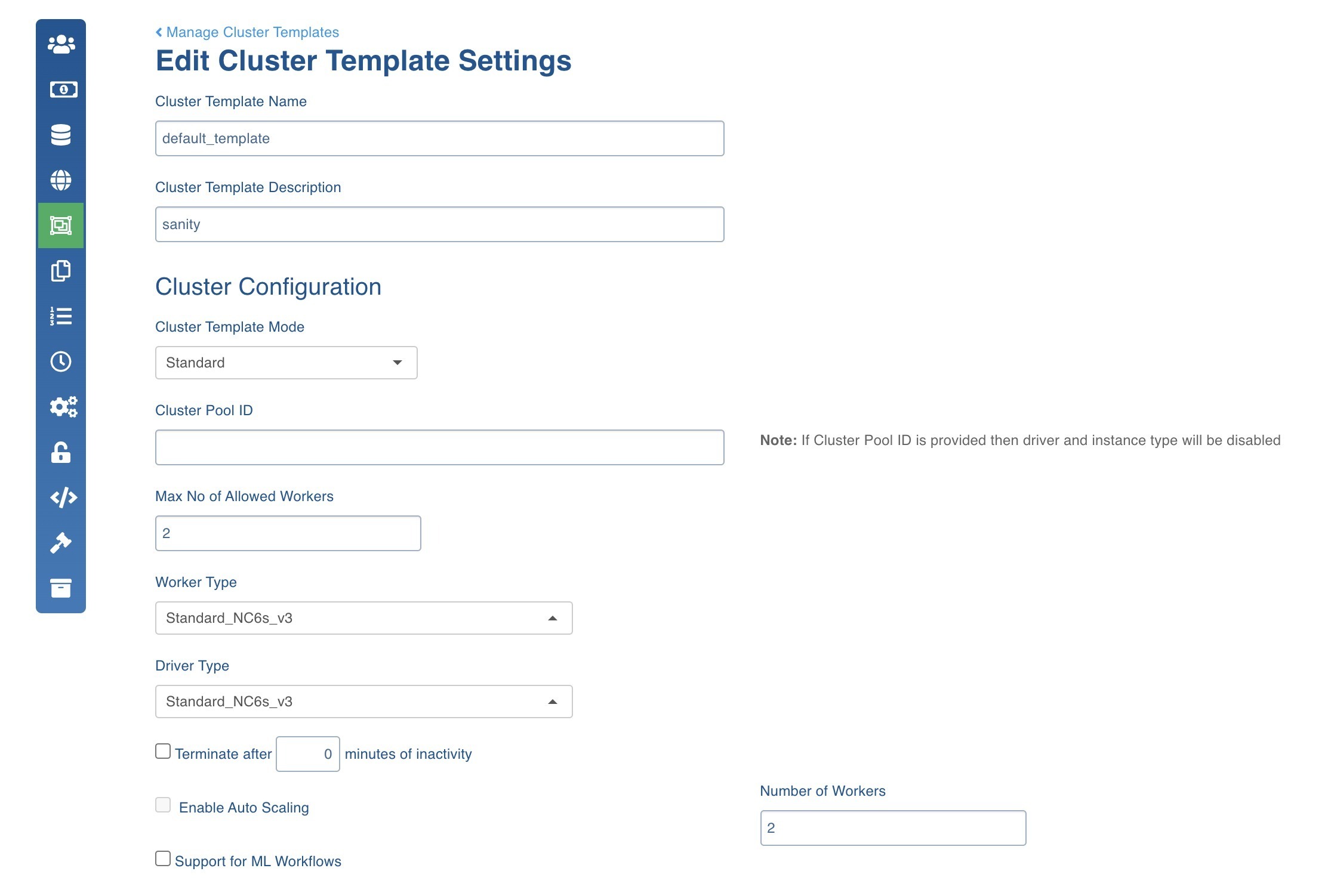
For example, if you have 24 splits/connections, the to enable full parallelism you need 24 vcpus which is equal to 3 Standard_DS13_v2 nodes. This is to ensure that all the data coming from 24 parallel connections is processed in parallel by serving each connection with a vpcu.
Alternatively you can also increase the timeout value to a higher value
The current timeout be seen from the following file and can be edited in the same file to a higher value
Applicable versions: 3.2, 4.2, 4.2.0.1