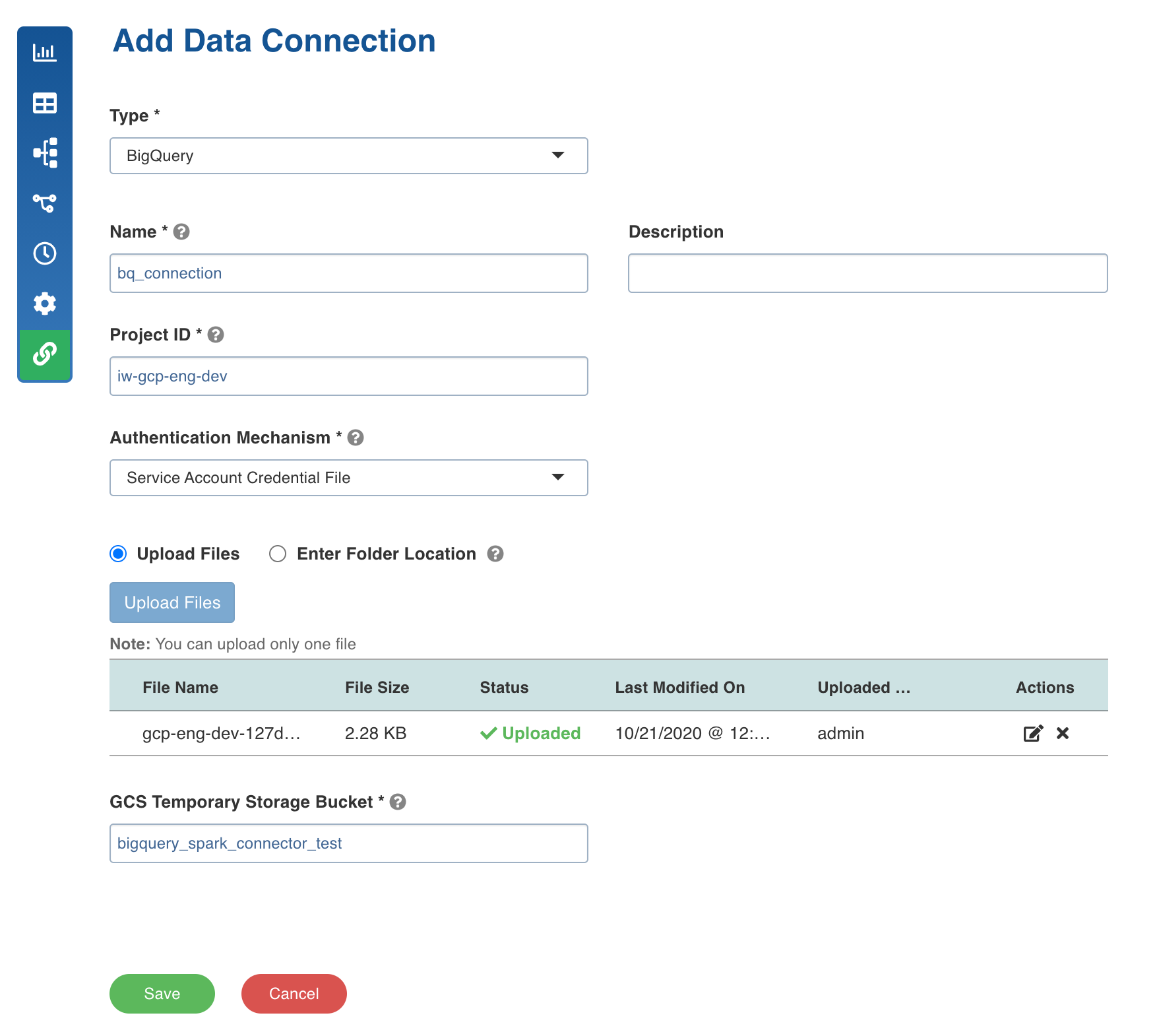
Following are the BigQuery connection details:
Field | Description |
|---|---|
Type | The type of connection. Select BigQuery. |
Name | The name for the target data connection. For example, target_connection. NOTE The connection name must be unique across the specific domain. |
Description | The description of the target data connection. |
Project ID | The ID of the project in the source BigQuery. |
Authentication Mechanism | The mechanism using which the security information is stored. The options include System and Service Account Credential File. If the Authentication Mechanism selected is Service Account Credential File, you can upload the file or enter the file location. NOTE You can upload only one file. |
GCS Temporary Storage Path | The path to the Google Cloud Storage folder accessible by Infoworks. This is used as temporary storage during load to BigQuery. Ensure that the service account has read/write access to this storage path. |