
The Unpivot node is used to convert data from columns to rows. You can select one or more columns to be unpivoted.
To unpivot the table data:
Connect the source node to the Unpivot node.
Double-click the Unpivot node. The properties page is displayed.
Click the Properties tab and click Edit Properties.
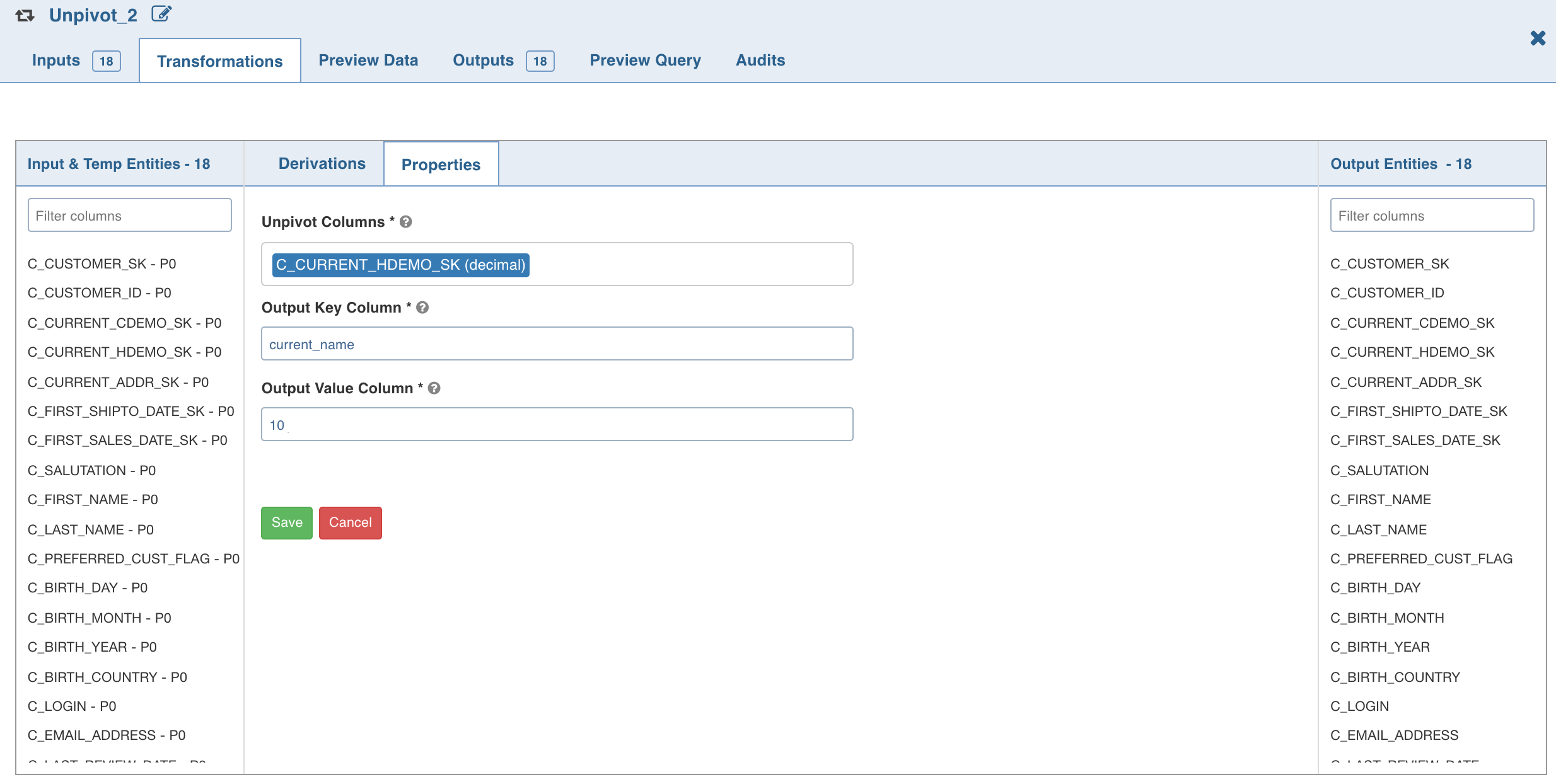
Enter the following details and click Save.
Field | Description |
|---|---|
Unpivot Columns | List of columns to be unpivoted. The columns selected will be removed from data and two new columns will be added to the dataset. NOTE All the unpivot columns must have the same datatype. |
Unpivot Key | The names of the selected unpivot columns. |
Unpivot Value | The corresponding values of the selected unpivot columns. |
Click the Preview Data tab to view the updated data.
NOTE For details on derivations, see Derivations.
NOTE As the Snowflake environment does not support column aliasing for unpivot queries, the unpivot columns will result in incorrect data, and the pipeline build will fail. To resolve this issue, set the advance configuration dt_use_iwx_column_aliasing = false to disable the column aliasing and continue with the pipeline build.