
External dependencies are specific files that are not a part of the Infoworks package but are required for the smooth functioning of the setup and are unique depending upon the infrastructure setup of the organization. In order to incorporate these dependency files with the Infoworks setup, they have to be placed in a directory structure accessible to the Infoworks environment setup.
Assuming that the IW_HOME variable is set to /opt/infoworks.
The below mentioned default paths should be created and used (respectively) to push all of the external dependencies.
/opt/infoworks/uploads/lib/external-dependencies/common/spark_2x_211/cosmos_db
/opt/infoworks/uploads/lib/external-dependencies/common/spark_2x_211/teradata
/opt/infoworks/uploads/lib/external-dependencies/common/spark_2x_212/cosmos_db
/opt/infoworks/uploads/lib/external-dependencies/common/spark_2x_212/teradata
/opt/infoworks/uploads/lib/external-dependencies/common/spark_3x_212/cosmos_db
/opt/infoworks/uploads/lib/external-dependencies/common/spark_3x_212/teradata
So, the external dependency files or jars which are required as per the specific requirements should be pushed to all of the aforementioned directories.
To copy any file from your local system to a specific location inside the Kubenetes pods:
Step 1: Run the below command to create all the mentioned directories in your local file system.
Step 2 (Optional): To validate the directory structure, run the below commands.
Output:
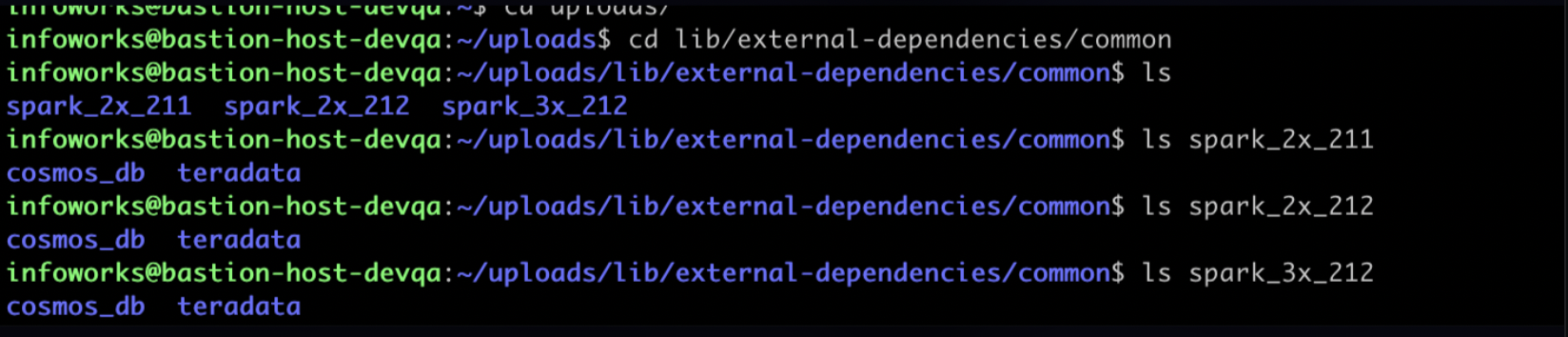
Step 3: Push all the required dependencies and jar files to all the directories.
NOTE For Infoworks environment set up on a VM, execute the instructions till step 3.
Step 4: Once all the dependencies are in place, switch to ${IW_HOME} directory, and run the below command to get the list of the pods and select the ingestion pod.
Output:
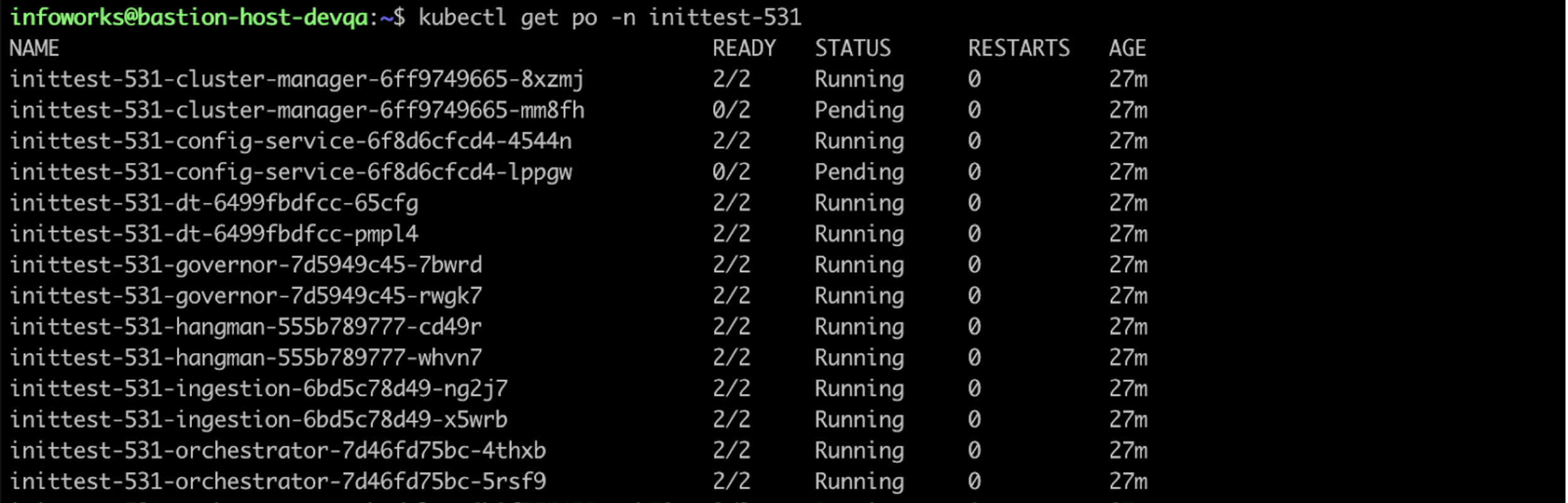
Step 5: Copy the jars to the ingestion pod using the below command.
Validation
To validate if all the required files are copied into the ingestion pod, perform the following steps:
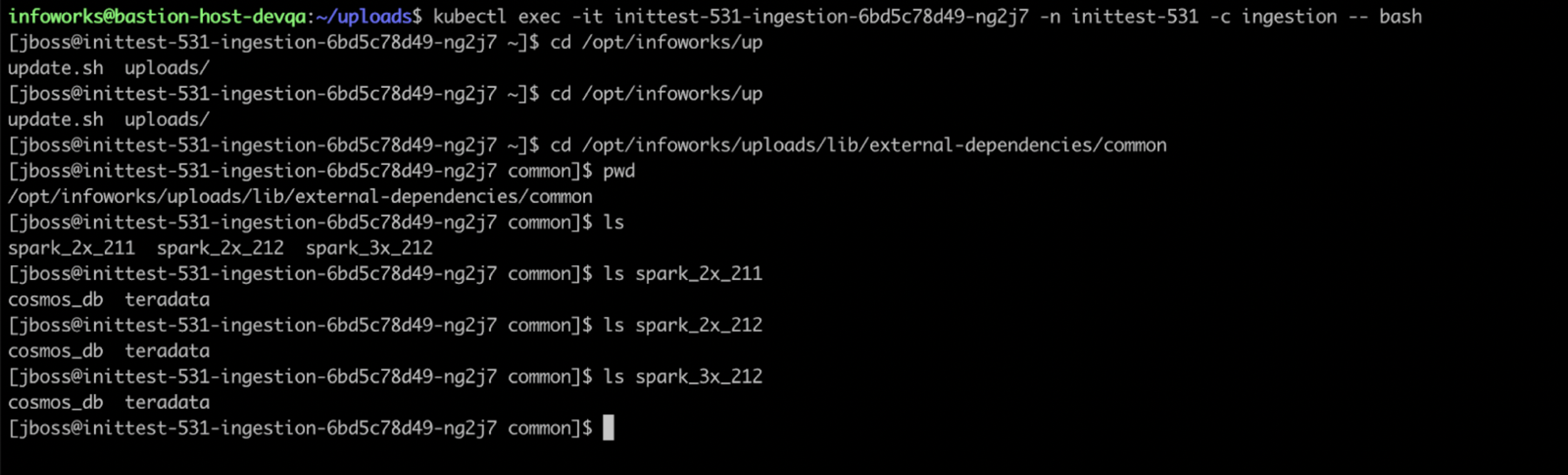
Step 1: Enter the container of the pod into which you have pushed the files.
Step 2: Navigate to the directory: cd /opt/infoworks/uploads/lib/external-dependecies/common.
In this path you should be able to see lib/external-dependencies/common/{spark_2x_211,spark_2x_212,spark_3x_212}/{cosmos_db,teradata}
directory structure which will have all your dependencies.
NOTE If H2O support is needed for ML pipeline jobs, you must add the sparkling-water jar to the external dependencies path in the similar way as described in the above mentioned procedures.