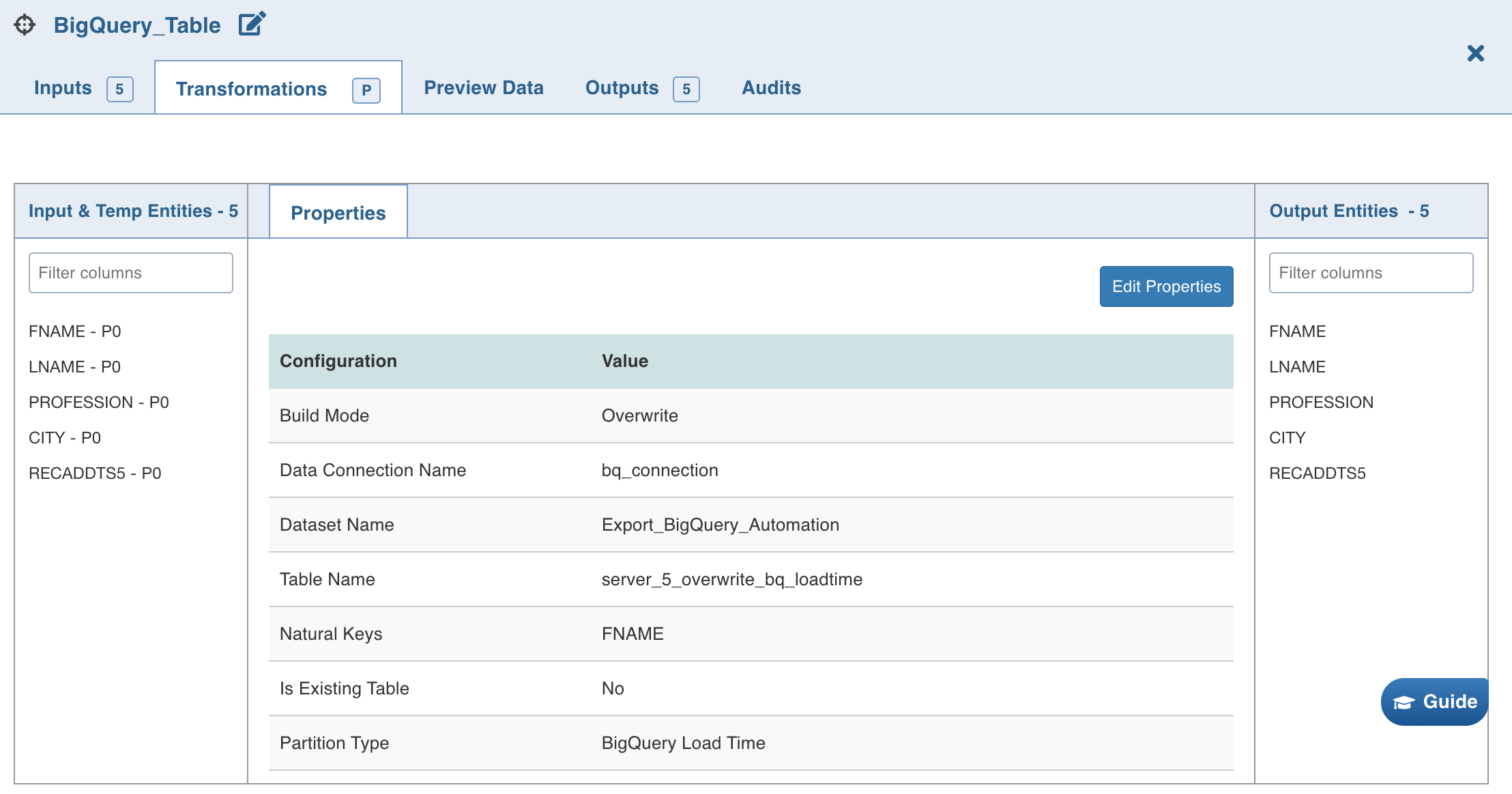
Infoworks supports BigQuery as a target in data transformation pipelines. This helps data engineers onboard data to BigQuery.
Prerequisite
Ensure that the BigQuery target data connection is configured. For more details, see Setting BigQuery Data Connection.
Setting BigQuery Target Properties
Following are the steps to use BigQuery target in the pipeline:
Double-click the BigQuery Table node. The properties page is displayed.
Click Edit Properties, and set the following fields:
Field | Description |
|---|---|
Build Mode | The options include overwrite, append, merge, insert-overwrite, update, and delete. Overwrite: Drops and recreates the BigQuery target. Append: Appends data to the existing BigQuery target. Merge: Merges data to the existing table based on the natural key. Insert-Overwrite : Overwrites all the rows based on combination of natural keys (OR condition) and inserts new rows. Update (Applicable only for CDW environments): Updates the records in the existing table based on natural key or matching condition. Delete (Applicable only for CDW environments): Deletes the records in the existing table based on natural key or matching condition. NOTE Update requires a JOIN/FILTER and DERIVE node before the target, where JOIN/FILTER matches the records and DERIVE sets the required columns. Matching condition can be configured to use the natural keys or join condition from JOIN/FILTER node using the following advanced configuration. For Update mode: |
Data Connection | Data connection to be used by the BigQuery target. For more details, see Setting BigQuery Data Connection. |
Staging Dataset Name | Staging Dataset name of the BigQuery target. |
Dataset Name | Dataset name of the BigQuery target. |
Creating a staging dataset if it does not exist | Enable this option to create a new staging schema with the name provided above. Ensure that the user has sufficient privileges to create a staging dataset in BigQuery target. |
Create a dataset if it does not exist | Enable this option to create a new schema with the name provided above. Ensure that the user has sufficient privileges to create a dataset in BigQuery target. |
Table Name | Table name of the BigQuery target. |
Natural Keys | The required natural keys for the BigQuery target. |
Is Existing Table | When enabled, existing table behavior works as an external table to Infoworks. The table will not be created/dropped or managed by Infoworks. |
Partition Type | The column name for the partition. The options include BigQuery Load Time, Date Column, Timestamp Column, Integer Column. |
Partition Time Interval | This field is visible when the Partition type is BigQuery Load Time, Date Column, or Timestamp Column. NOTE For Date column_ ** __ ** ** _ _ _ _ , the available options areDay ______,_ Month , and Year . For Timestamp column , the available options are __ Hour_,Day,Month, and**Year. _For_ BigQuery Load Time ___ ** ** _ __ , the available options are Hour, Day, Month, and Year. |
Partition Column | The column based on which the data will be partitioned. This field is displayed for the date column, timestamp column, integer column partition types. |
Start | The start value for the partition of data. This field is displayed for integer column partition type. |
End | The end value for the partition of data. This field is displayed for integer column partition type. |
Range | The range for the partition of data. This field is displayed for integer column partition type. |
Clustering Columns | The columns to be used for clustering. You can select up to 4 columns. |
Persist Staging Data in GCS | The option to indicate whether the temporary staging data must be persisted in GCS. The default option is to not persist data. |
Sync Table Schema | The option to synchronise pipeline export table schema with source table schema. |
NOTE When a reference table is selected in Append or Merge or Update mode, the staging names won't be present similar to target schema or database names.
NOTE Staging schema and Staging database are not mandatory fields. Infoworks takes Target Schema and Target Database as the default fields.