Designing a Pipeline
Title
Message
Create new category
What is the title of your new category?
Edit page index title
What is the title of the page index?
Edit category
What is the new title of your category?
Edit link
What is the new title and URL of your link?
Performing Logistic Regression
Copy Markdown
Open in ChatGPT
Open in Claude
Logistic Regression is a classification. It predicts the probability of an outcome that can only have binary values. The prediction is based on the use of one or several predictors. Logistic regression produces a logistic curve, which is limited to values 0 and 1.
Following are the steps to apply Logistic Regression node in pipeline:
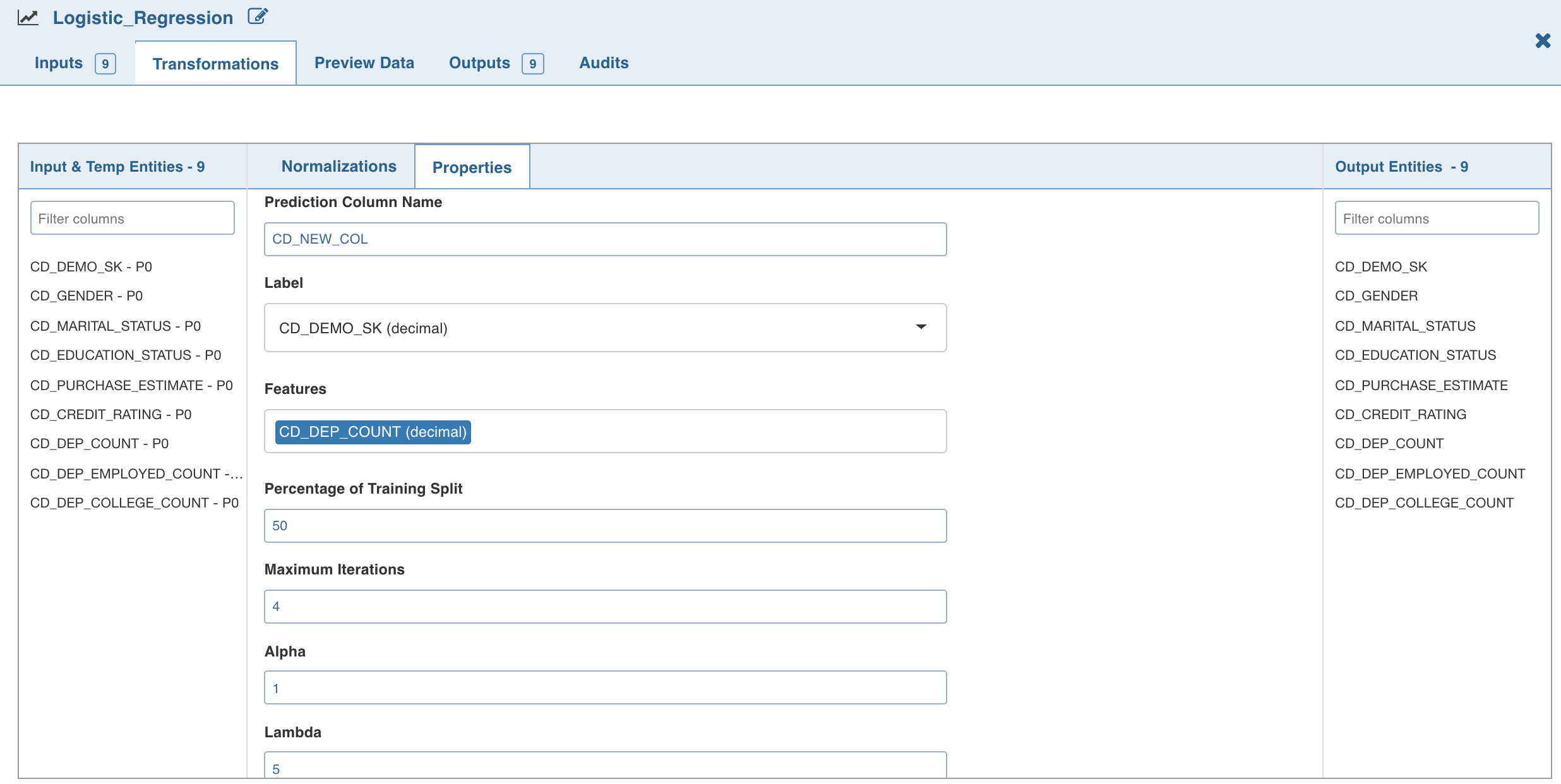
- Double-click the Logistic Regression node. The properties page is displayed.
- Click Edit Properties to edit the property values and click Save.
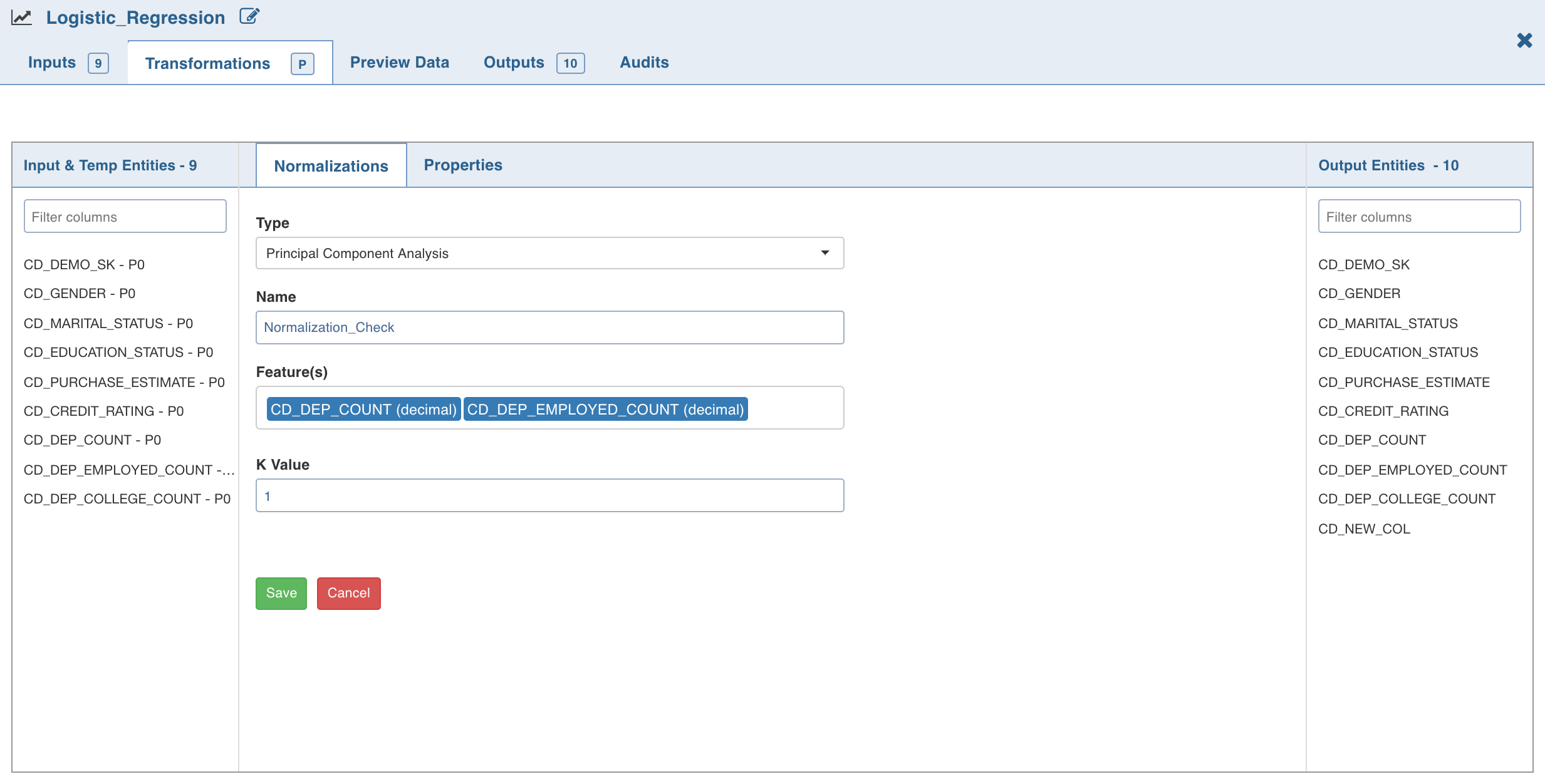
3. Click Normalization. A list of normalizations are displayed.
- Click Add Normalization and enter the required details.
- Click Save.

Type to search, ESC to discard
Last updated on Jan 28, 2022
Was this page helpful?
Next to read:
Performing Decision Tree OperationFor more details, refer to our Knowledge Base and Best Practices!
For help, contact our support team!
© UNIPHORE TECHNOLOGIES 2025 | Confidential
Discard Changes
Do you want to discard your current changes and overwrite with the template?
Archive Synced Block
Message
Create new Template
What is this template's title?
Delete Template
Message