
Overview
This unsupervised learning algorithm partitions observations into k clusters.
NOTE The K-Means Clustering node is not supported for pipelines in snowflake environment.
Following are the steps to apply K-Means Clustering node in pipeline:
Double-click the K-Means Clustering node. The properties page is displayed.
Click Edit Properties, enter the details and click Save.
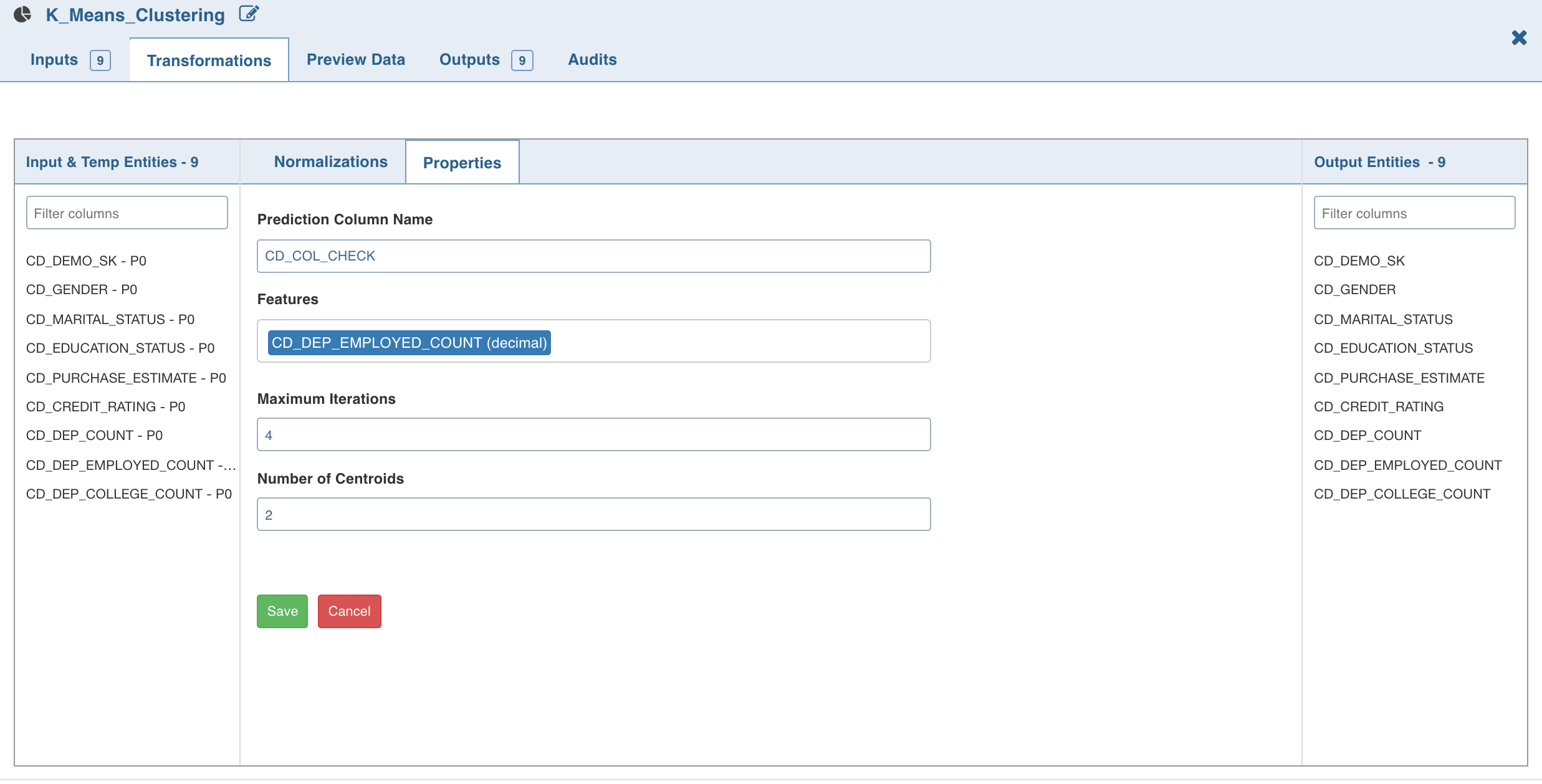
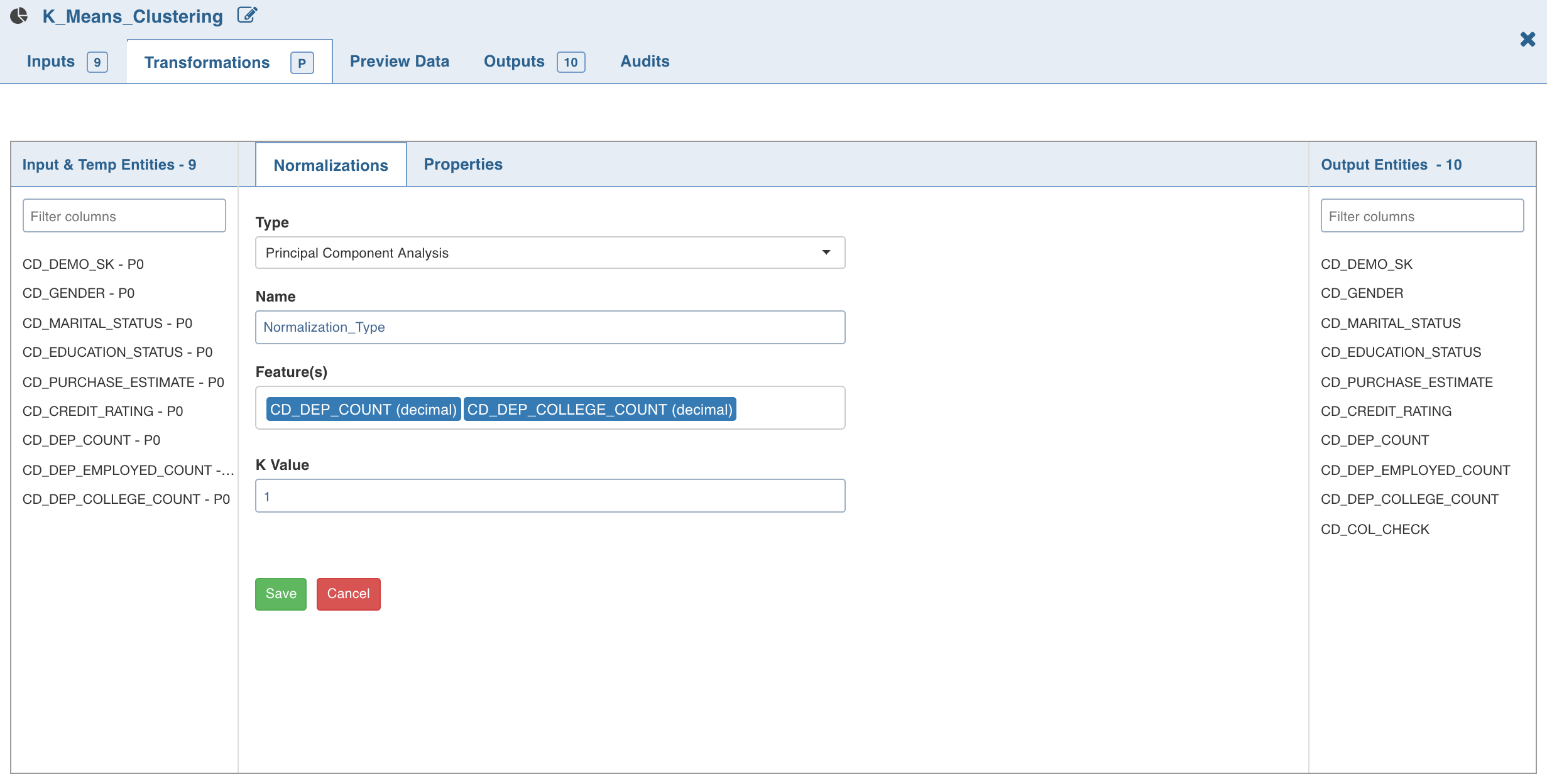
3. Click Normalization. The list of normalizations are displayed.
Click *_Add Normalization *_and enter the required normalization properties.
Click Save.
Was this page helpful?