
Split node allows you to break up a multi-valued column into multiple rows with new columns which includes a part of the value.
Following are the steps to apply the Split node in a pipeline:
Drag and drop the Split node from the Transformations section to the pipeline editor page.
Connect the source node to the Split node.
Double-click the Split node. The properties page is displayed.
Click Add Split, enter the following details, and click Save:
Field | Description |
|---|---|
Unnest View Type | The unnest view type includes Outer and None. |
Split Function Name | The split function name. For details, see Split Function Name. |
Column Name(s) | The column names for the split columns. |
Expression | The expression can use any of the operators. The expression gets validated for syntax and semantic errors, and error messages are displayed on the top of the page. |
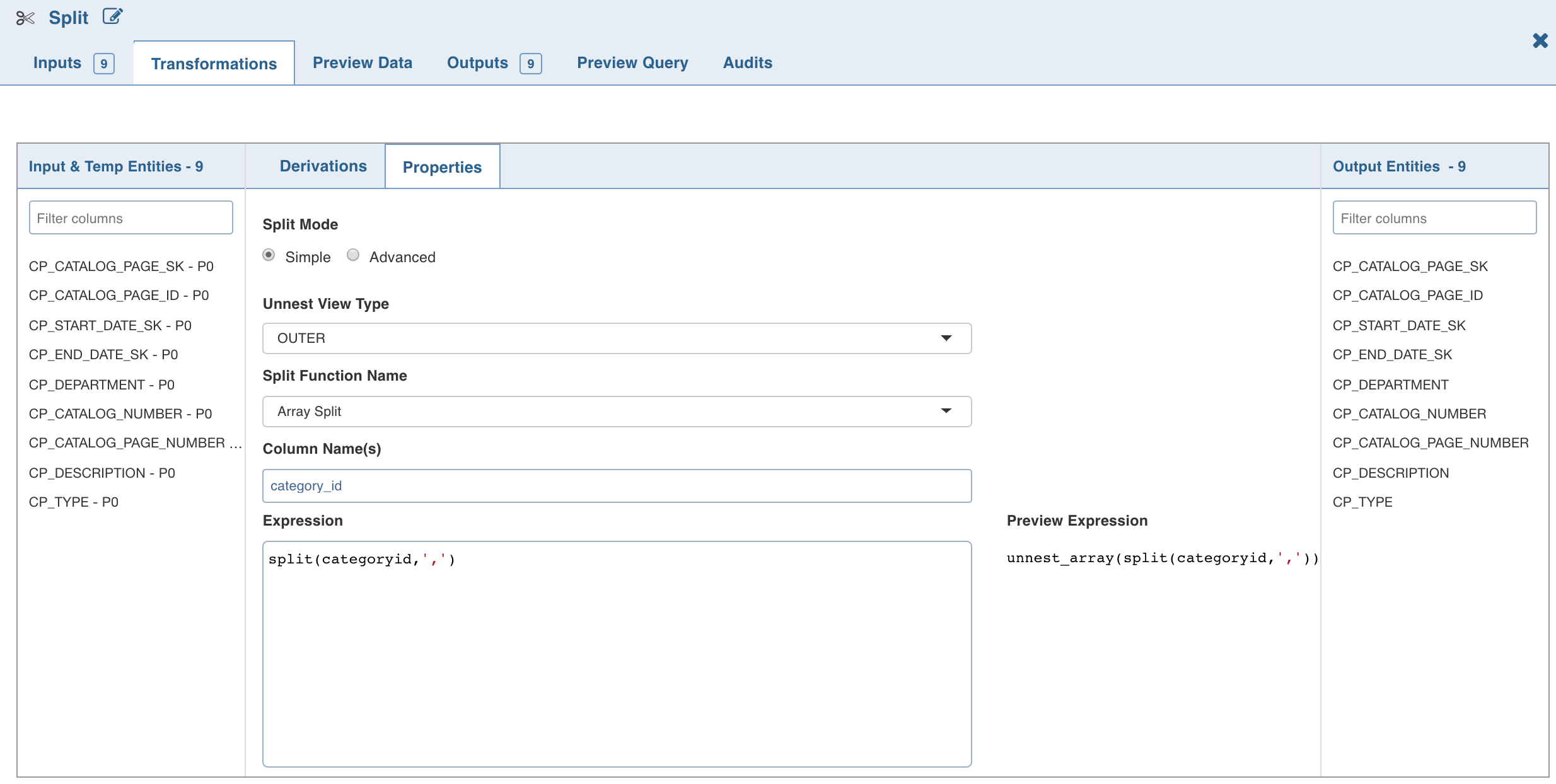
To explicitly set the split expression, select the Advanced mode and enter the expression and click Save.
The Split By operations will be added in the Properties section as follows:
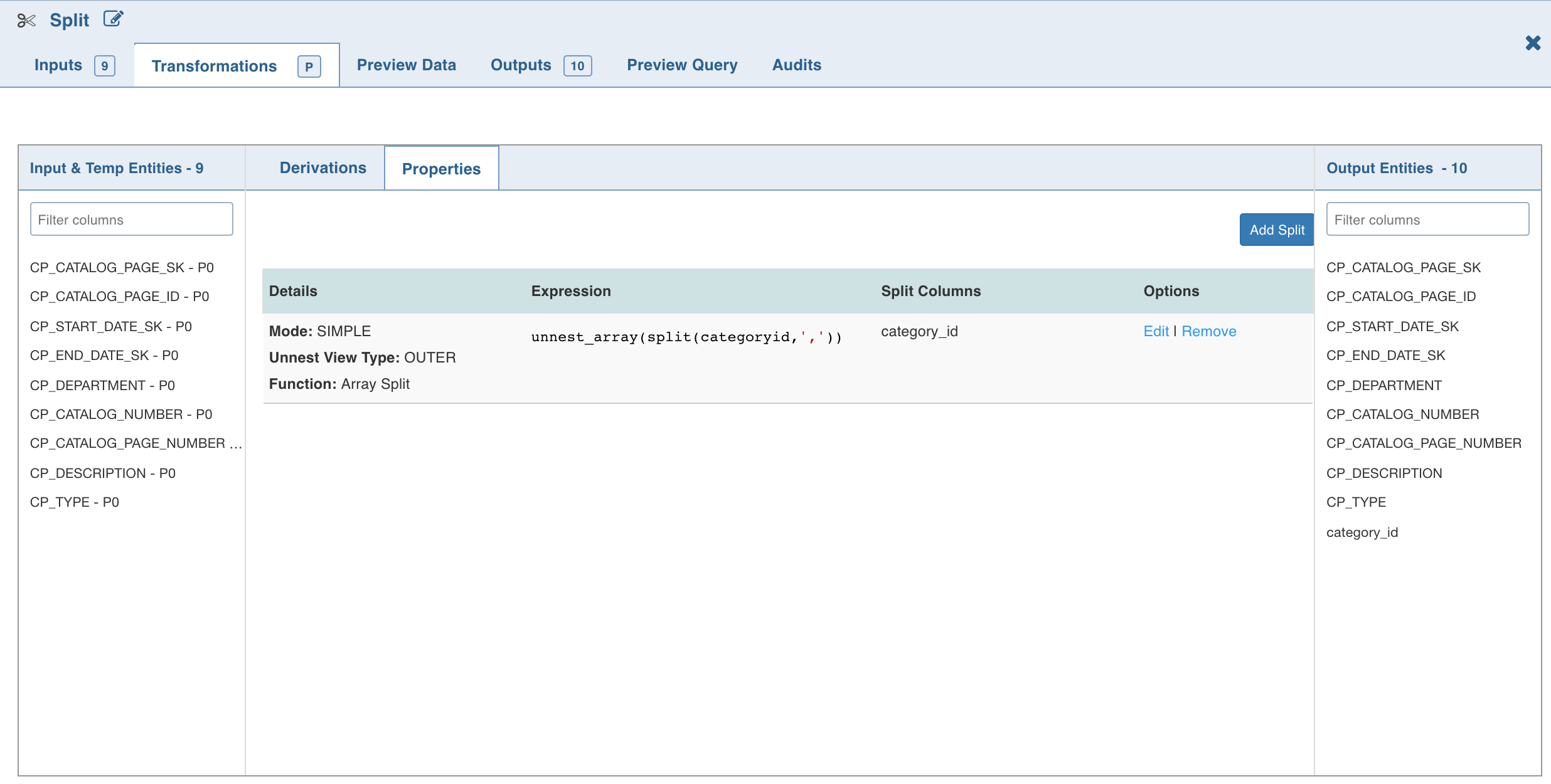
NOTE The Split (say S1) created will not be available in the Inputs. Following are the steps to use S1 as a part of another split (say S2):
Create an additional split node.
Link it to the existing split node.
S1 will now be displayed in the Inputs and can be used in S2.
Split Function Name
The Split transformation supports the following functions:
Array Split
Array Split + Position
Map Split
The following table describes the Split transformation functions in detail:
Function | New Columns | Example Expression | Example Output |
|---|---|---|---|
Array Split | 1 (value) | split('a,b,c',',') | a b c |
Array Split with Position | 2 (position, value) | split('a,b,c',',') | 0 a 1 b 2 c |
Map Split | 2 (key, value) | str_to_map('k1:v1,k2:v2') | k1 v1 k2 v2 |
NOTE For details on derivations, see Derivations.