
Lookup node can be used to fetch column information (derived column) from the lookup source based on the rule that applies to each input record.
NOTE The Lookup node is not supported for pipelines in snowflake environment.
Following are the steps to apply Lookup node in pipeline:
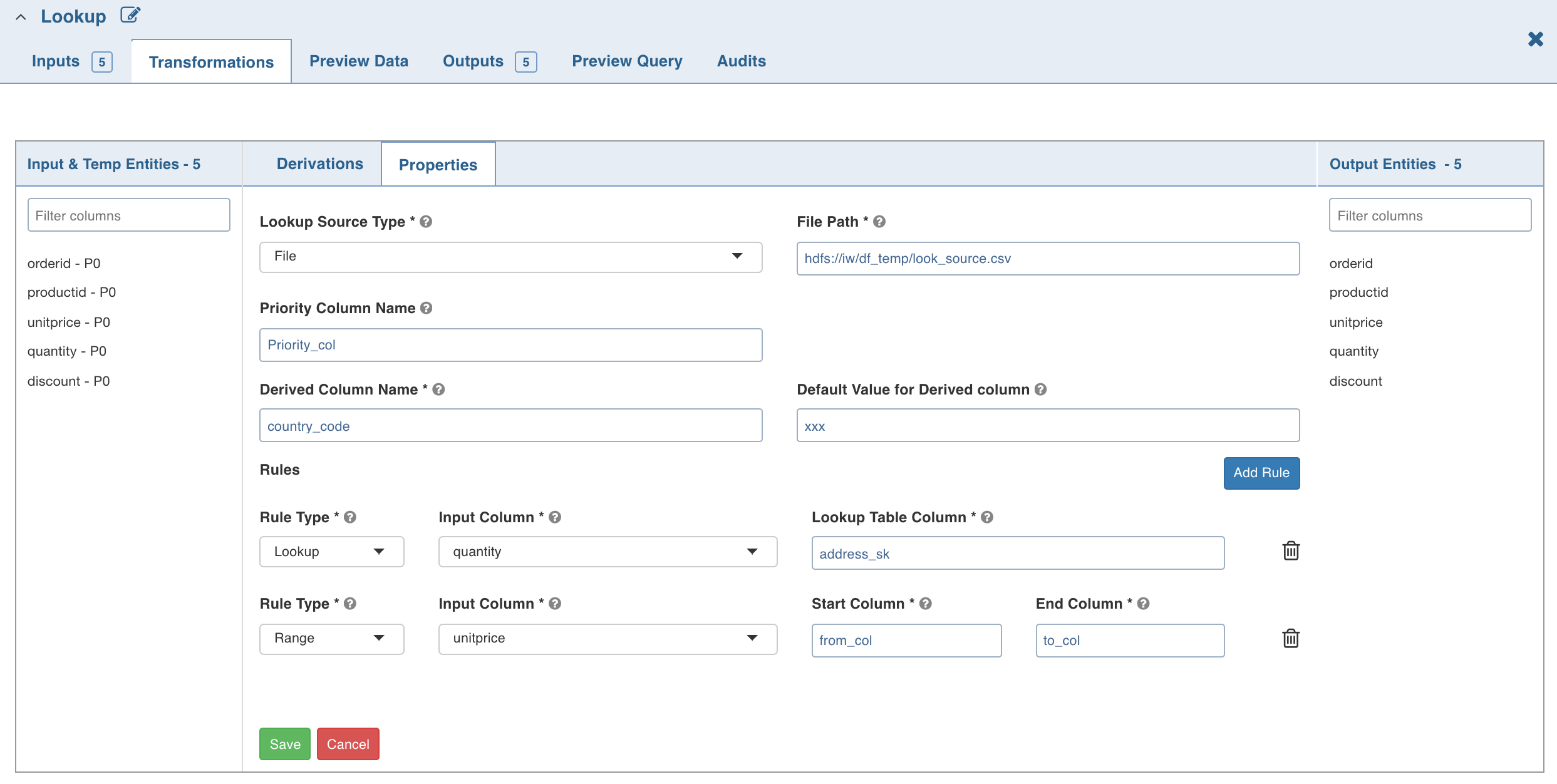
Double-click the Lookup node. The properties page is displayed.
Enter the following details:
Field | Description |
|---|---|
Lookup Source Type | The source types supported are File and Table. If you select file, the File Path field is displayed. Provide the CSV file path. NOTE Ensure you provide absolute path of the CSV file. If you select table, the Schema Name and Table Name fields are displayed. Provide the Hive table details. NOTE A lookup record is matched only if all the rules (Range/Lookup) are satisfied (AND of all the rules). |
Priority Column Name | Column that indicates the lookup record priority. In case of multiple matching lookup records, the record with the highest priority will be used. |
Derived Column Name | Column which must be derived from the lookup table. |
Default Value for Derived Column | Default value if no rule matches from the lookup table. |
Rule Type | Lookup - to perform the exact value comparison with the lookup column, Range - to perform the range comparison with the lookup columns. |
Input Column | The input column which must be compared against lookup column(s). |
Lookup Table Column (Lookup rule) | The lookup table column to be compared with given input column. |
Start Column (Range rule) | The lookup table column that specifies the start range for the specified input column. |
End Column (Range rule) | The lookup table column that specifies the end range for the specified input column. |
NOTE For details on derivations, see Derivations.
Limitation
Currently, only non-overlapping ranges are supported.