
Following are the steps to truncate and recrawl the table data:
Click View Source for the required source.
In the Tables tab, select the required tables.
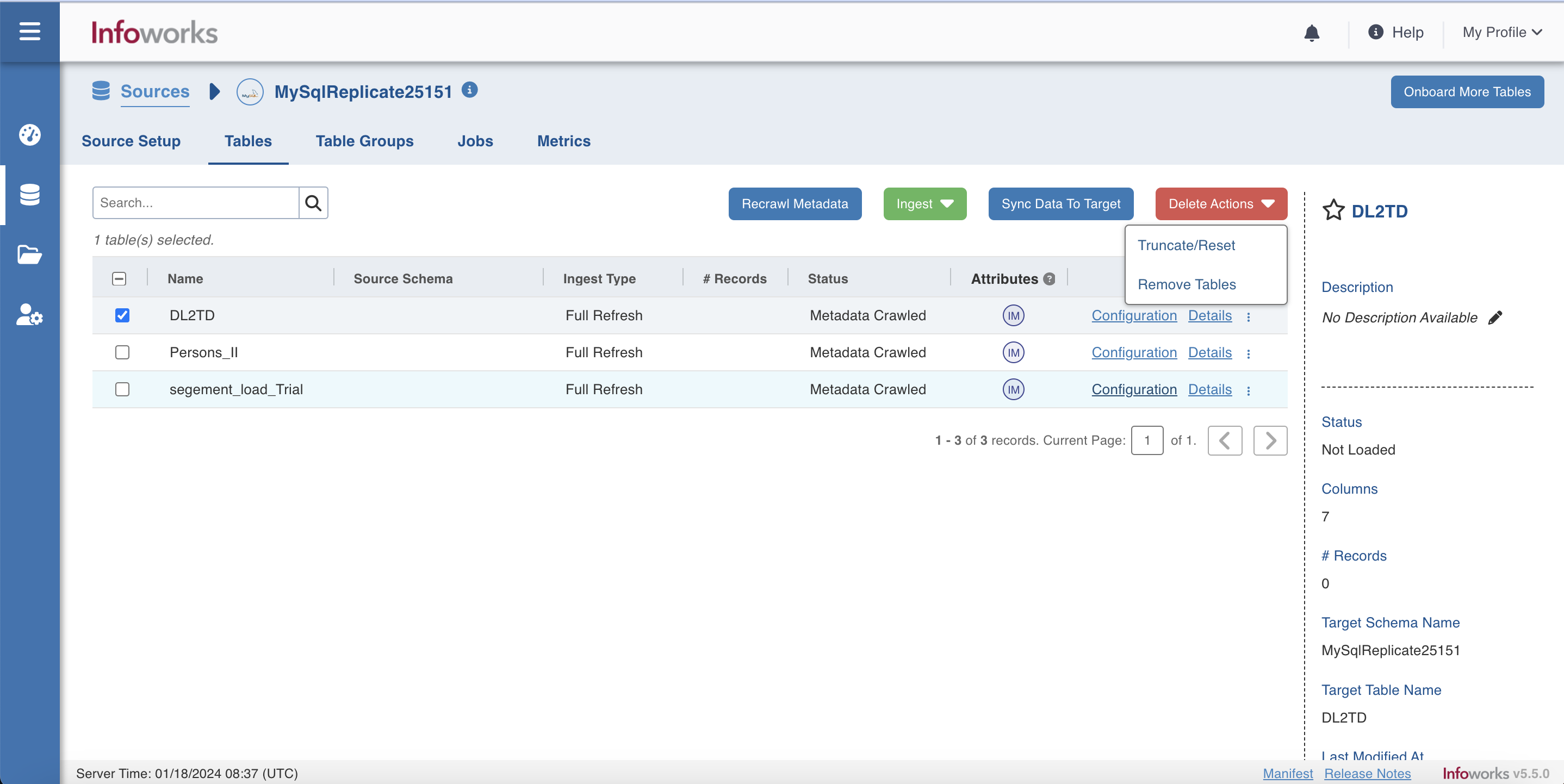
Perform either of the following:
Click Delete Actions, which will show two further options : Remove Tables and Truncate/Reset.
Click Remove Tables to remove tables that are in Metadata Crawled and Metadata Not Crawled state from the source. The removed tables can be onboarded again on the source.
Click Truncate/Reset to delete data from the target or reset the table metadata (row count and last ingested timestamp).
For Infoworks Managed Table, the underlying table data will be truncated and dropped. The state of table is reset to Metadata Crawled for a User to re-configure the table.
For User Managed Table without Data, the underlying data will be truncated and the table will not be dropped. The state of table is reset to Metadata Crawled for a User to re-configure the table.
For User Managed Table with Data, the underlying data will not be truncated. The state of the table is reset to Metadata Crawled for a User to re-configure the table.
Click Recrawl Metadata to refresh the column list based on the schema from the source system.