
Introduction
Data teams have Service-Level Agreement - targets or commitments that the business users of the data expect from them. Infoworks should make it easier for a production operations analyst to monitor SLA adherence and intervene when SLAs are not being met. SLA can be configured at different entity levels, eg: table groups, pipelines, pipeline groups and workflows.
Configuring SLA
Table Groups
The following are the steps to configure SLA on a table group:
Navigate to the Table Groups tab.
Click Actions for the required table group and click Configure. The table group details with the list of tables will be displayed.
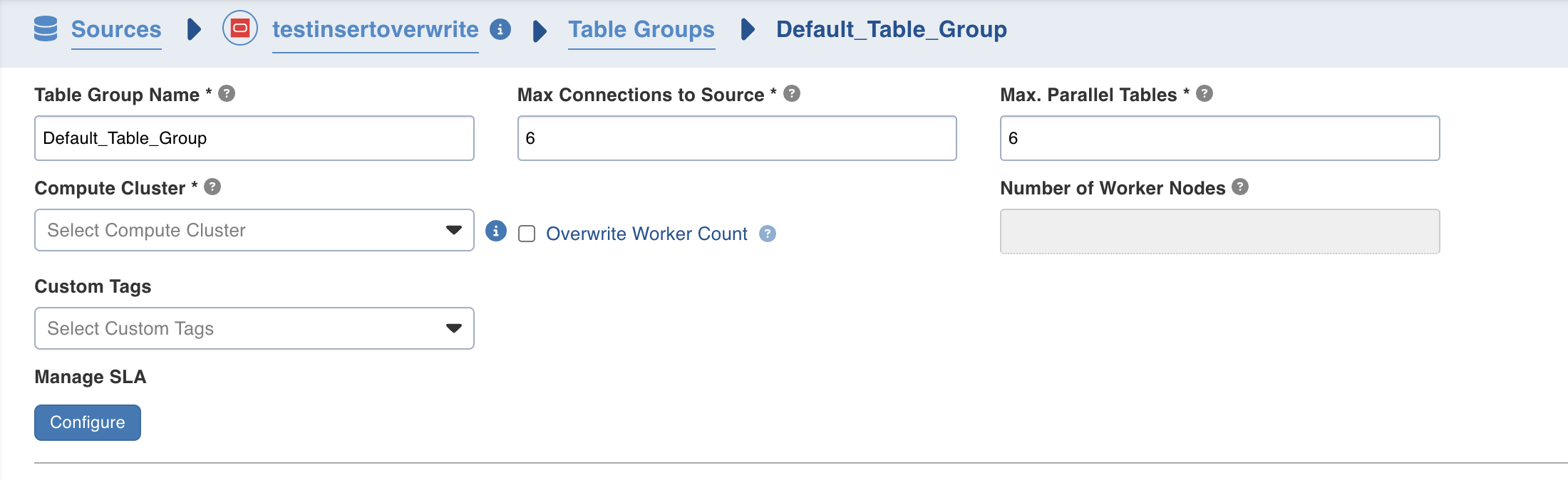
Click on Configure under Manage SLA. A pop will be opened with SLA details.
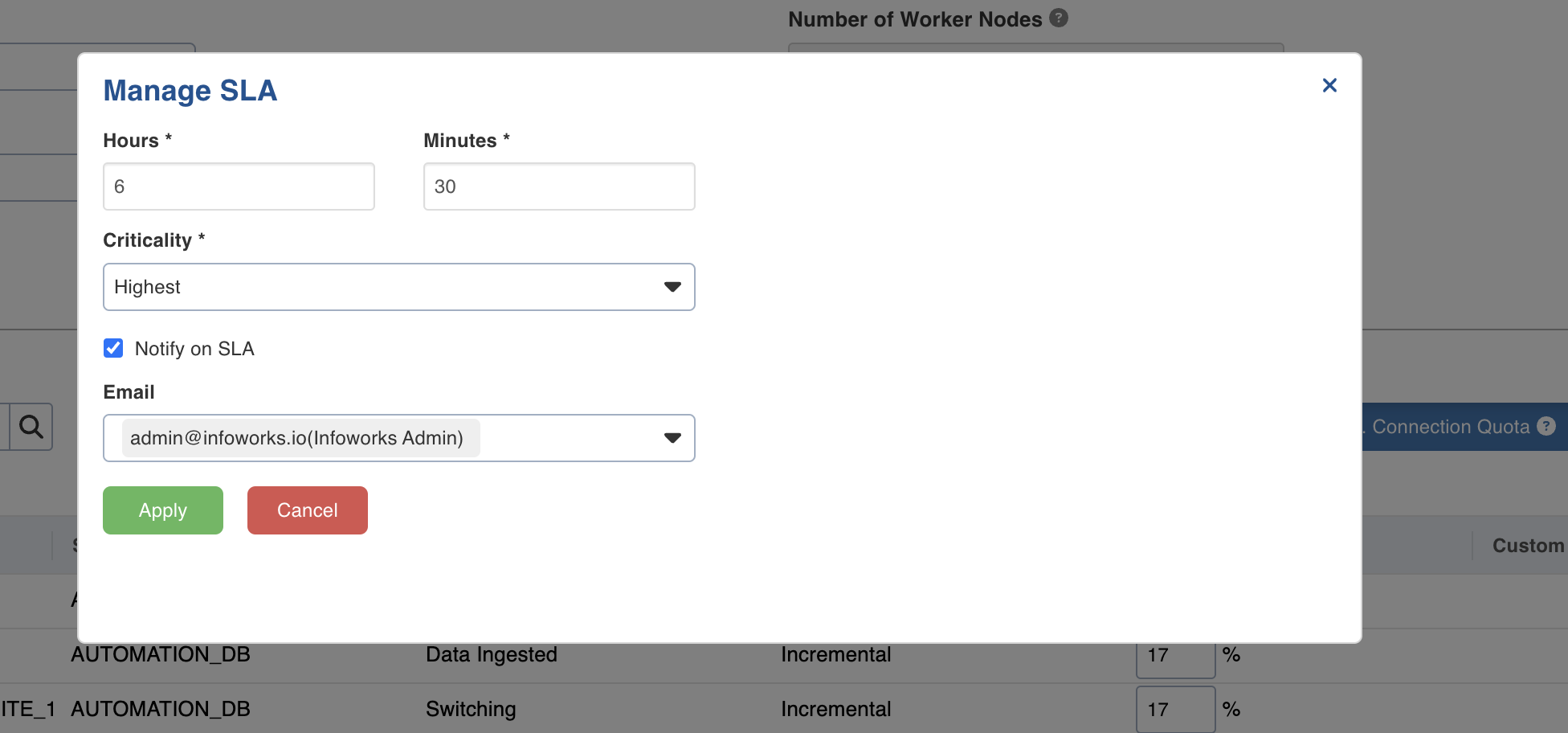
Field | Description |
|---|---|
Hours | Number of hours to complete table group ingestion. |
Minutes | Number of minutes to complete table group ingestion. |
Criticality | Displays the criticality status. |
Notify on SLA | Select the check box to get email notifications. |
Select users and subscribers to be notified. |
Click Apply and it will close the pop-up.
Click Save Table Group Configuration.
Pipelines
Navigate to respective Pipeline.
Click on Settings Tab.
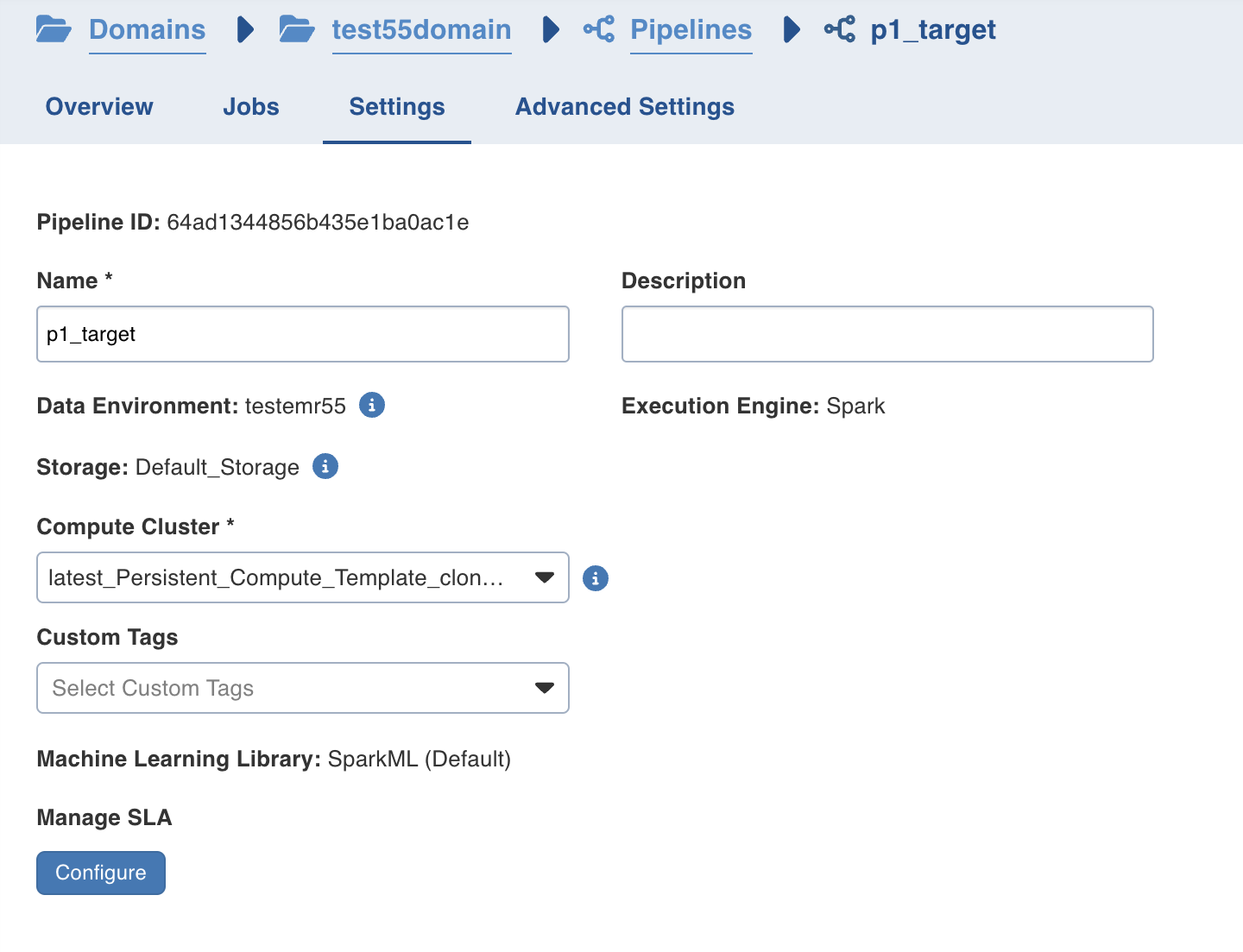
Click on Configure under Manage SLA.
Follow the steps as mentioned in the Table Group section.
Pipeline Groups
Navigate to respective Pipeline Group and click on Configure.
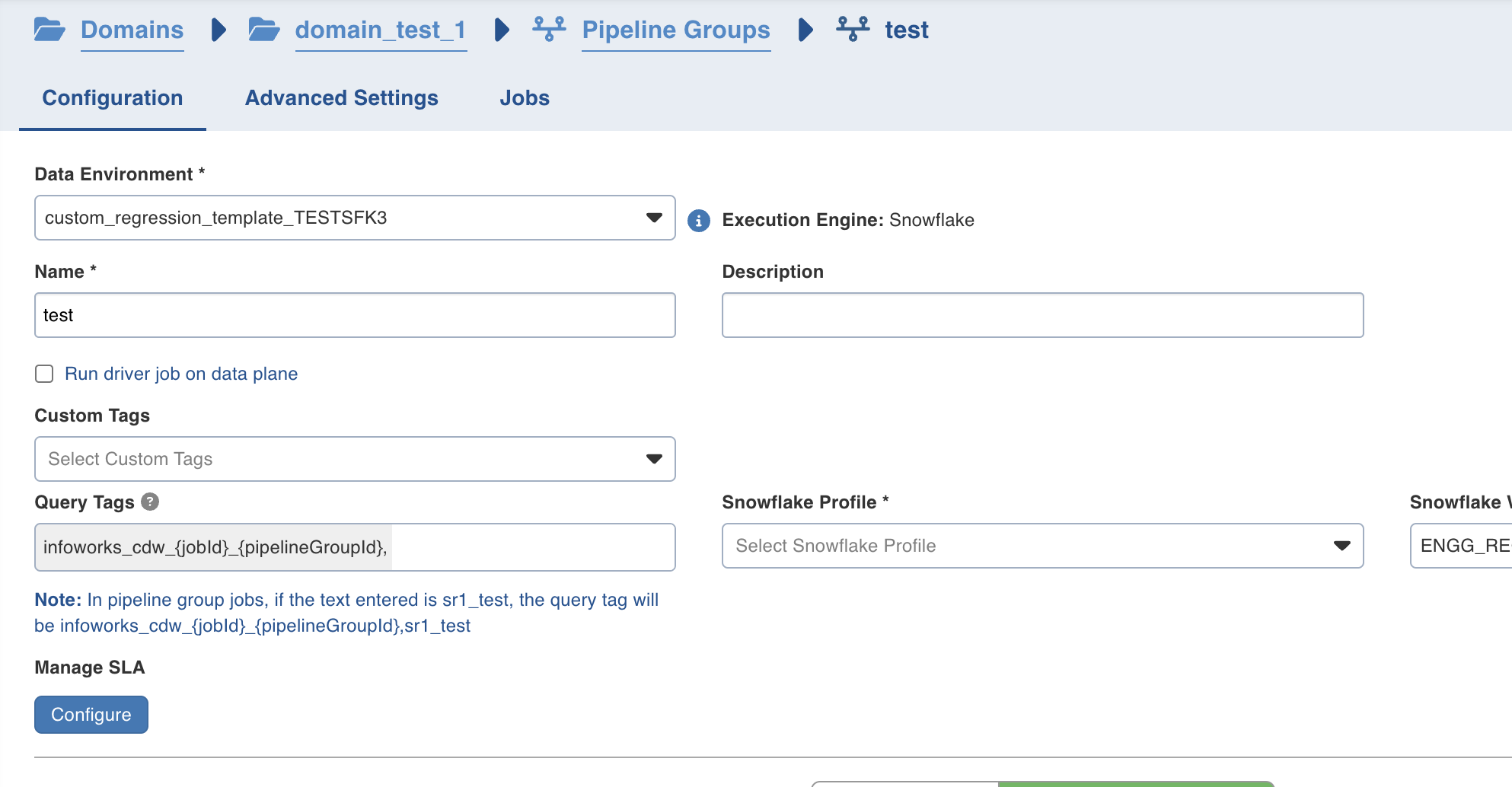
Click on Configure under Manage SLA.
Follow the steps as mentioned in the Table Group section.
Workflows
Navigate to respective Workflow.
Go to Settings Tab.
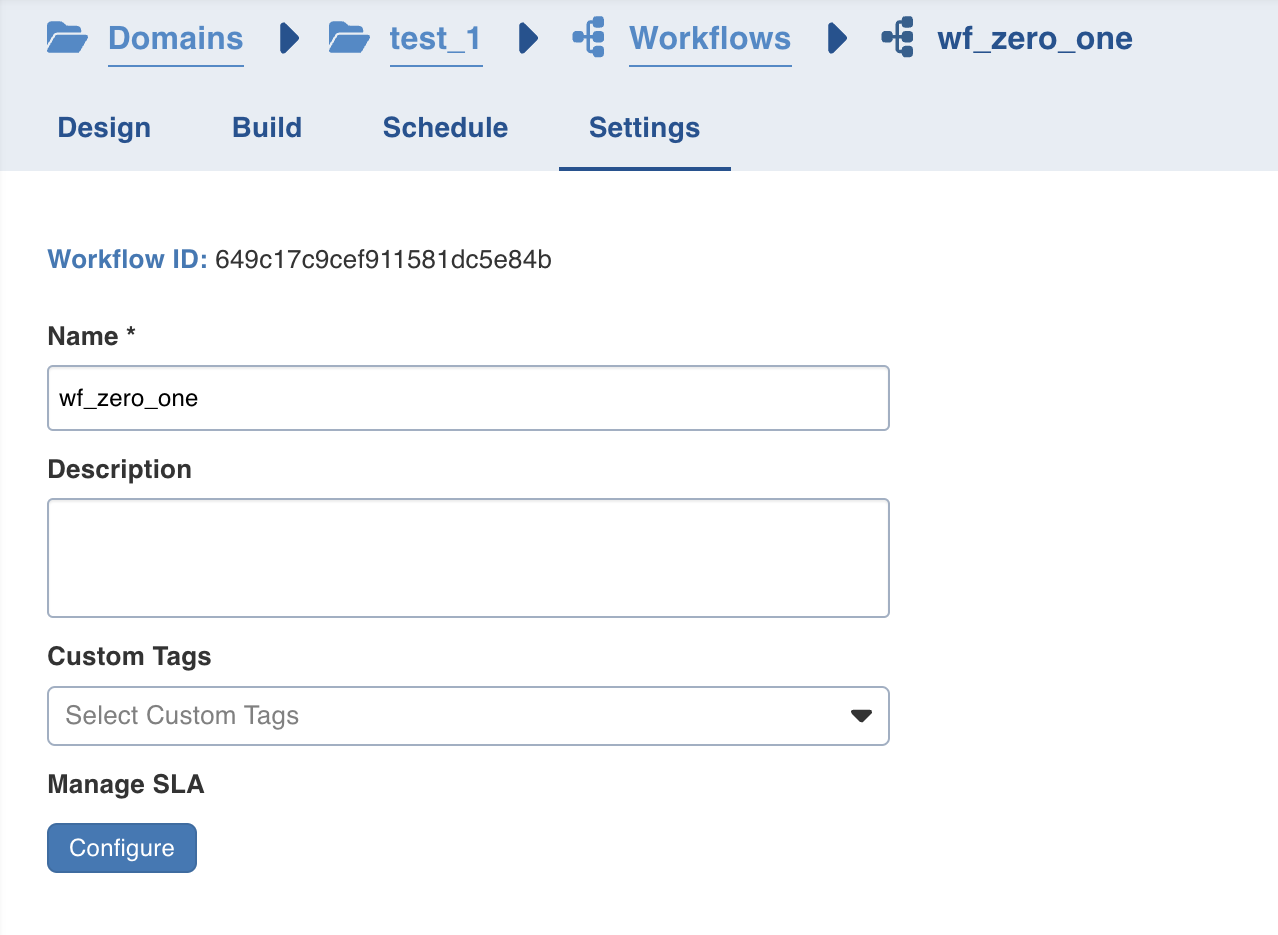
Click on Configure under Manage SLA.
Follow the steps as mentioned in the Table Group section.
NOTES
SLA missed and criticality will be visible in Using Operations Analyst Dashboard.
Workflow criticality determines the execution priority of a workflow. Tasks of the workflows with higher criticality will be executed before those with lower criticality when multiple workflows tasks are scheduled to run.
If a parent workflow running multiple Run Workflow tasks has a lower priority than its child workflows, those Run Workflow tasks inherit the parent's priority and are treated the same. They may be selected in any order, allowing a lower-priority child to begin before a higher-priority one. The child workflow's own priority only takes effect after its Run Workflow task has started running and the child workflow's tasks are scheduled.
Before upgrading to version 6.2.2, the configuration key test_workflow_ids was used with workflow IDs as values to trigger workflows during quiescent mode. After upgrading to 6.2.2, this behavior has changed, and the configuration key test_workflow_version_ids must be used instead, with workflow version IDs provided as values to trigger workflows during quiescent mode.