
Setting Teradata Data Connection
Copy Markdown
Open in ChatGPT
Open in Claude
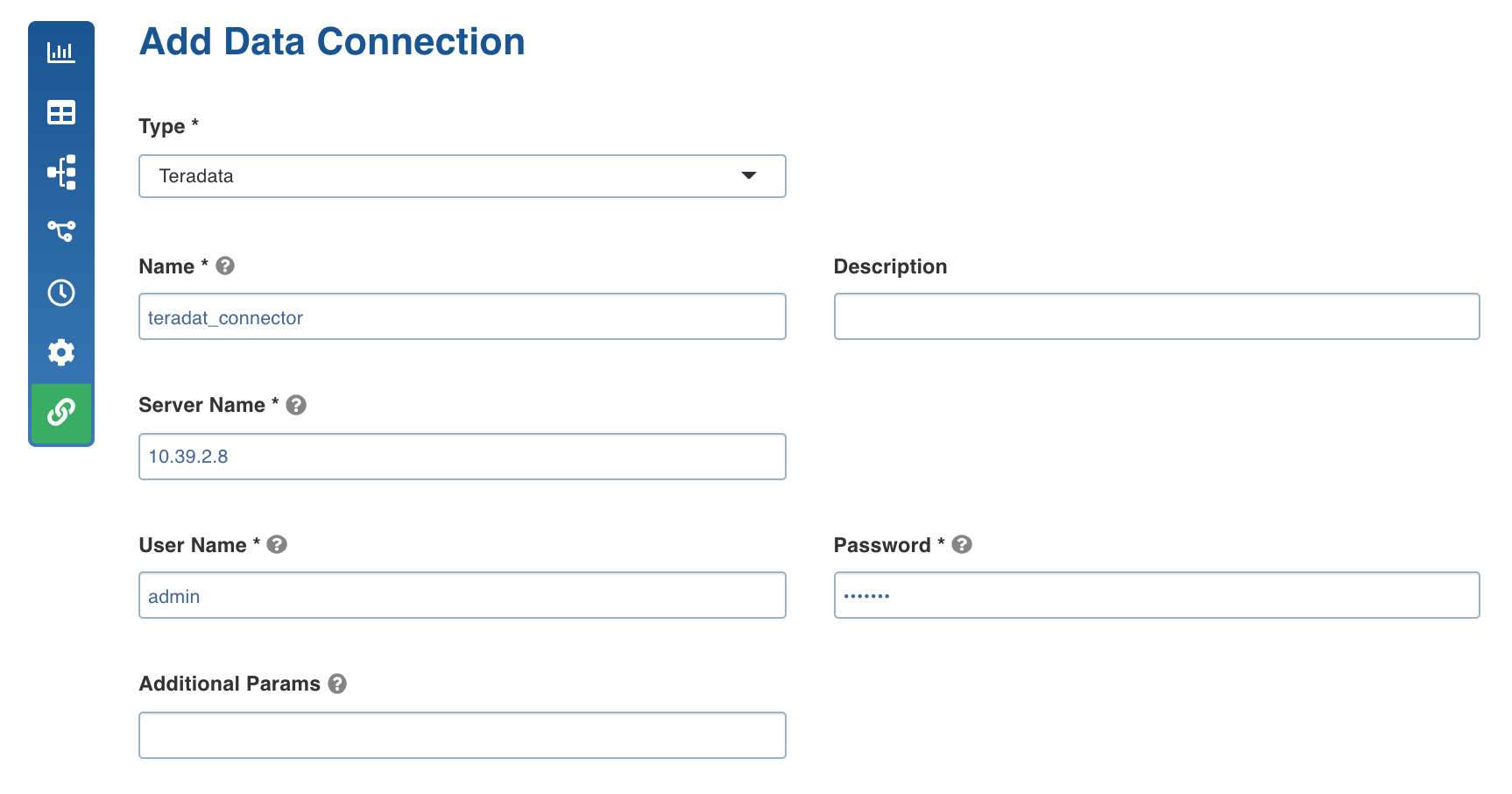
Following are the Teradata connection details:
Field | Description |
|---|---|
Type | The type of target data connection. Select Teradata. |
Name | The name for the Teradata data connection. The connection name must be unique across the specific domain. |
Description | The description of the Teradata data connection. |
Server Name | The IP address of the Teradata database. |
User Name | The username of the specific Teradata target account. |
Password | The password of the specific Teradata target account. |
Additional Params | The optional JDBC parameters. For example, ssl=true&TCPKeepAlive=false. |
Last updated on Jun 20, 2022
Was this page helpful?
Next to read:
Setting BigQuery Data ConnectionFor more details, refer to our Knowledge Base and Best Practices!
For help, contact our support team!
© UNIPHORE TECHNOLOGIES 2025 | Confidential
Discard Changes
Do you want to discard your current changes and overwrite with the template?
Archive Synced Block
Message
Create new Template
What is this template's title?
Delete Template
Message
Introduction
Admin Operations
Page
Code Steps
Category
Label
Link
Separator
Title
Message
Page icon
No icon. This page keeps the plain index row.
orSVG or PNG, square, at least 32×32.
Create new category
What is the title of your new category?
Edit page index title
What is the title of the page index?
Edit category
What is the new title of your category?
Edit link
What is the new title and URL of your link?