
Let's now build the workflow!
In this chapter, we will run the ingest the source data and build the pipeline, in sequence, using a workflow.
Following are the steps to build a workflow:
Creating the Workflow
To create the workflow:
Click the Domains menu and click the domain on which the pipeline is built.
Click the Workflows icon and click the New Workflow button.
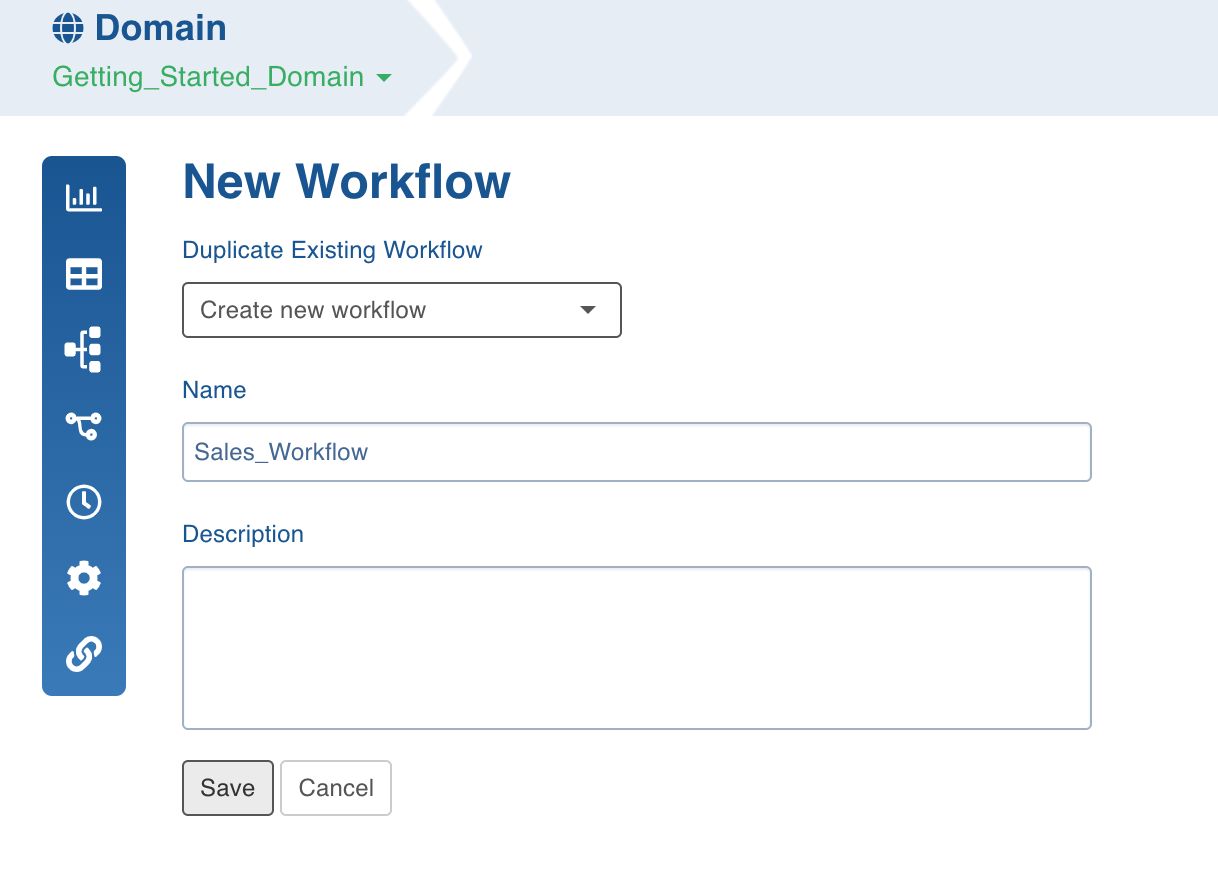
In the New Workflow page, provide the workflow details and click Save.
Designing the Workflow
To design the workflow:
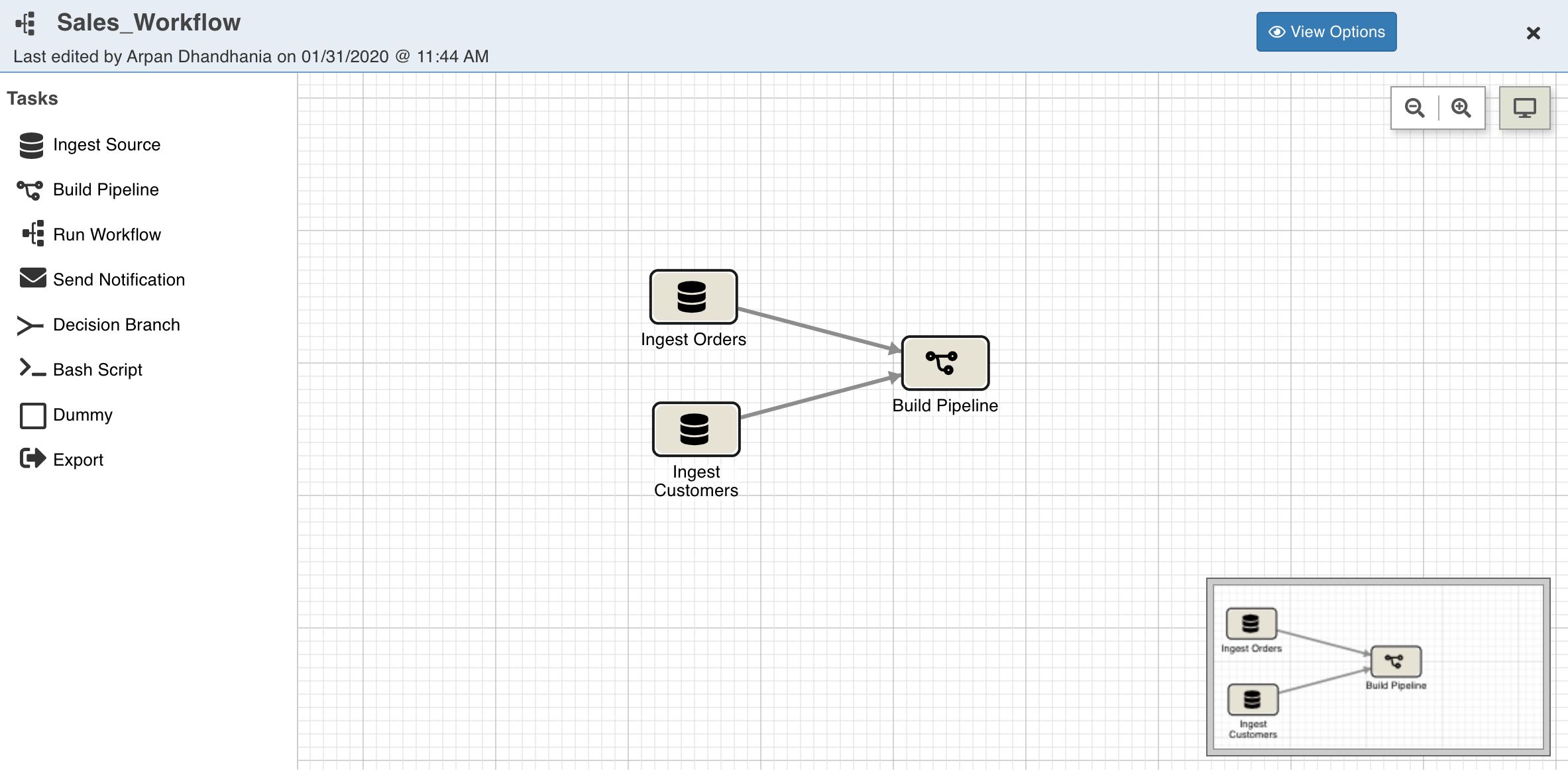
Click the workflow created and open the workflow editor.
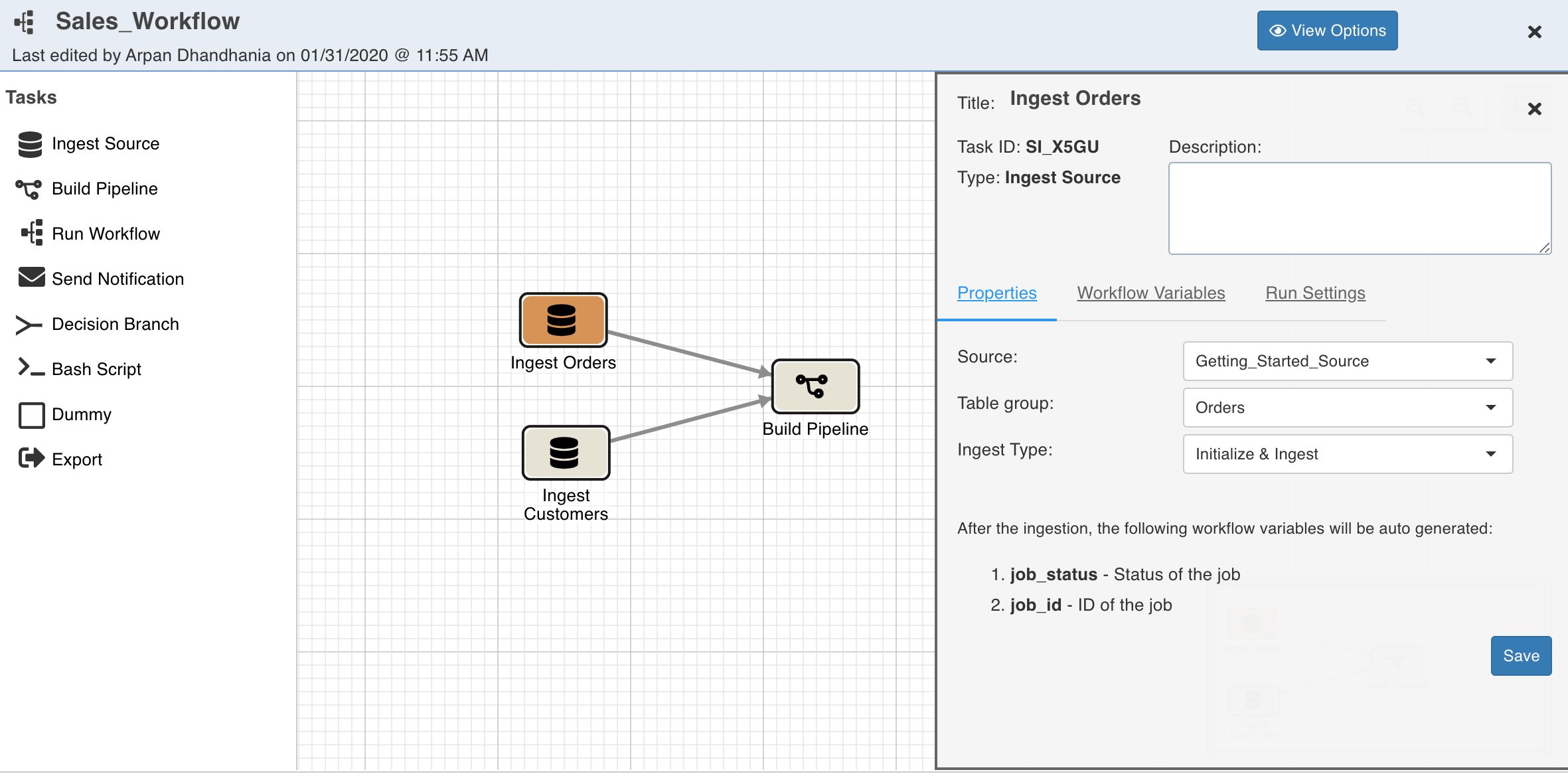
Drag and drop the Ingest Source task.
Double-click the task and set the properties for the Orders table.
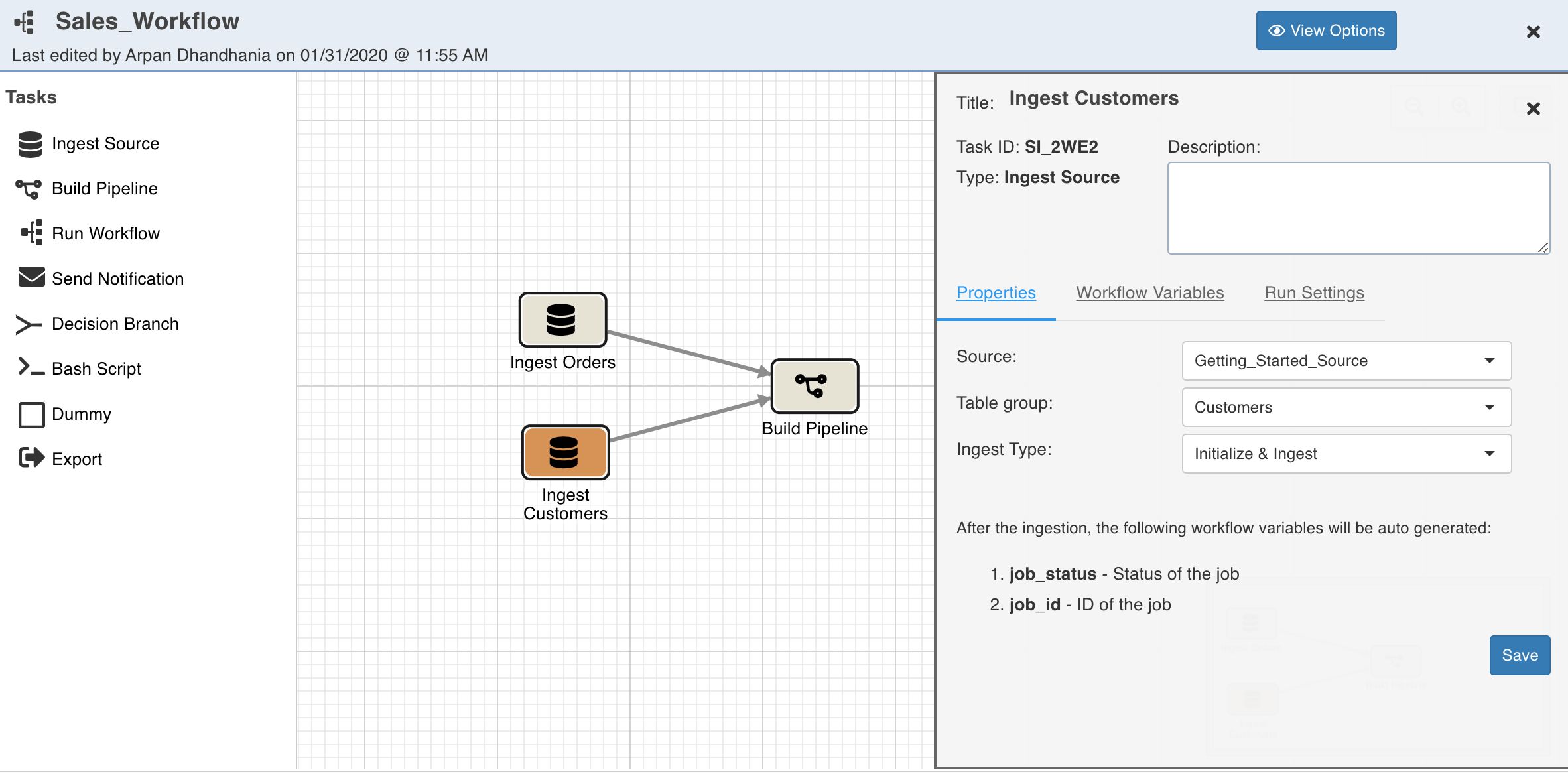
Drag and drop another Ingest Source task.
Double-click the task and set the properties for the Customers table.
Drag and drop the Build Pipeline task.
Double-click the task and set the properties for the pipeline to be built.
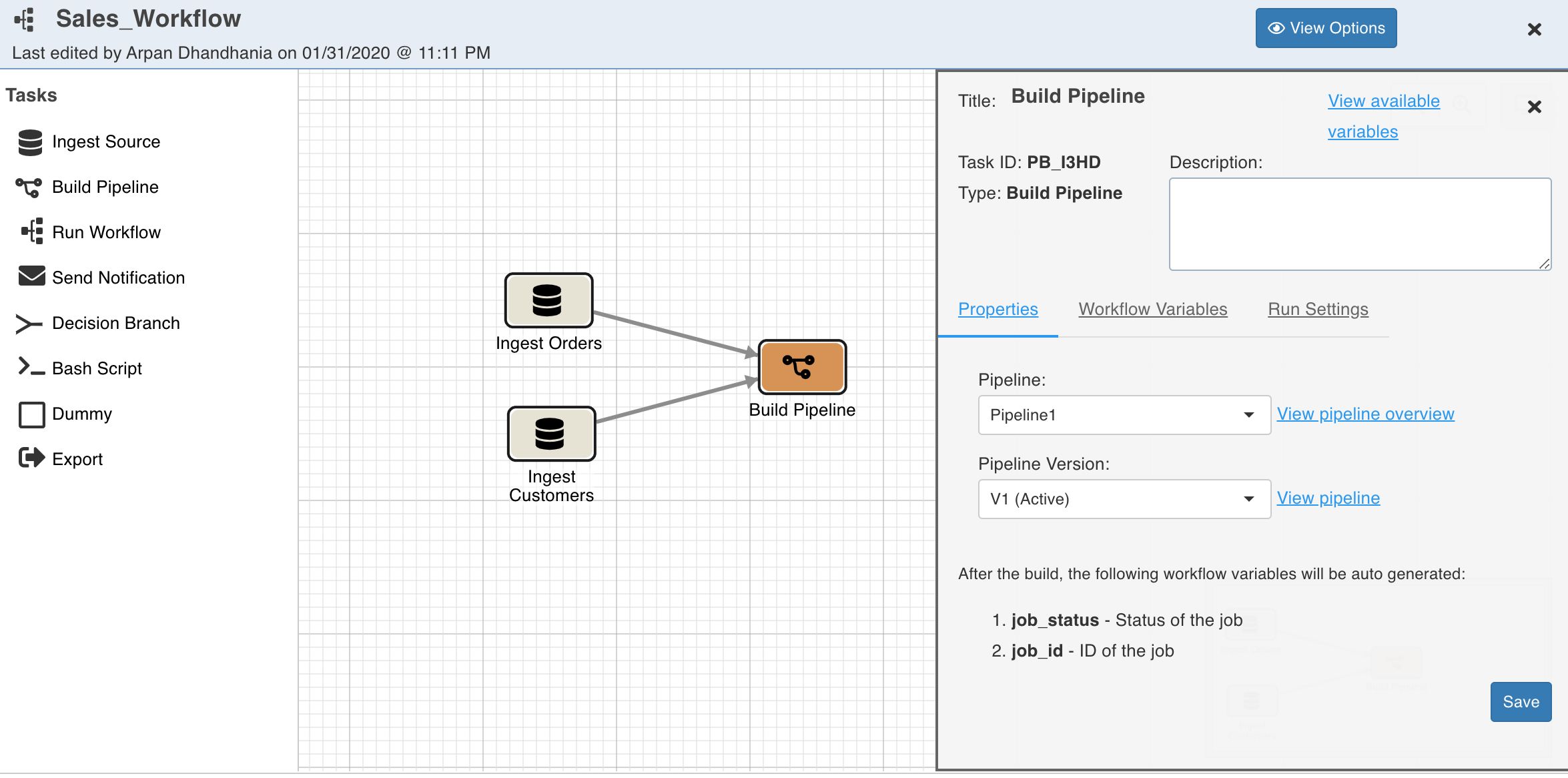
Your have designed the first workflow successfully!
Building the Workflow
To build the workflow:
Close the workflow editor.
Click the Build icon and click the Run Workflow button. The workflow will be run and the progress will be displayed.
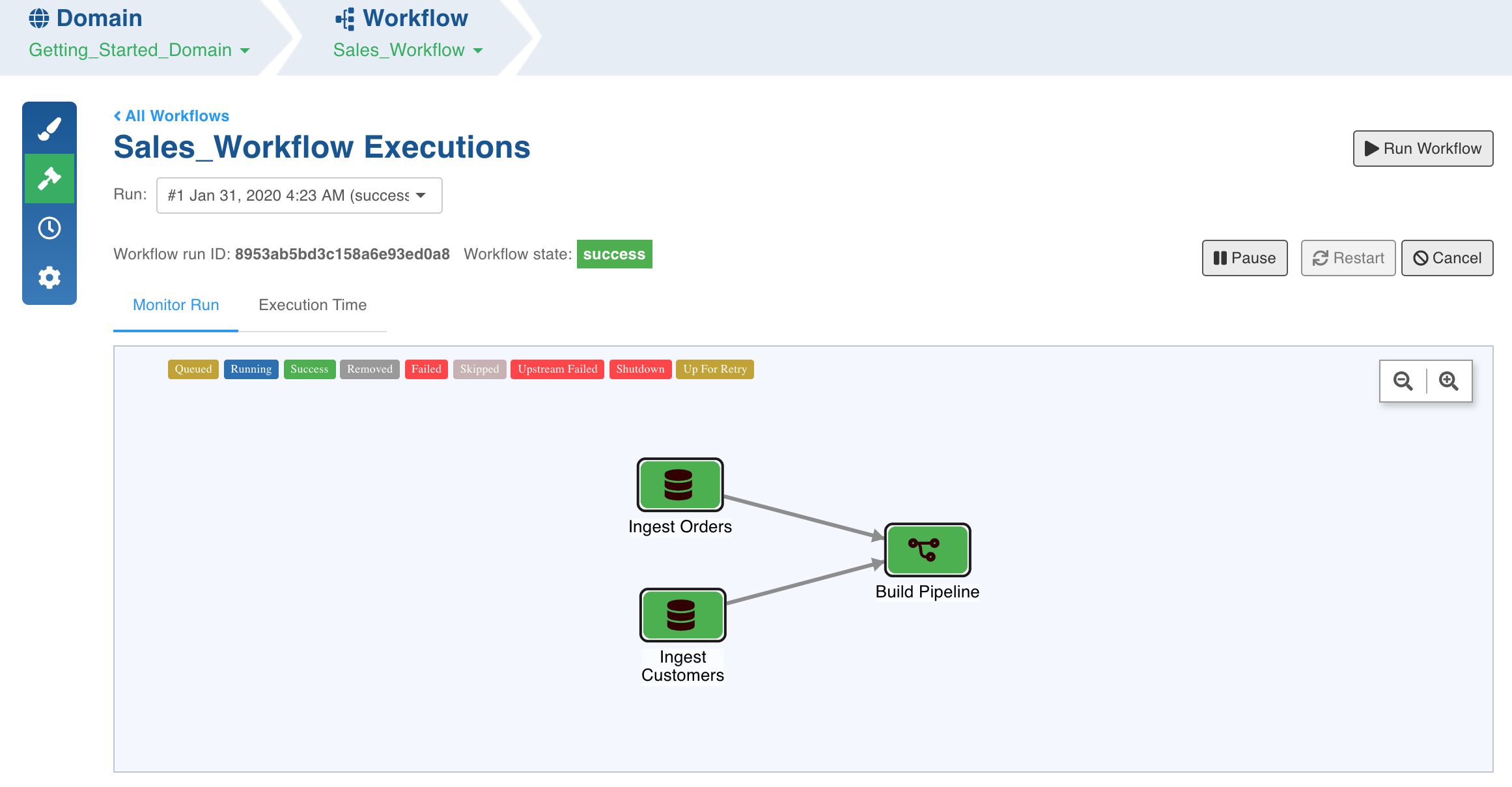
This workflow runs the ingestion jobs and the pipeline job in a sequence. Once the workflow build is successful, the workflow state will be displayed as success.
You have now successfully executed the first use case using Infoworks!