
Overview
Target data connections feature is used as a template to configure target connections that can be used in pipeline targets and for synchronizing data to external target.
Following are the steps to set the target data connections:
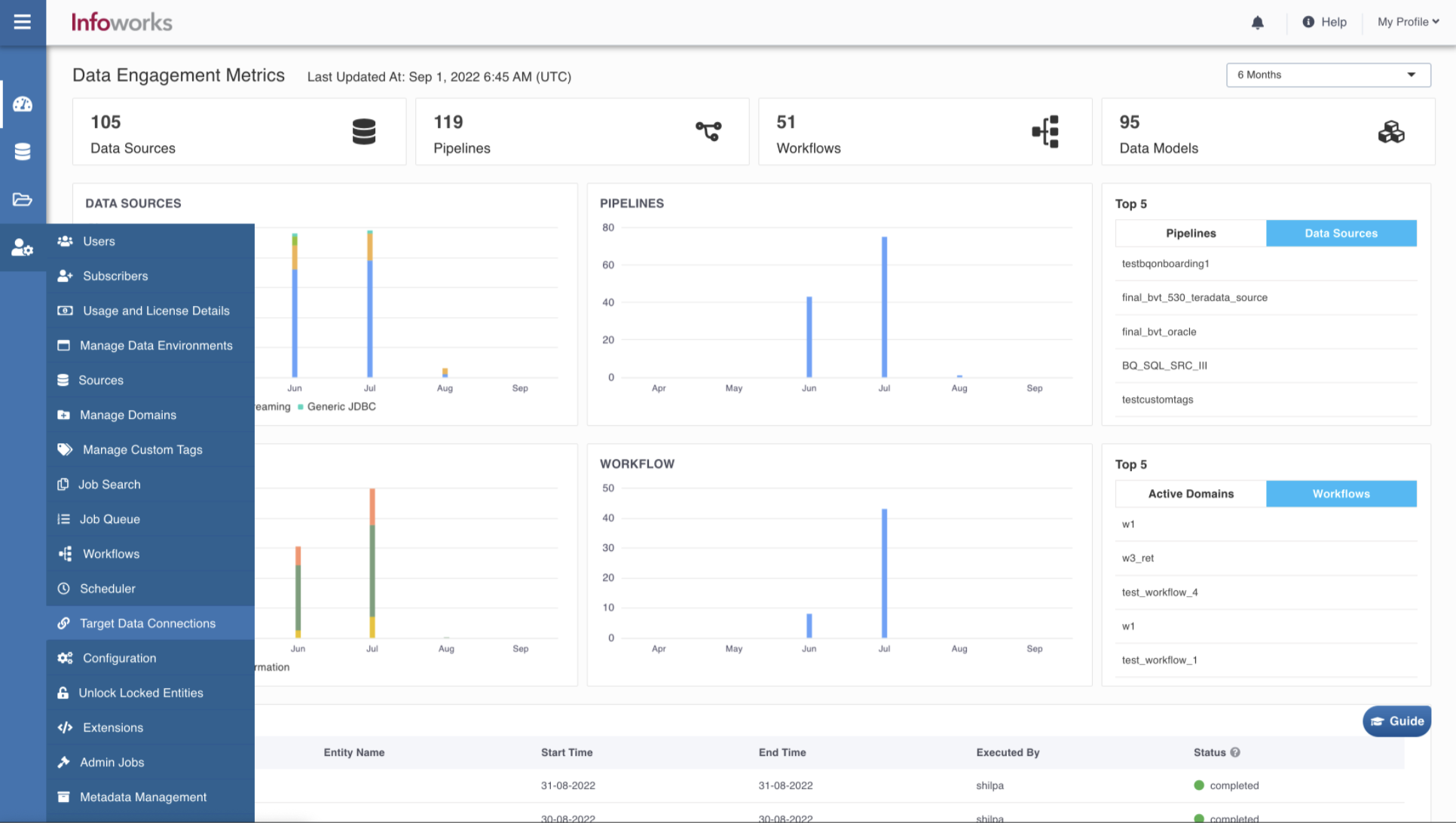
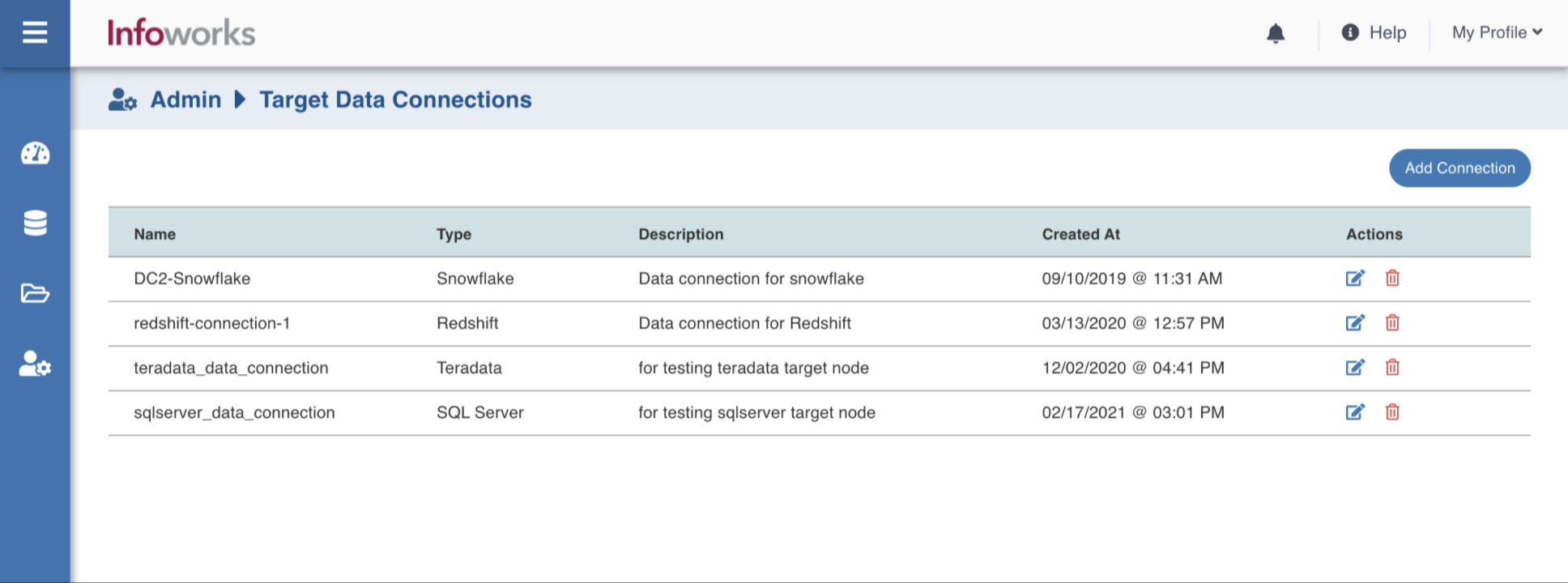
Step 1: Go to Admin > Target Data Connections. The Target Data Connections page appears.
Step 2: Click Add Connection.
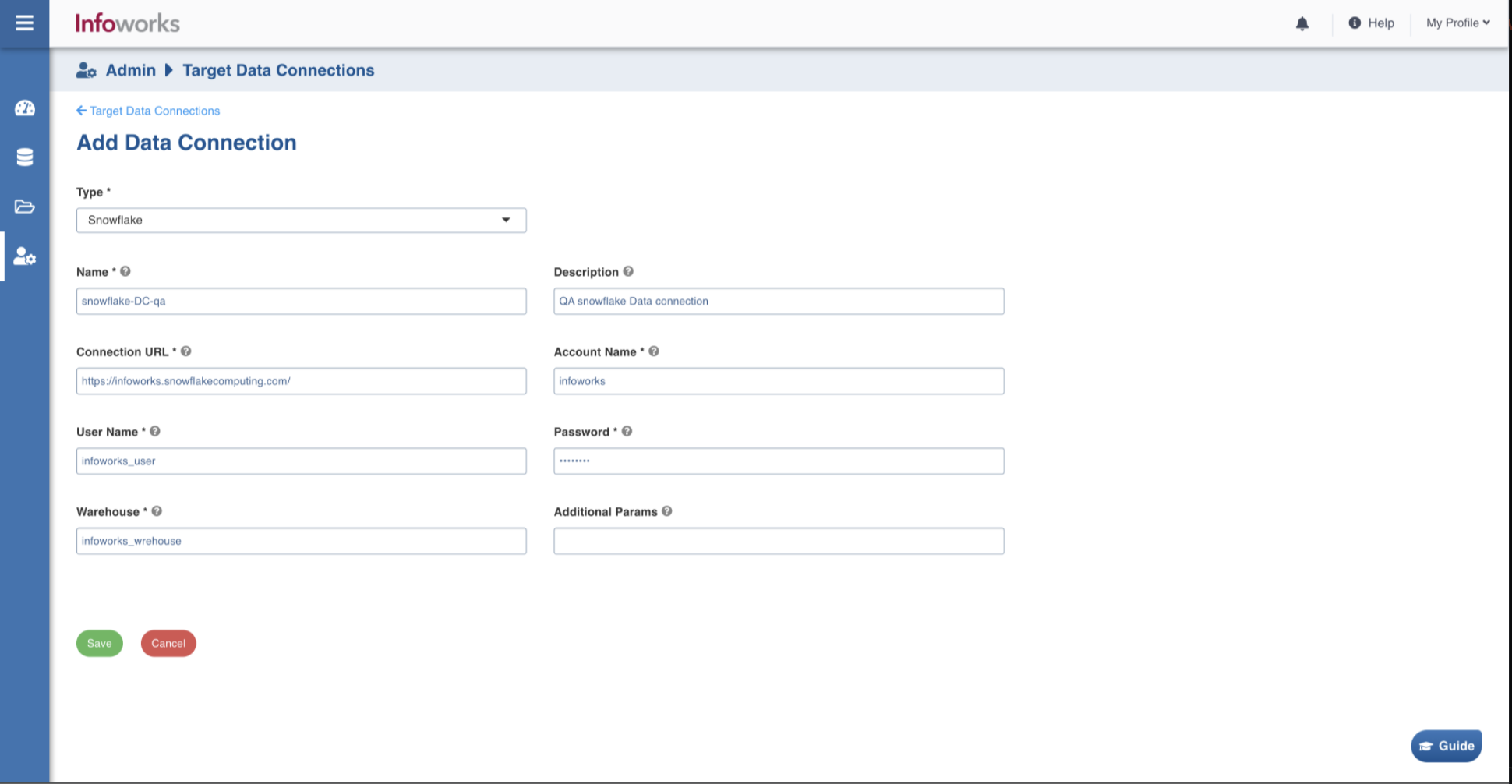
Step 3: Enter the connection details and click Save.
Was this page helpful?