
Exporting Source Configurations
Following are the steps to export source configuration:
Click the Data Catalog menu and click Ingest for the required source.
NOTE For already ingested table, click the View Source button.
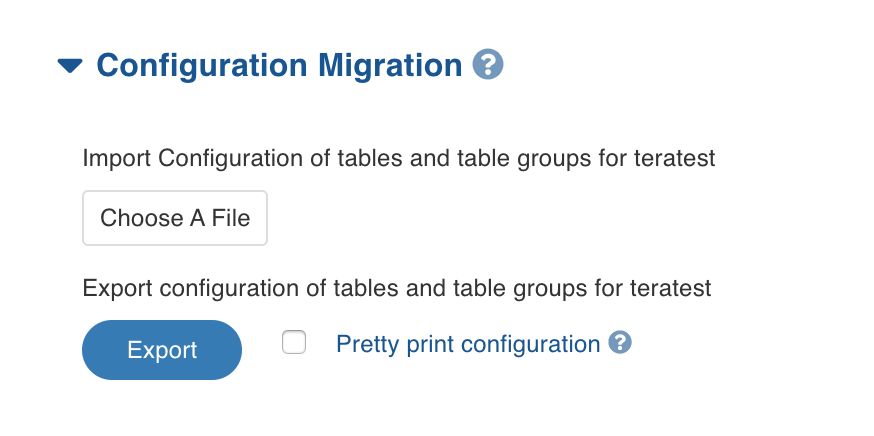
Click the Source Setup tab and scroll down to the Configuration Migration section.
Enable Pretty print configuration to download the configuration file with JSON syntax.
Click Export. The source configuration will be downloaded.
NOTE The export contains configurations for the source, and all the tables and table groups.
Importing Source Configurations
Following are the steps to import source configuration:
Click the Data Catalog menu and click Ingest for the required source.
NOTE For already ingested table, click the View Source button.
2. Click the Source Setup tab and scroll down to the Configuration Migration section.
Click Choose A File and select the configuration file downloaded while exporting.
Select the tables, table groups and advanced configurations to be imported, using the check box.
Select the required compute template from the drop-down list.
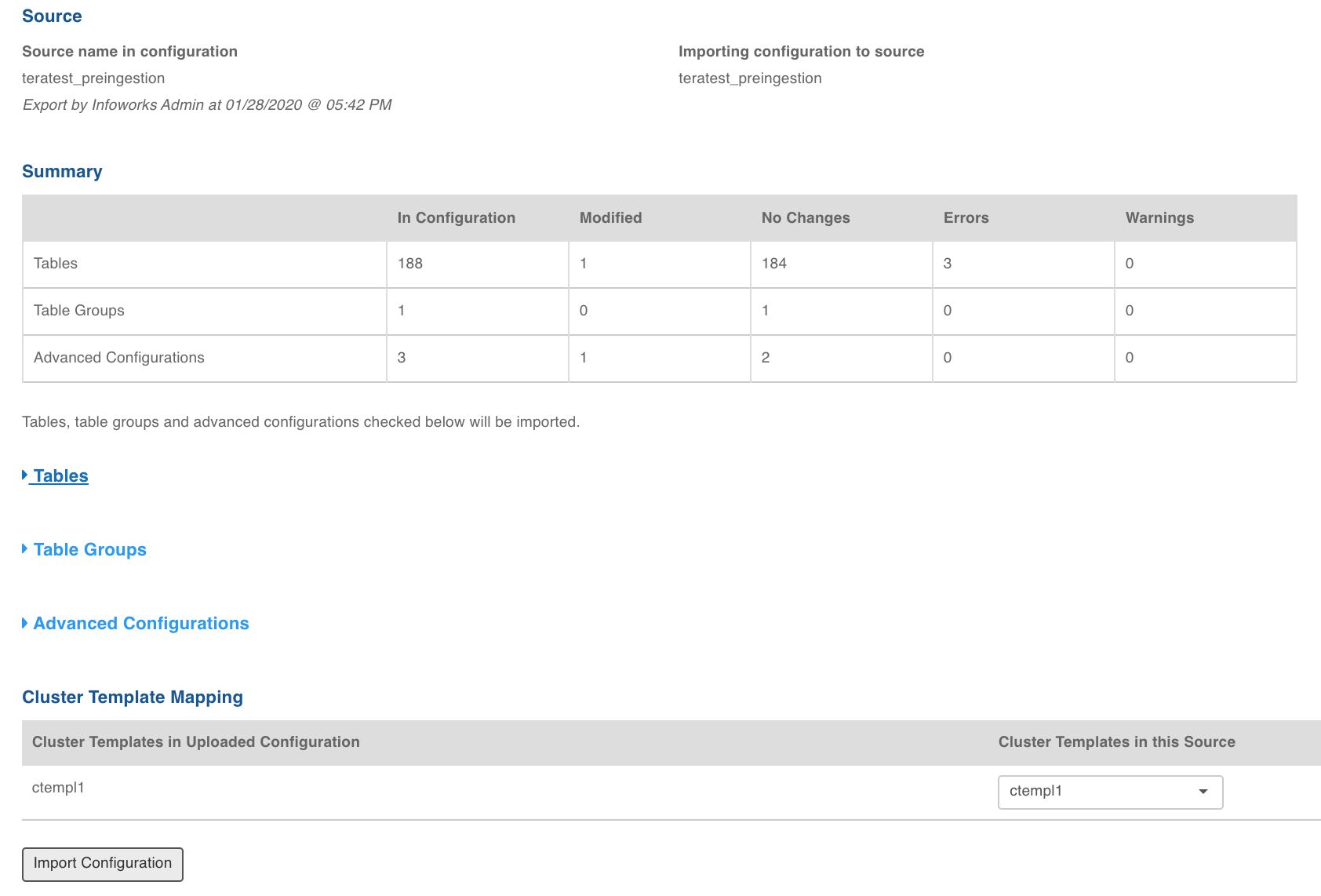
Click Import Configuration. The source configuration will be imported.
NOTES
If the configuration for a table or a table group cannot be imported, errors will be displayed.
Table names in the source where the configuration is being imported must exactly match the exported configuration.
Passwords (such as under the table export configuration) do not get exported. You must navigate to the table configuration and enter the password. If the configuration is being imported after the password was entered in this source, the password will not be removed.
Incase of source migration containing custom tags, if any custom tag is not present in the higher environment, the config migration will fail if the flag is_custom_tag_mandatory_for_config_migration is set as true. If not, config migration will succeed without migrating custom tags.