
Domain management allows you to manage domain access control over specific sources/domains/pipeline extensions.
It includes the following operations:
Creating domain
Managing Artifacts
Editing access control of domain
Creating a Domain
Following are the steps to create domain:
Log in to the Infoworks.
Click the Manage Domains menu from the left navigation pane.
Click Add New Domain button. The New Domain page is displayed.
Field | Description | Details |
|---|---|---|
Name | Required name for the domain. | Provide the alphanumeric name for the domain. |
Description | Required description for the domain. | Provide the alphanumeric description for the domain. |
Data Environments | Required environments associated with the domain. | Select all the required environments from the multi-select menu. These environments will be accessible to the users added to this domain. |
Users | Provide users access to the domain | You can assign users to the domain at the time of domain creation. These users will have access to the domain. NOTE This field is removed only if Authentication Type is SAML and Externally managed domain access is enabled. |
Secrets | Required secrets associated with the domain. | Select all the required secrets from the multi-select menu. These secrets will be accessible to the users added to this domain. |
Editing Domain
Following are the steps to edit domain:
Click the Manage Domains menu, in the left navigation pane.
Click the Actions drop-down and select Edit option for the domain to be edited. The Edit Domain page is displayed.
NoteA pipeline in a domain is associated with a data environment. So the system does not allow to delete the data environments which are linked with a pipeline in any domain.
Managing Artifacts
You can also select the required artifacts to which a domain user can have access.
NOTE Domains can access only those sources associated to the linked environments.
Following are the steps to enable access to the artifacts:
In the Manage Domains menu, click the Actions drop-down and select Manage Artifacts for the required domain.
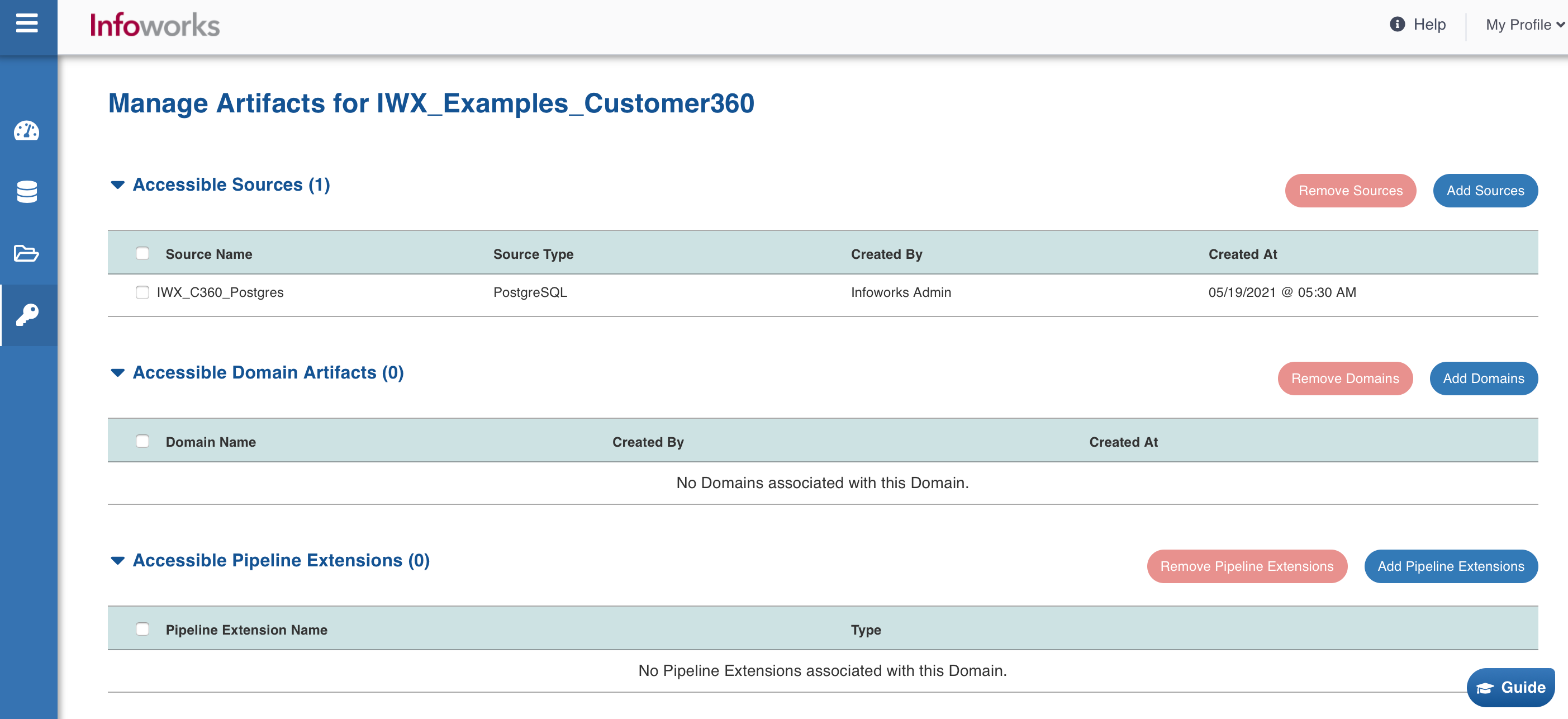
Click the Add Sources, Add Domains or Add Pipeline Extensions button to add sources, domain artifacts and pipeline extensions respectively to be accessed by the domain.
You can also remove the sources, domain artifacts and pipeline extensions accessible by the domain.
Transitive access control of domains
Starting v5.5 release, there are some changes in how the “Accessible Domains” functionality works. Following table captures these changes:
Here is a scenario. A User named UserA has direct access to domainA but not to domainB. The domainB has been added in the accessible domains list of domainA. Even though UserA does not have direct access to domainB, UserA was able to run a workflow or build a pipeline of domainB in previous releases.
This behavior was not ideal for transitive access control of domains. So, we have changed this implementation in the 5.5.0 release. Following is the table containing all possible use-cases.
Feature/ Use-case | Allowed in 5.4.0? | Allowed in 5.5.0? |
|---|---|---|
Consume target from pipeline builds of accessible domain | Yes | Yes |
Build workflow of accessible domain | Yes | No |
Ingest source of accessible domain with restricted visibility on | Yes | No |
Ingest source of accessible domain with restricted visibility off | Yes | No |
Build Pipeline of accessible domain | Yes | No |
Build Pipeline group of accessible domain | Yes | No |