
Analytics Model Export node allows you to save Trained ML Spark Model. This model from the path can be used by any pyspark-based script to load model and apply on dataset matching schema to generate predictions/clusters.
This node does not export any data. Analytics Export Model takes Name and Base Path as input and stores Trained ML Spark Model and the PMML file corresponding to the trained model in the location with given name.
NOTE Currently, PMML file does not get generated for Random Forest Node.
For example, if the name is reorder_prediction_logistic_regression and path is /spark/ml/models/, the model will be saved in /spark/ml/models/reorder_prediction_logistic_regression/.
Models are only exported in batch mode. In interactive mode, it will only validate column rename or exclude.
NOTE This node can be attached only to the Advanced Analytics nodes. No Feature and Prediction columns in the Advanced Analytics node can be excluded inAdvanced Analytics node or export node.
Following are the steps to apply Analytics Model Export node in pipeline:
Connect the required advanced analytics node (Logistic regression, Decision tree, K Means clustering, Random forest classification) to the Analytics Model Import node and double-click the node. The properties page is displayed.
Click Edit Properties . Enter the Model Name and Model Export HDFS Path and click Save.
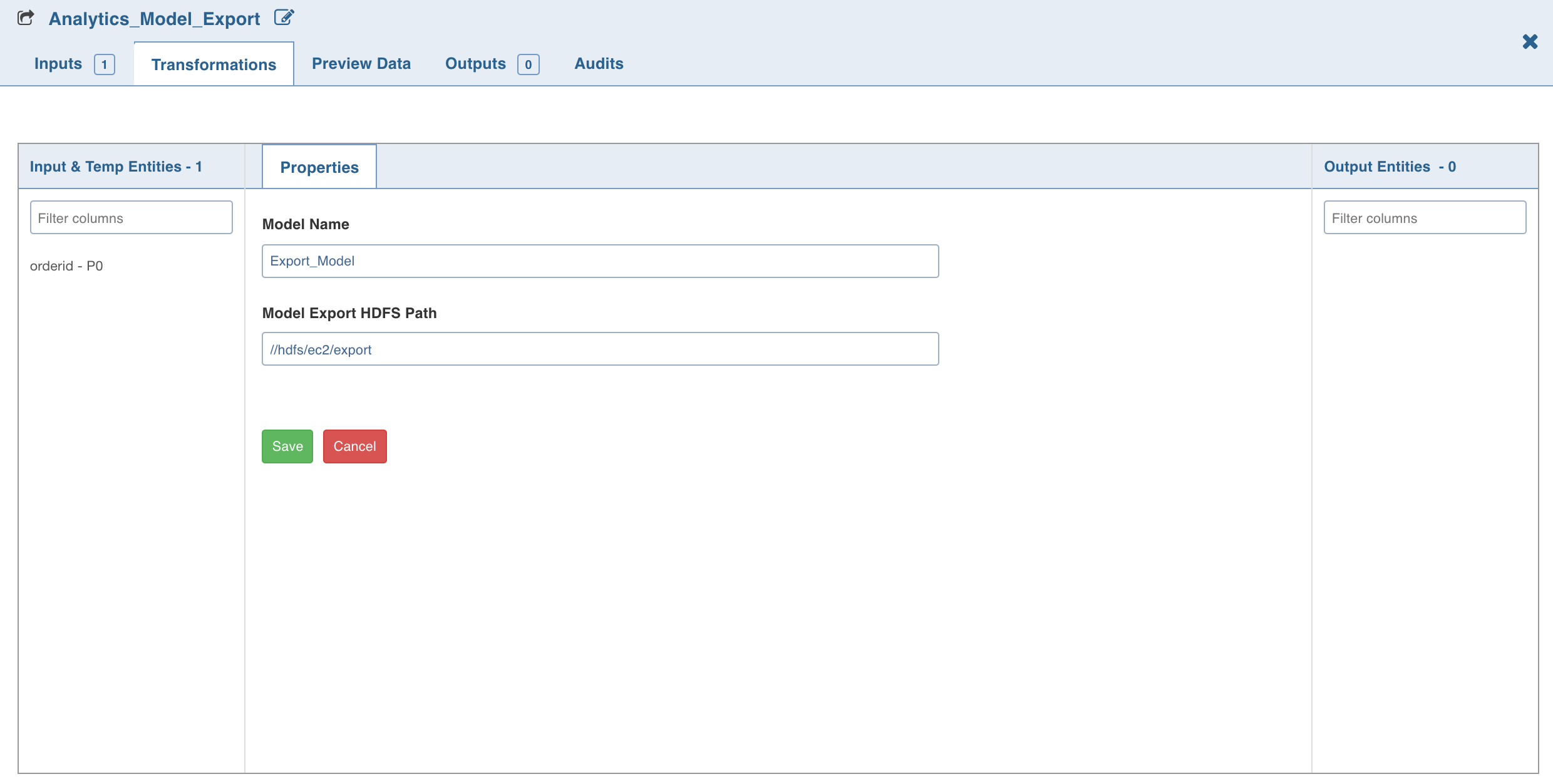
NOTE If H2O is used as the machine learning engine, provide the local file path in the Model Export HDFS Path field. For details on setting H2O as the machine learning engine, see H2O Support in Advanced Analytics Node.
LIMITATION Analytics Model Export nodes are not supported on 3.x spark version Databricks and Dataproc clusters on both Spark and H2O ML libraries.
NOTE The export to Analytics Model pipeline build is working as expected on EMR 6.2 cluster, whereas on EMR 6.6 cluster, firstly the jpmml jars and predictor jar needs to be replaced at /opt/infoworks/lib/dt/spark_3x_2.12 by jpmml-sparkml-2.2.2.jar, jpmml-model-1.6.4.jar, jpmml-converter-1.5.5.jar, secondly add the following jaxb and jakarta jars at the same location: jaxb-core-3.0.0-M4.jar, jaxb-runtime-3.0.0-M4.jar, jakarta.xml.bind-api-3.0.1.jar, jaxb-runtime-3.0.0-M4.jar, and remove the conflicting jar at : /opt/infoworks/lib/dt/libs/jaxb-core-2.2.11.jar.