This allows users to integrate custom code / third party data masking / obfuscation to allow users to secure the data before it lands in the data lake for all source types.
In the Infoworks left navigation pane, navigate to Extensions -> Source Extensions.
Click Create Source Extension.
In the Add Source Extension page, enter the following details:
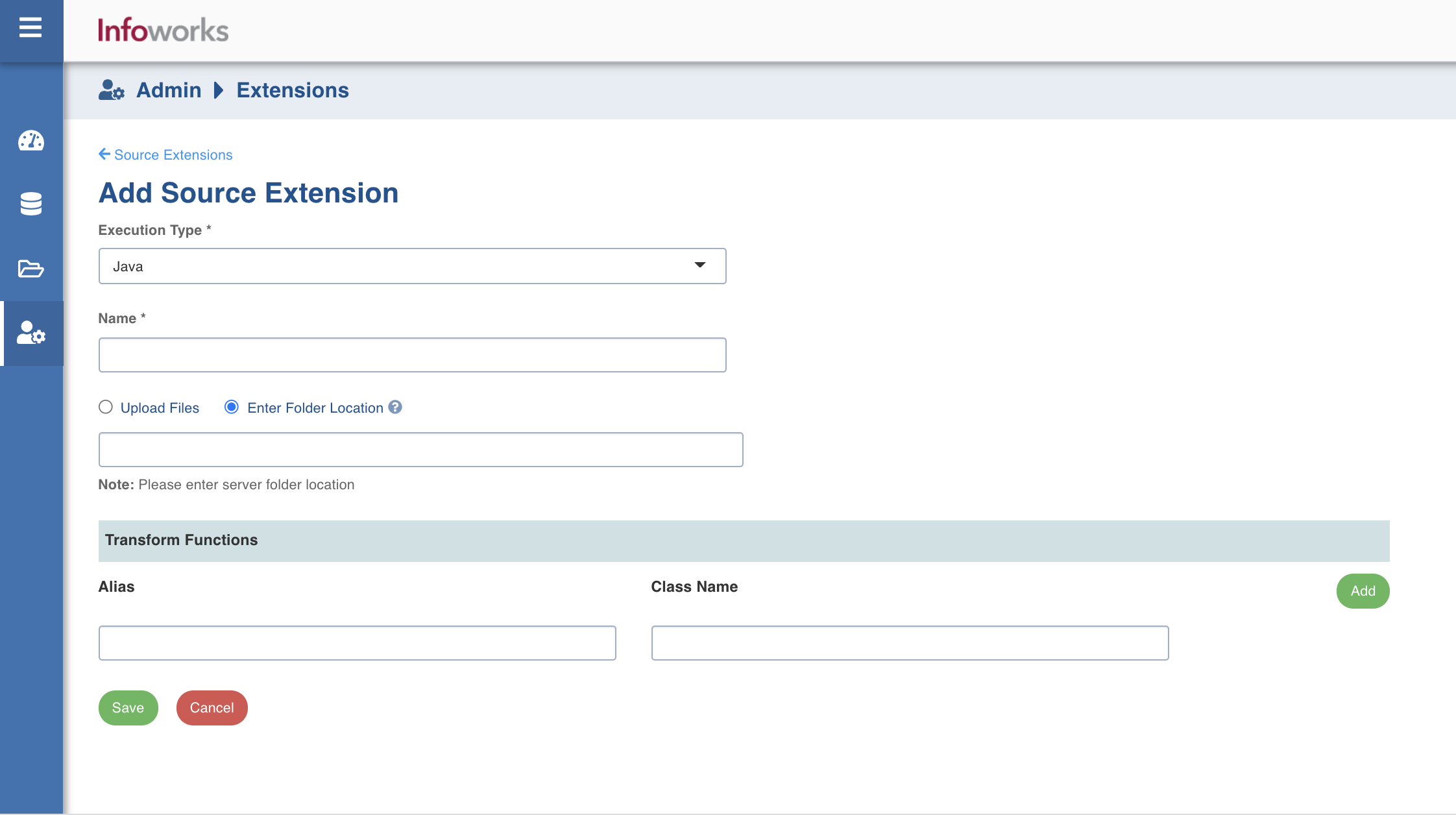
Execution Type: Select Java.
Name: A user-friendly name for the group of transformations under one project. For example, SampleExtension.
Upload the files or enter the path to the folder where the jars have been uploaded. For example, /home/pivottransformation/.
Note The classes implementing the SparkCustomTransformation API which must be available as transformations within Infoworks.
Alias: A user-friendly alias name for the transformations. For example, Sample.
ClassName: A fully qualified class name. For example, io.infoworks.awb.extensions.sample.SparkCustomTfmSample.
Using a Source Extension
To set the source extensions, perform the following steps:
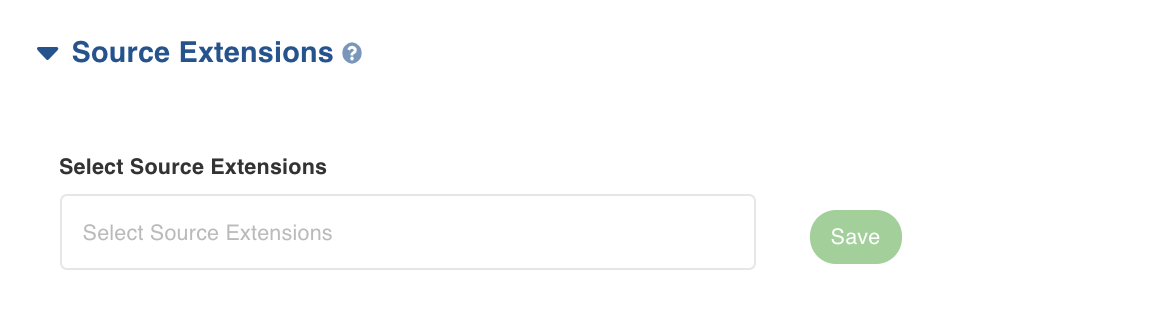
Select the actual transformation at the column level in the Select Source Extensions field.
Click Save. The source extensions are saved successfully.