
Overview
Infoworks supports column-level validation to ensure only good-quality data flows into the system. The validation check ensures all the data coming in follows a specific pattern.
Records that do not satisfy the validation criteria are written to the error table. If the number of error records crosses the threshold percentage, the job is failed.
You can provide the error threshold percentage by setting this key in the Advanced Configuration:
Key | Value |
|---|---|
error_record_threshold_percent | Provide any value between 0-100. |
There are two types of validation:
RegEx
Not NULL
Validating Column
To validate a column:
Step 1: From the Data Sources menu, select one of the tables and click View Source/Ingest button.
Step 2: Select the source table to be synchronized to Target.
Step 3: Click the configuration link and click the Data Quality tab.
NOTE This tab applies only to the following ingestion sources: RDBMS, GENERIC JDBC, CDATA, CSV, JSON, and Fixed-Width CSV.
Step 4: On the Data validation tab, click Add Validation.
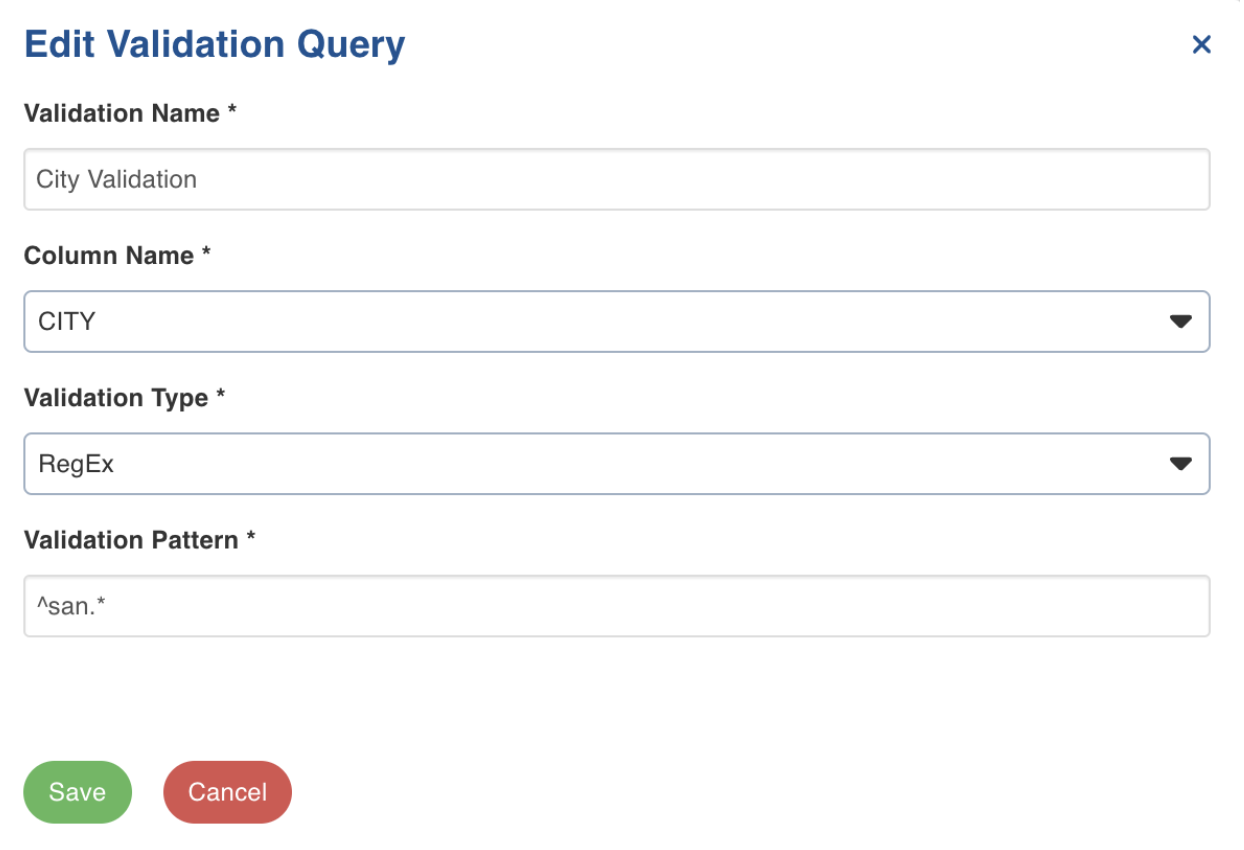
Step 5: Enter the following details.
Field | Description | Details |
|---|---|---|
Validation Name | This field indicates the name of the validation | For example: City validation |
Column Name | This field indicates the name of table column which has to be validated | For example: FNAME, LNAME, CITY, etc. |
Validation Type | This field indicates the type of validation applied on a column Supported Validation types: RegEx and Not NULL | RegEx: Provide the RegEx pattern in the validation pattern field. Not NULL: This type indicates that column value is not null. |
Validation Pattern | This field indicates the supported pattern for validation. NOTE Supported patterns: [a-zA-Z]+(?:[ '-][a-zA-Z]+)* | For example: To fetch the name of cities beginning with “San”, provide the following pattern: ^san.* |
Step 6: Click Save.
NOTE You can apply Regex and Not NULL to the same table. If either validation fails, the record will fail. The reason for record failure will be present in the error table.
NOTE If the job error threshold is set as a % and as a count, the lower applicable value will apply to a particular job/run.