
Like Decision Trees, the algorithm in Random Forest Classification creates a bunch of decision trees with random data and random features. Prediction will be the arithmetic average of the prediction of the individual decision trees.
NOTE The Random-Forest Classification node is not supported for pipelines in snowflake environment.
Following are the steps to apply Random-Forest Classification node in pipeline:
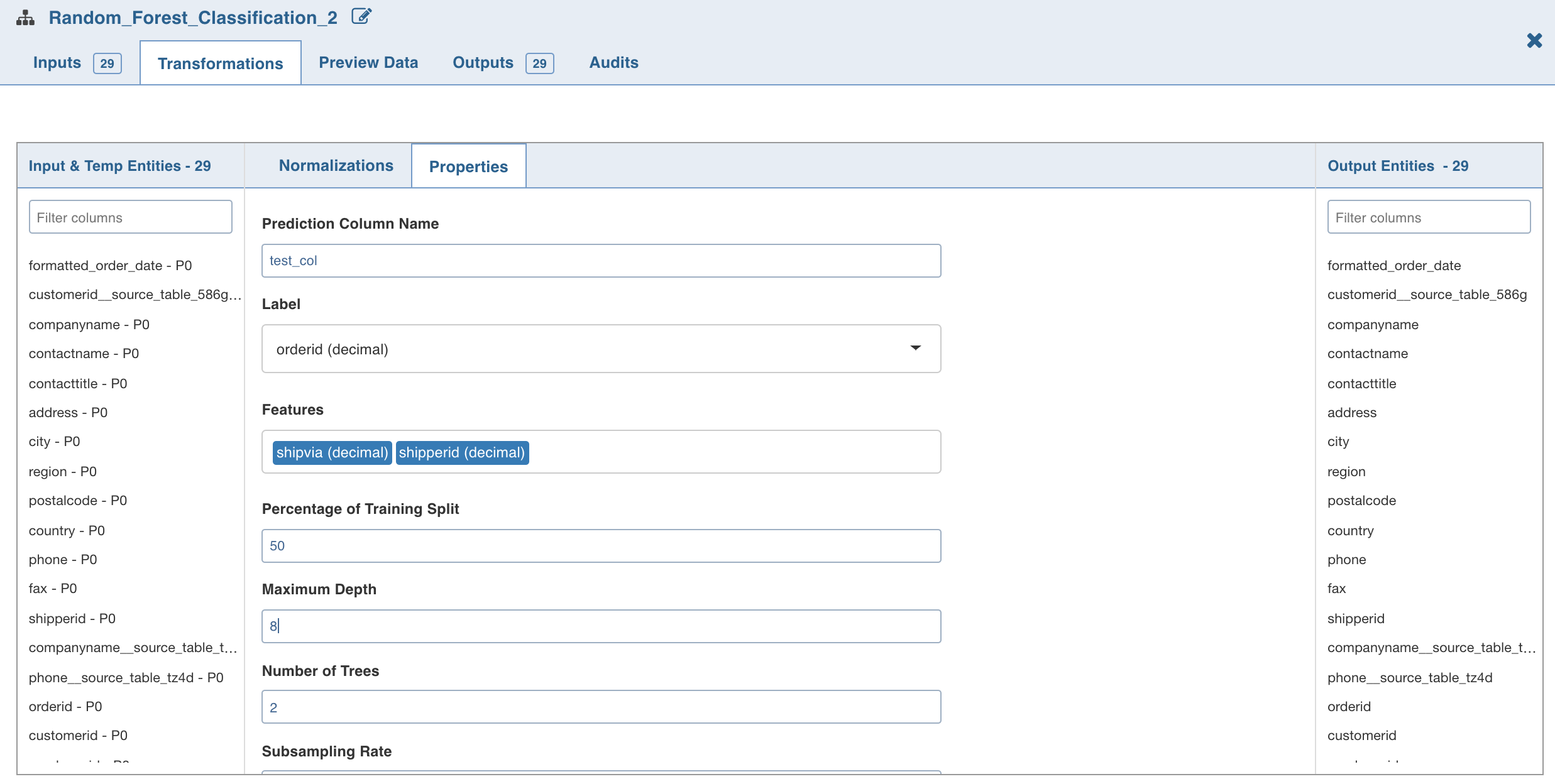
Double-click the Random Forest Classification node. The properties page is displayed.
Click Edit Properties, enter the details and click Save.
Following are the fields:
Maximum Depth is the maximum depth of trees, between 0 and 30.
Number of Trees is the number of trees (any integer value) used for the ensemble.
Subsampling Rate is the fraction of the training data used for learning each decision tree, in range (0, 1).
3. Click Normalization. The list of normalizations are displayed.
Click Add Normalization and enter the required normalization properties.
Click Save.