
Infoworks supports Azure Synapse Analytics as a target for data transformation pipeline.
Azure Synapse Analytics is a cloud-based enterprise data warehouse that leverages Massively Parallel Processing (MPP) to quickly run complex queries across petabytes of data and can be used as a key component of a big data solution.
Prerequisites
Ensure the Azure Synapse Analytics target data connection is configured. For the steps to configure data connection, see Setting Azure Synapse Analytics Data Connection.
Ensure a database master key for the Azure Synapse Analytics is available.
To allow Infoworks to reach Azure Synapse Analytics, it is recommended to set Allow access to Azure services to ON on the firewall pane of the Azure Synapse Analytics server through Azure portal.
Setting Azure Synapse Analytics Target Properties
Following are the steps to use Azure Synapse Analytics target in pipeline:
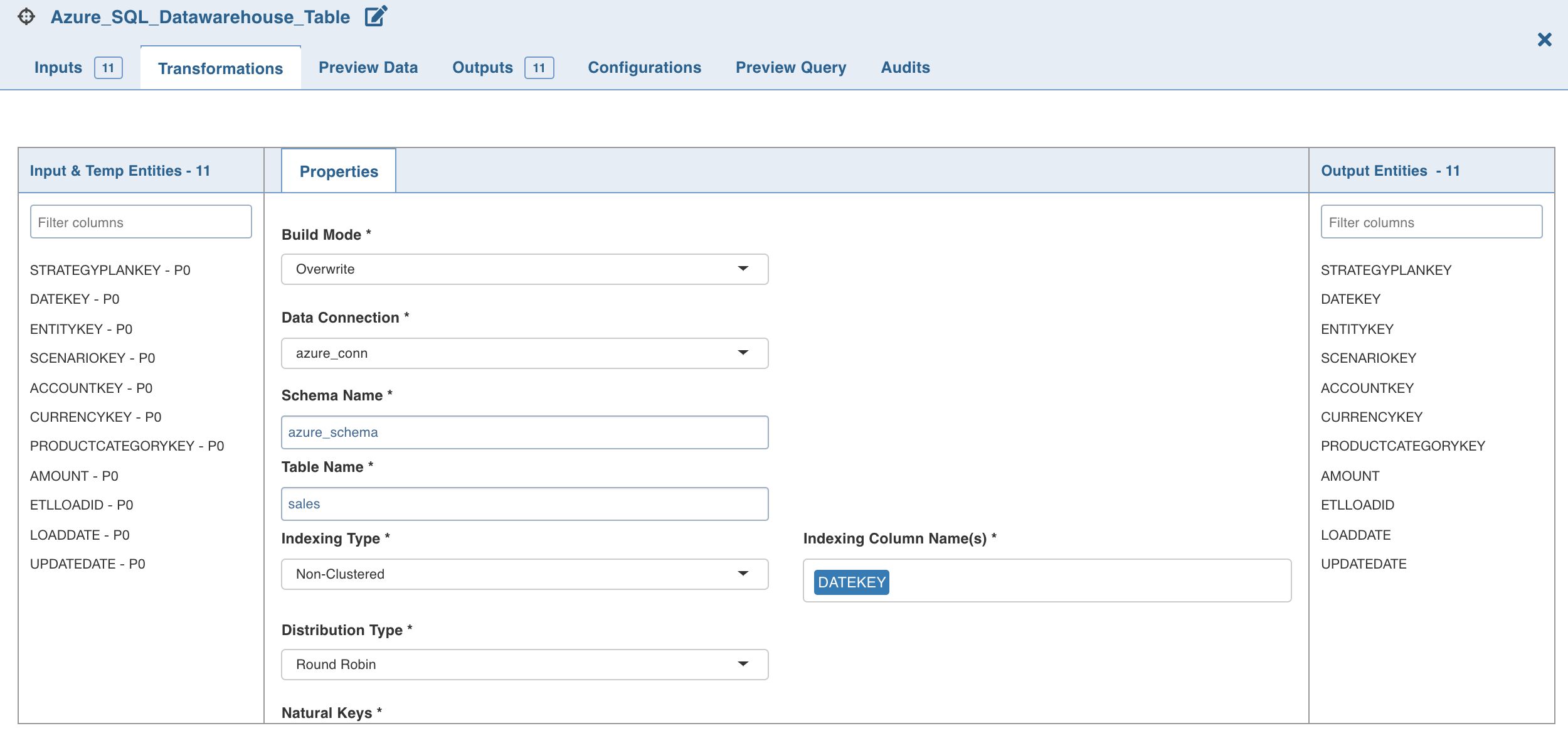
Double-click the Azure Synapse Analytics node. The properties page is displayed.
Click Edit Properties, and set the following fields:
Field | Description |
|---|---|
Build Mode | The options include overwrite, append or merge. Overwrite: Drops and recreates the Azure Synapse Analytics target. Append: Appends data to the existing Azure Synapse Analytics target. Merge: Merges data to the existing table based on the natural key. |
Data Connection Name | Data connection to be used by the Azure Synapse Analytics target. |
Schema Name | Schema name of the Azure Synapse Analytics target. |
Create a schema if it does not exist | Enable this option to create a new schema with the name provided above. Ensure that the user has sufficient privileges to create a schema in Azure Synapse Analytics Target. |
Table Name | Table name of the Azure Synapse Analytics target. |
Indexing Type | The indexing options include clustered columnstore index, clustered index and nonclustered index, and a non-index option - heap. Note: Clustered Column Store and Non-Clustered indexes are not supported for tables containing column(s) of STRING data type, and Columns with STRING data type and TIMESTAMP datatype can not be used as a partitioning column.(https://docs.microsoft.com/en-us/sql/relational-databases/partitions/partitioned-tables-and-indexes?view=sql-server-ver15) |
Distribution Type | Distribution methods for designing distributed tables. The options include hash, replication and round-robin. |
Natural Keys | The required natural keys for the Azure Synapse Analytics target. |
Partition Column Name | The column name for partition. |
Partition Range | The range type. The options include left and right. |
Boundary Values | The boundary points for partition (comma separated). NOTE Boundary values must exactly match the partition column data type. For example, if the column data type is int, the boundary values can be 10,20,50,... If the column data type is date, the boundary values can be ‘11-12-2019’,’10-11-2020’,... If the column data type is string, the boundary values must be provided in single quotes (comma separated). |
Click Save.
Supported Datatype Mappings
Below is the list of supported source datatypes and their mapping to Azure Synapse Analytics datatypes:
Spark Datatype | SQL Datatype |
|---|---|
DecimalType | decimal |
IntegerType | int |
FloatType | float |
DoubleType | float |
LongType | bigint |
StringType | nvarchar(MAX) |
DateType | datetime |
TimestampType | datetime |
BooleanType | bit |