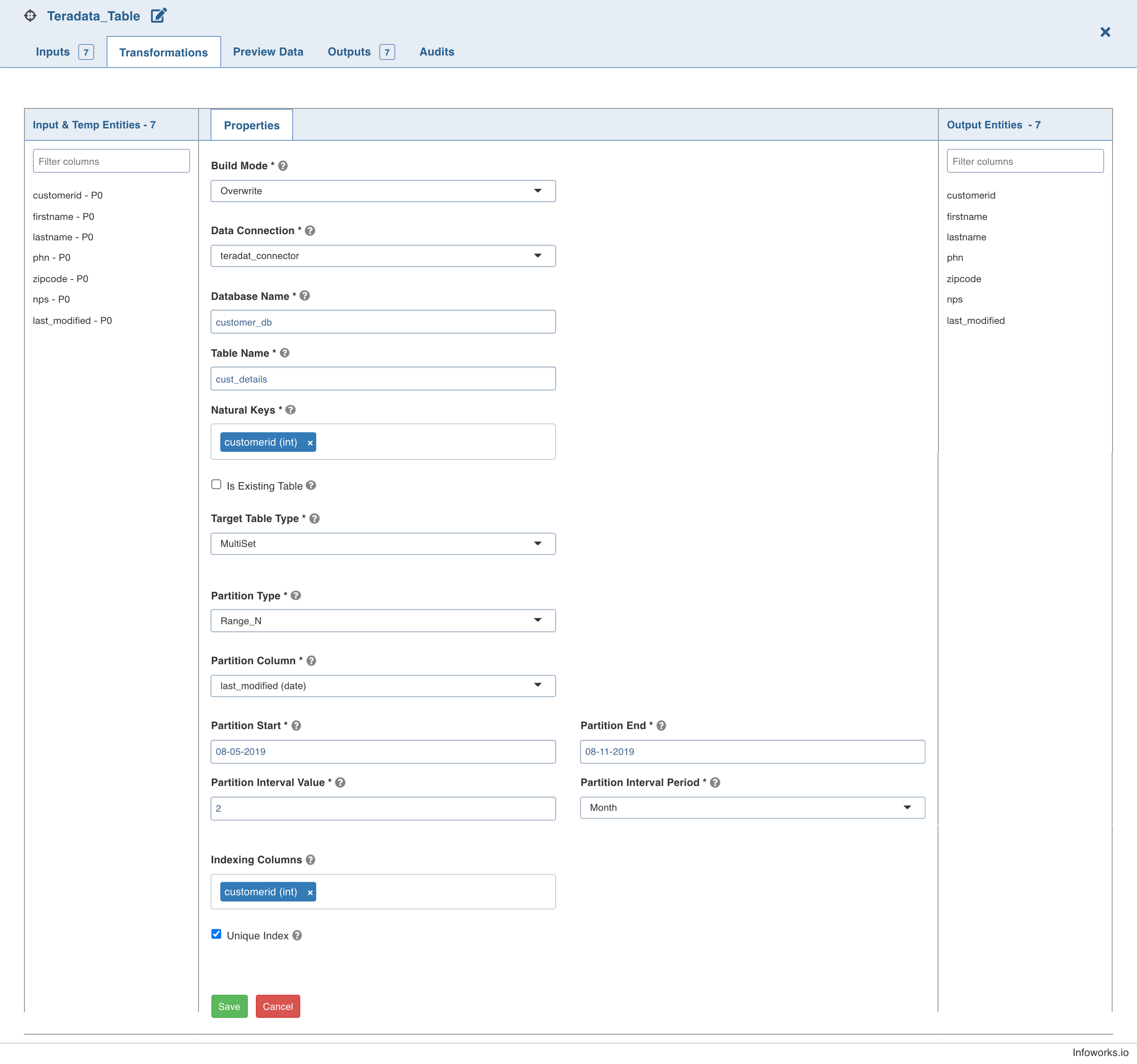
Infoworks supports Teradata as a target in data transformation pipeline.
NOTE This node is compatible only with Spark execution engine.
Setting Teradata Target Properties
Following are the steps to use Teradata target in pipeline:
Double-click the Teradata Table node. The properties page is displayed.
Click Edit Properties, and set the following fields:
Field | Description |
|---|---|
Build Mode | The build mode to overwrite, append, and merge data. Select Overwrite to drop and recreate the target, Append to append data to the existing target, or Merge to merge data to the existing table based on the natural key. NOTE: The merge mode will not be supported for column-partitioned target table. |
Data Connection | The data connection to be used by the Teradata target. For more details, see Setting Teradata Data Connection. |
Database Name | The database name of an existing database in Teradata. |
Table Name | The name of the Teradata target table. |
Natural Keys | The key (combination of columns) to identify a row uniquely in the data. Select the required natural keys for the Teradata target. |
Is Existing Table | When enabled, the existing table behavior works as an external table to Infoworks. The table will not be created/dropped or managed by Infoworks. |
Target Table Type | Select a SET table or a MULTISET. A SET table does not allow duplicate values in the table, while a MULTISET table allows duplicate values. |
Partition Type | The option to partition the target table based on the Range_N condition. The options include Range_N and None. |
Partition Column | The column used to partition the data in the target. Only Datetime and Timestamp columns are supported to be partitioned. This option is displayed only for Range_N Partition Type. |
Partition Start | The start value for the partition Range_N condition. |
Partition End | The end value for the partition Range_N condition. |
Interval Value | The interval period value for the Range_N partition. |
Interval Period | The interval period for the Range_N partition, which can be day, month, or year. |
Indexing Columns | The primary index column for the target table to be created. |
Unique Index | The option to set the primary index column values as unique. |