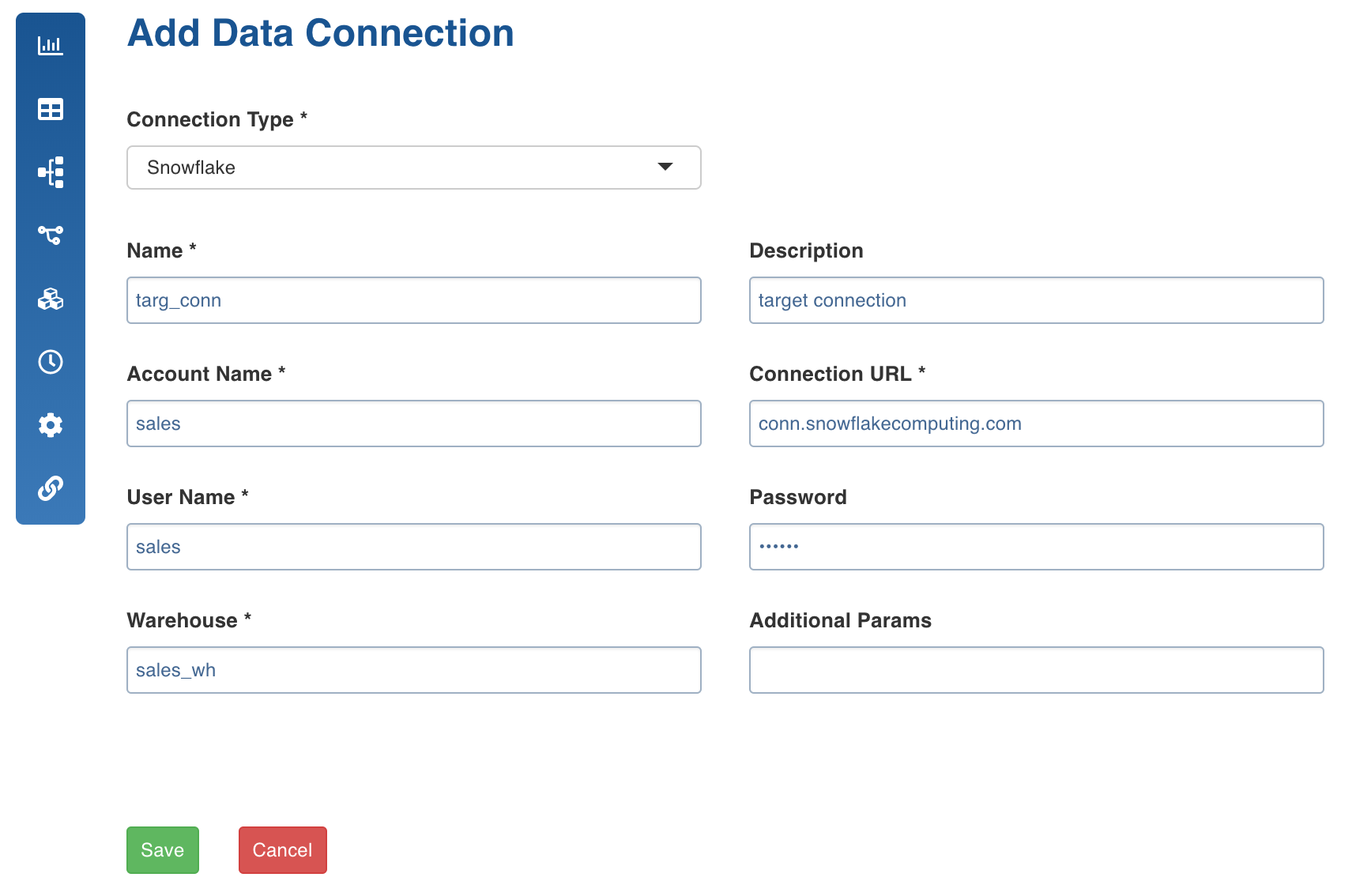
Target data connections feature is used as a template to configure target connections that can be used in pipeline targets within the domain.
Following are the steps to set the target data connections:
Navigate to the required domain and click the Target Data Connections icon.
Click Add Connection.
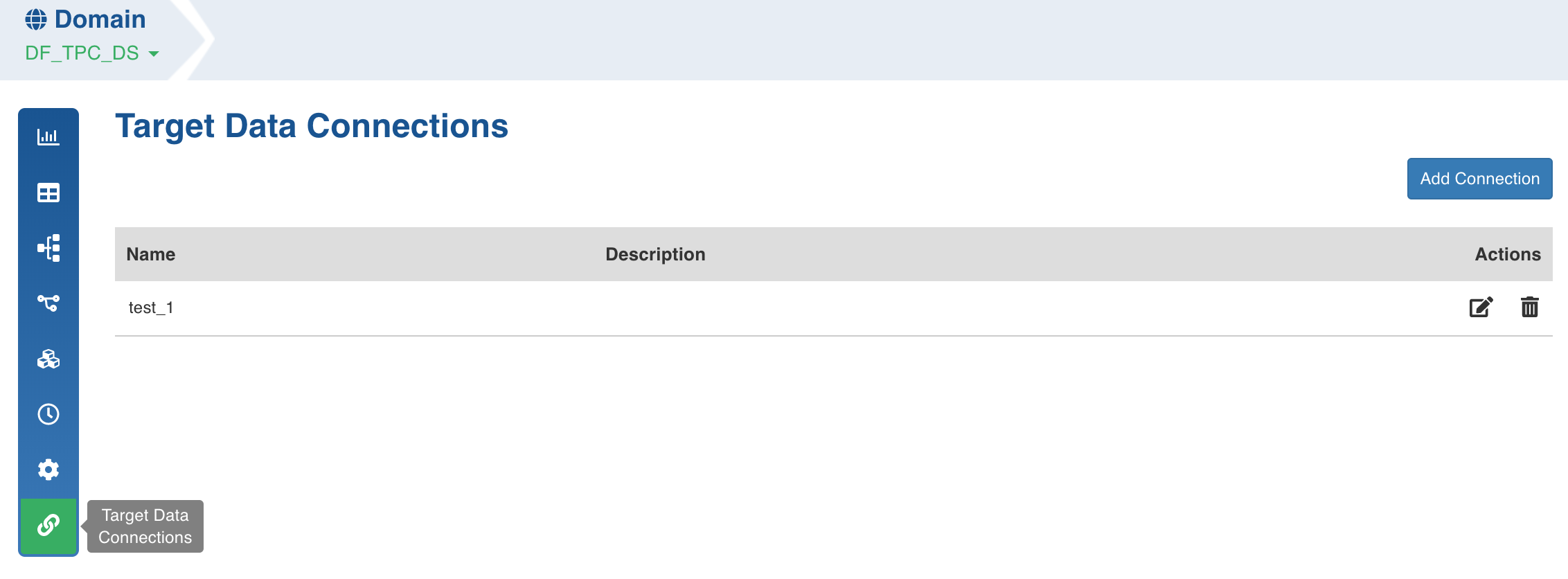
Enter the connection details and click Save. The connection details for snowflake is explained below.
Snowflake Data Connection
Following are the snowflake connection details:
Connection Type: Type of connection. Select Snowflake.
Name: Name for the target data connection. For example, tar_con.
NOTE: The connection name must be unique across the specific domain.
Description: Description for the target data connection.
Account Name: Snowflake Account Name. For example, example_sales.
Connection URL: Connection URL to connect to snowflake. For example, name.snowflakecomputing.com.
User Name: Username of the snowflake account. For example, mark@example.com.
Password: Password of the snowflake account. For example, 123456.
Warehouse: Snowflake warehouse name. For example, sales.
Additional Params: Optional JDBC parameters.