
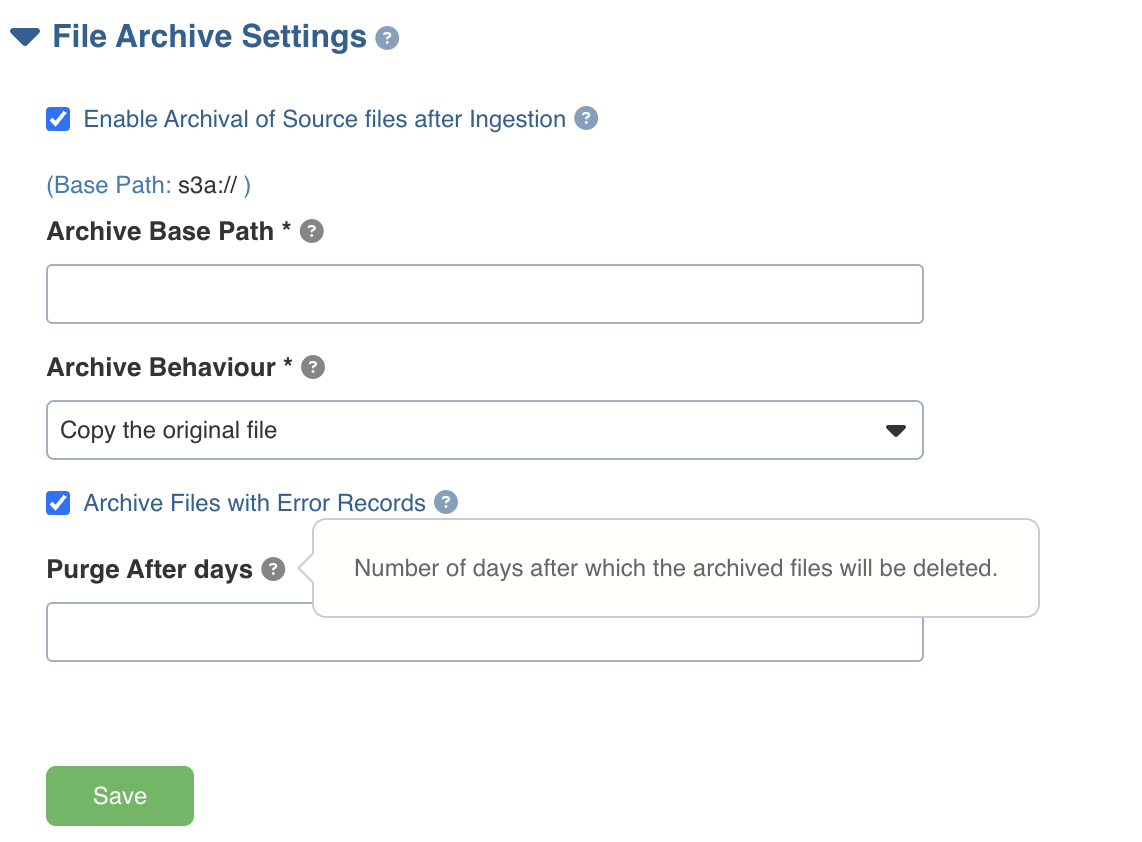
Purge After Days
The Purge After Days field allows you to define how long archived files should be retained.
Enter a valid number of days to enable purge tracking.
If the field is left empty or set to 0, purge functionality is disabled.
Metadata File Creation
When a valid value is provided in Purge After Days, a metadata file is created for each archived file at the archival location.
Metadata File Name
{file_name}.metadata.json
Example Metadata File
{
"sourceFilePath": "csv-files/testing_file_archive/dir5/d1/SYNC_DF_TBL2.csv",
"sourceFileName": "SYNC_DF_TBL2.csv",
"archivedFilePath": "file_archive/csv/append1/d1",
"archivedAt": "2025-11-26T10:19:27.598520526Z",
"purgeAfterDays": 3,
"purgeAfter": "2025-11-29T10:19:27.598520526Z"
}
Purge Mechanism
The system calculates the purgeAfter timestamp using the archivedAt time and purgeAfterDays.
Any purge script can use this timestamp to delete archived files once the retention period has expired.
If Purge After Days is not configured (empty or 0), metadata files are not created, and no purge tracking occurs.
Was this page helpful?