
Add Generic Source Type for Custom Sync to Target
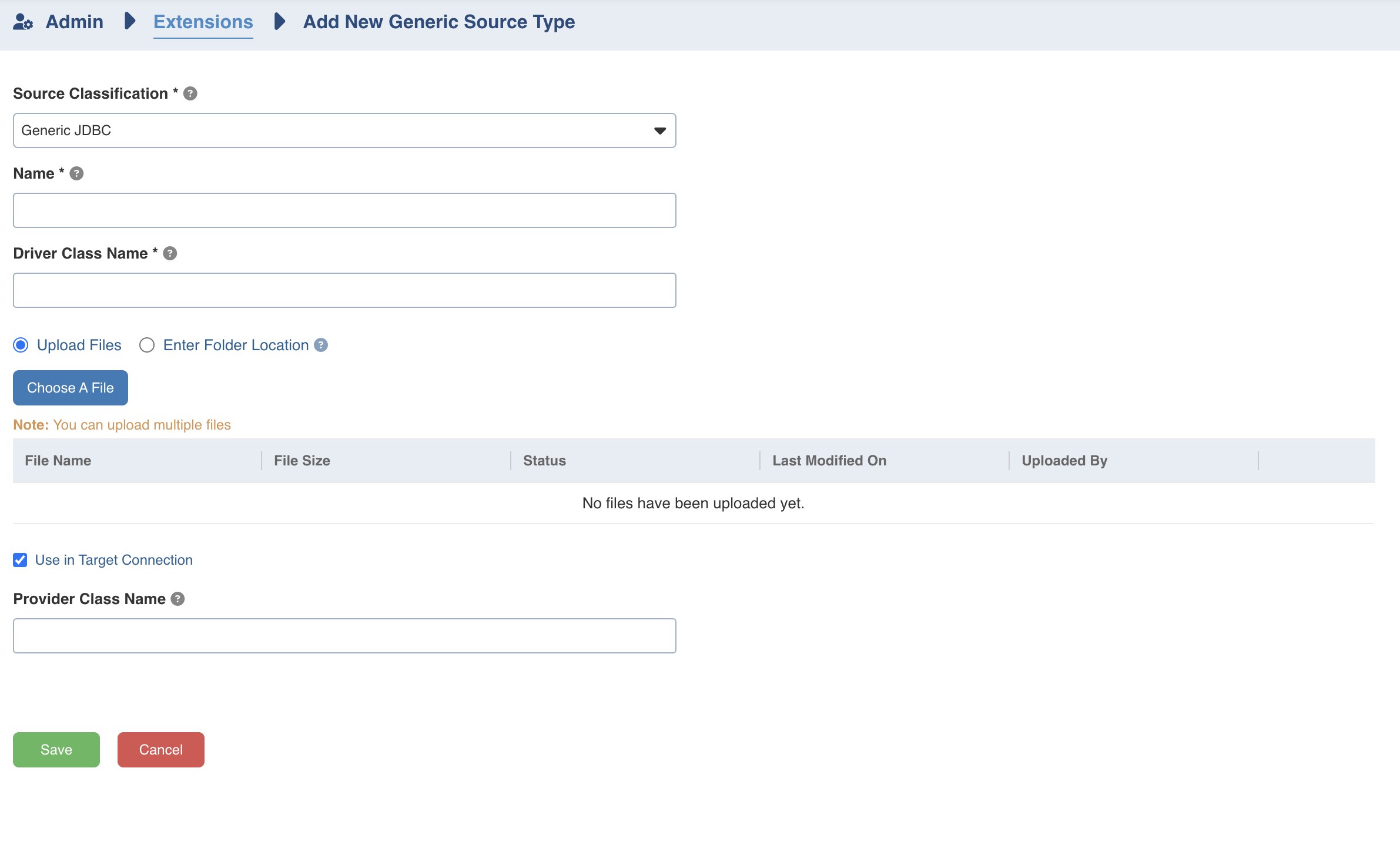
In the Generic Source Type section:
Use Generic JDBC in Source Classification
Provide the Name.
Provide the Driver Class Name for the generic JDBC source classification type.
Upload the connector JAR files.
Select the Use in Target Connection.
Target Data Connections
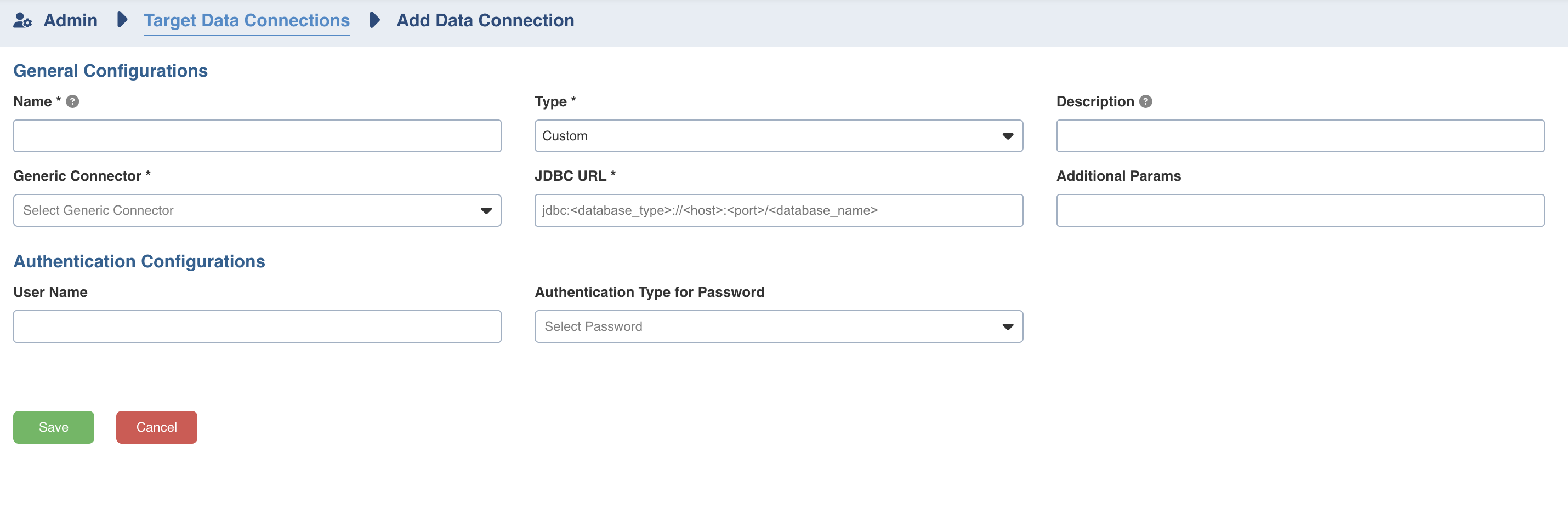
Select Custom as the Type.
Select the Generic Source Type created earlier from the Generic Connector dropdown.
Refer to the connector-specific details below for configuration in the JDBC URL, Additional Parameters, and Authentication sections.
Cosmos
JDBC URL:
jdbc:cosmosdb:AuthScheme=AccountKey;TokenType=master
Additional Parameters:
AccountEndpoint={account_end_point};AccountKey={account_key};FlattenObjects=true;RowScanDepth=1000;TypeDetectionScheme=RawValue
User Name and Password not required.
NOTE Replace {account_end_point} and {account_key} with your actual values.
Cosmos Mongo
JDBC URL:
jdbc:mongodb:AuthScheme=NONE;UseSSL=true;
Additional Parameters:
FlattenObjects=true;TypeDetectionScheme=Recent;RowScanDepth=1;Port={port};Server={server};
Provide the Username and Password as required.
NOTE Replace {server} and {port} with the appropriate values for your Cosmos Mongo instance.
Couchbase
JDBC URL:
jdbc:couchbase:AuthScheme=Basic;CouchbaseService=N1QL;UseSSL=FALSE;ConnectionMode=Direct;Server={server};
Additional Parameters:
FlattenObjects=true;TypeDetectionScheme=RowScan;RowScanDepth=1
Provide the Username and Password as required.
NOTE Replace {server} with your Couchbase server address.
MySQL
Provide the JDBC URL for MySQL, Username, and Password.
Add allowMultiQueries=true in Additional Parameters.
Sync to External Target Configuration
(In Table Configuration)
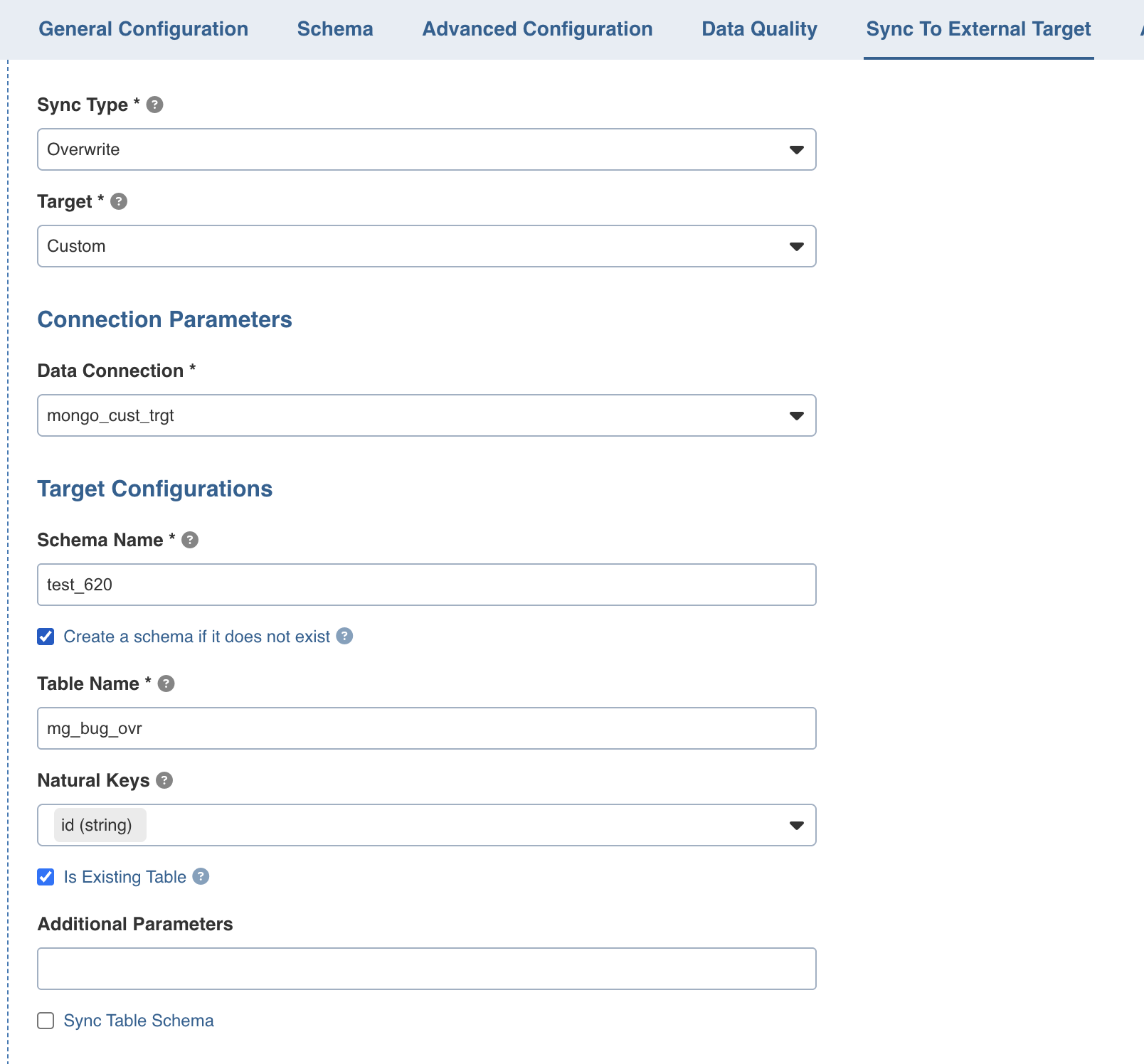
Important Details
Select Custom as the Target.
Select the data connection created earlier for the custom connector from the dropdown.
Schema Name
For Cosmos and Cosmos Mongo, provide the database name.
For Couchbase, provide the scope name.
Table Name
For Cosmos, provide the container name.
For Cosmos Mongo and Couchbase, provide the collection name.
Existing Table
Set Is Existing Table to True for No-SQL connector.
Custom sync to targets for No-SQLs is supported only for user-managed tables. Since the tables are created and managed by the user, ensure that all required configurations are already set up.
For example:
Cosmos Containers
RU configuration
Partition key setup
Unique key setup etc
Cosmos Mongo Collections
RU configuration
Appropriate collection configurations etc
NOTE For NoSQL connectors, it is required to have a table named {table_name}_merge when using the merge sync to target mode.
Additional Parameters
Any extra parameters can be added here.
NOTE For Couchbase, the catalog name must be specified in the additional parameters along with any other required parameters.
Example: catalogName=travel-sample;
LIMITATIONS
Sync Table Schema is not supported for Custom Sync to Target.
Uploading a custom connector interface and specifying the implemented class name in the provider class name field, along with the uploaded JAR file, is not yet supported.