
Setting Pipeline Layout
To set the Pipeline Layout, perform the following steps:
Navigate to Version Actions > View Options in the pipeline editor.
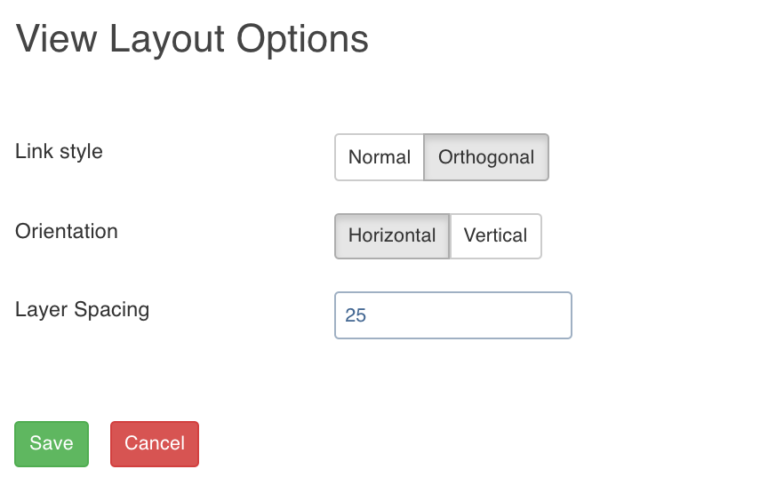
The View Layout Options page allows you to set the layout of the pipeline on the pipeline version editor page.
The page includes the following fields:
Field | Description |
|---|---|
Link Style | Normal: Displays straight arrows connecting the nodes; Orthogonal: Displays right-angular arrows connecting the nodes. |
Orientation | Repositions the nodes on the canvas horizontally or vertically. |
Layer Spacing | Repositions the nodes on the canvas as per the spacing number provided. |
Viewing the Pipeline Overview
You can view the overview of the entire pipeline by clicking the Overview icon in the pipeline editor. This feature comes in handy if you are working on a big pipeline with many nodes and if the pipeline exceeds the normal page view.
Zooming In and Out a Pipeline
You can zoom out and zoom in the pipeline by clicking the Zoom Out and Zoom In icons respectively in the pipeline editor.
Undoing and Redoing Pipeline Actions
You can click the undo and redo icons on the pipeline editor to undo and redo respectively the following actions:
Layout modifications (in view options) for pipeline version.
Position modifications of nodes in a version.
Modifications in nodes like edit properties, exclude, include, rename columns, schema synchronisation, etc.
Addition and deletion of nodes and links.