
Title
Message
Create new category
What is the title of your new category?
Edit page index title
What is the title of the page index?
Edit category
What is the new title of your category?
Edit link
What is the new title and URL of your link?
Auto-Suggestion in Expressions
Copy Markdown
Open in ChatGPT
Open in Claude
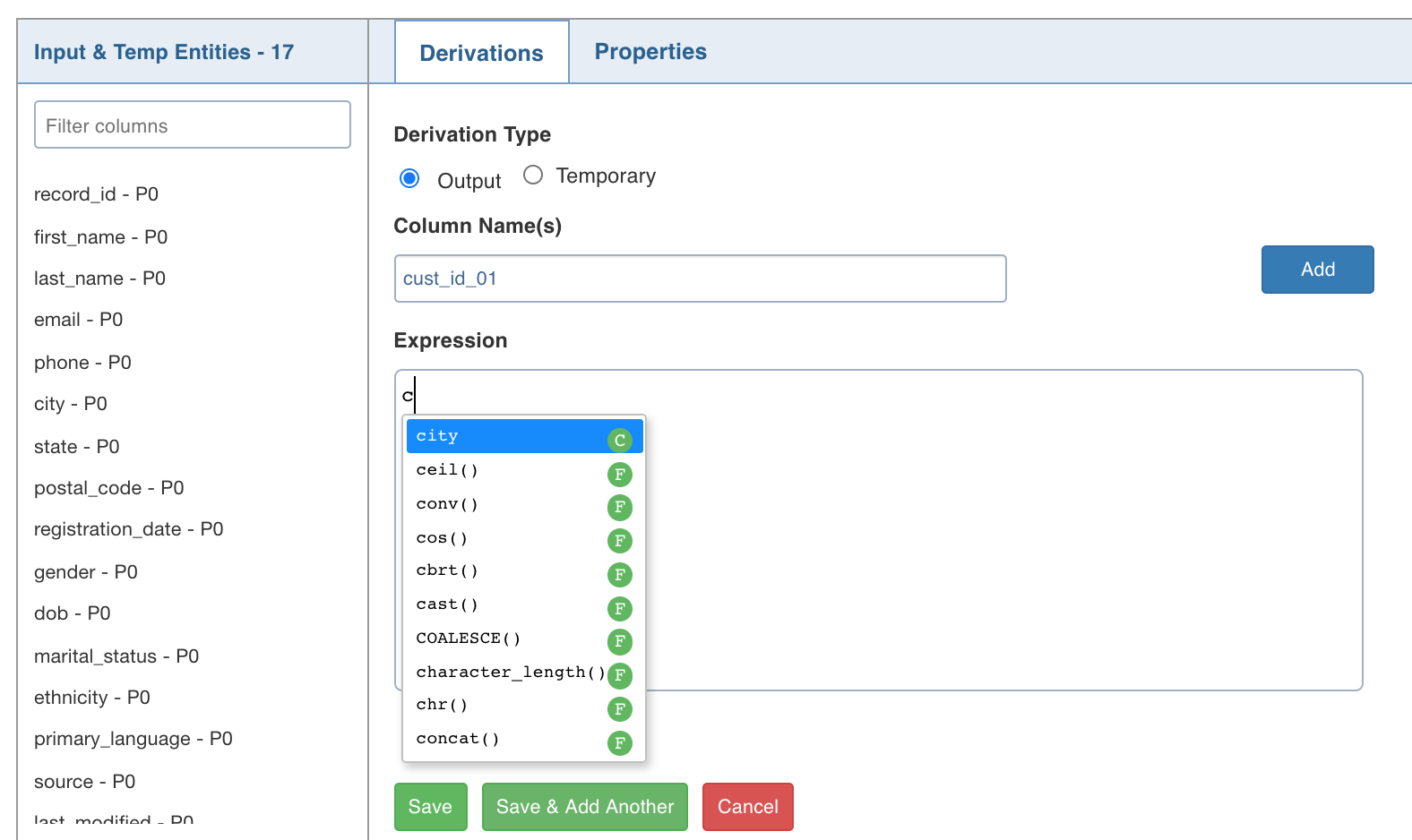
The Infoworks supports auto-suggestion in the Expression text boxes. When you type an expression, the system auto-suggests the relevant column names and functions. For more details on functions, see the Functions Library section.
Auto-suggestion is supported in the following sections:
- Derivation section in all nodes.
- Advanced Properties section in Filter, Join and Aggregate nodes.
- Properties section in Exists, Split nodes.
This feature helps in adding expressions faster without switching visual context.
Type to search, ESC to discard
Last updated on Oct 29, 2021
Was this page helpful?
Next to read:
Designing an SQL PipelineFor more details, refer to our Knowledge Base and Best Practices!
For help, contact our support team!
© UNIPHORE TECHNOLOGIES 2025 | Confidential
Discard Changes
Do you want to discard your current changes and overwrite with the template?
Archive Synced Block
Message
Create new Template
What is this template's title?
Delete Template
Message