
Following are the steps to truncate and recrawl the table data:
Click View Source for the required source.
In the Tables tab, select the required tables.
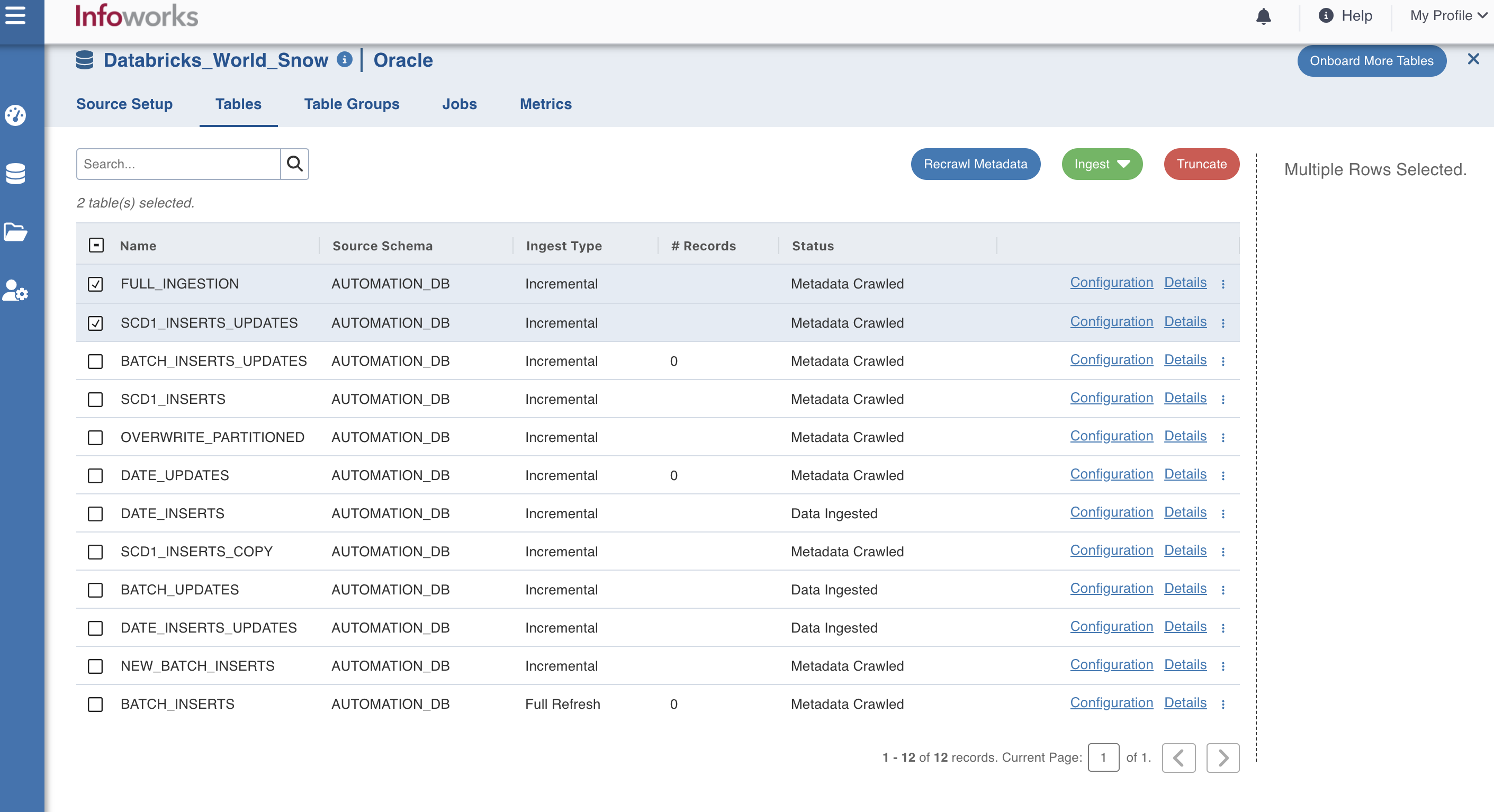
Perform either of the following:
Click Truncate to delete data from the target and reset the table metadata (row count and last ingested timestamp).
Click Recrawl Metadata to refresh the column list based on the schema from the source system.
Was this page helpful?