
The Analytics Model Import node allows you to import the saved/exported Trained ML Spark Model from HDFS to a pipeline. This model from the HDFS path can be used by any pyspark-based script to load the model and apply on dataset matching schema to generate predictions/clusters. This node does not import any data.
NOTE The Analytics Model Import node is not supported for pipelines in snowflake environment.
Analytics Model Import takes the Analytics Model name of various ML model types and their feature column mappings as input.
Following are the steps to apply Analytics Model Import node in pipeline:
Connect the required advanced analytics node (Logistic regression, Decision tree, K Means clustering, Random forest classification) to the Analytics Model Import node and double-click the node. The Properties window is displayed.
Click Edit Properties and select the analytics model from the Analytics Model to Import drop down.
Under Analytics_Model_Import (right), click the edit symbol and select the required columns whose values map with the selected analytics model (left).
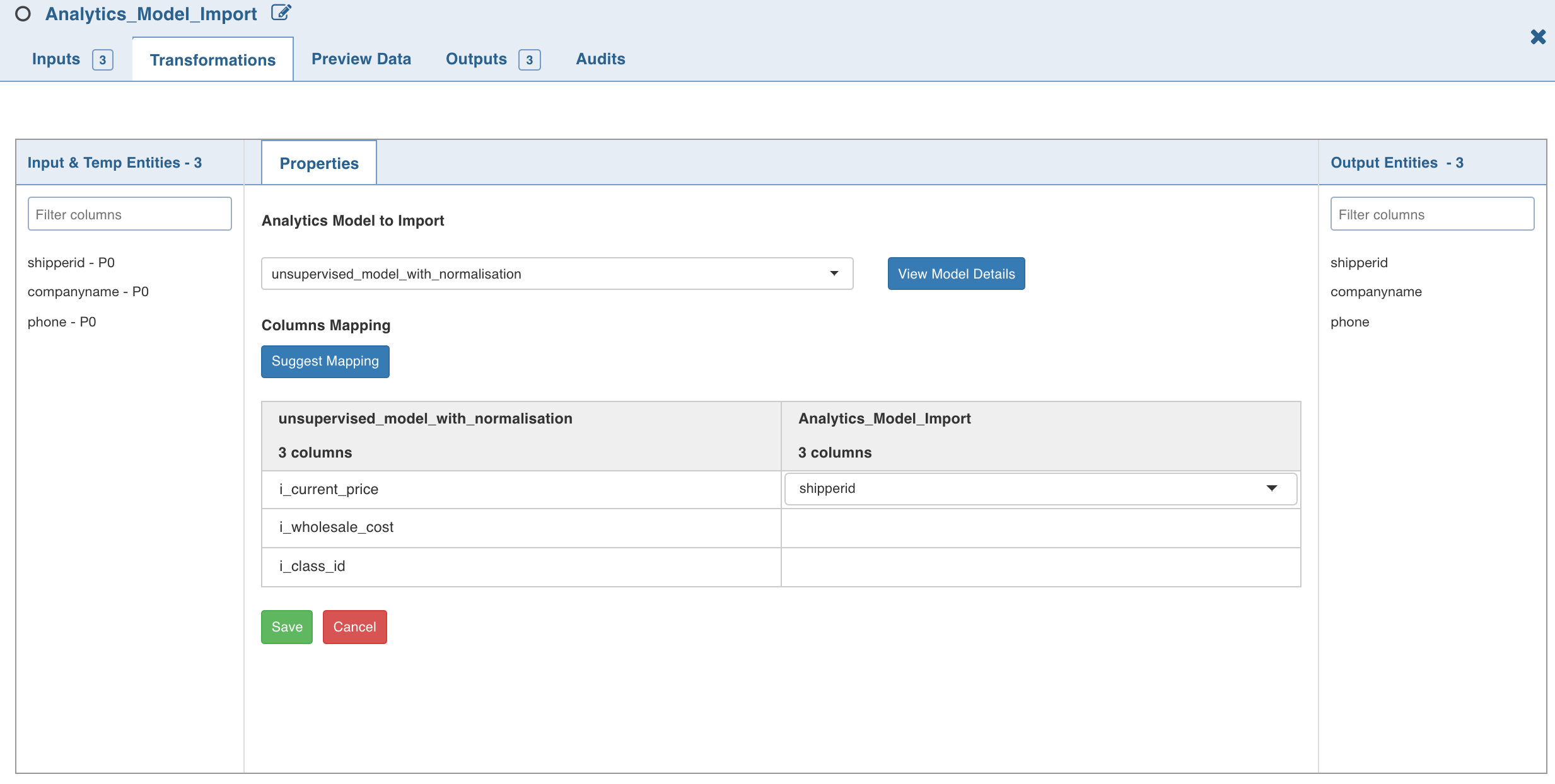
NOTE If the values of columns under Analytics_Model_ Import drop down do not map with those of the analytics model (as shown in the above illustration), the error message Data Type is not supported is displayed after you click OK.
4. Click Save.
Click Data to view the generated table data.
Error Messages and Limitations
Null Value Error: If any of the feature columns have null values, spark displays an error at vector assembler level. Workaround: Add a Filter node between the Analytics Model Input and the connecting node and add a not null condition on all feature columns with and condition.